Playing History
Step-By-Step:
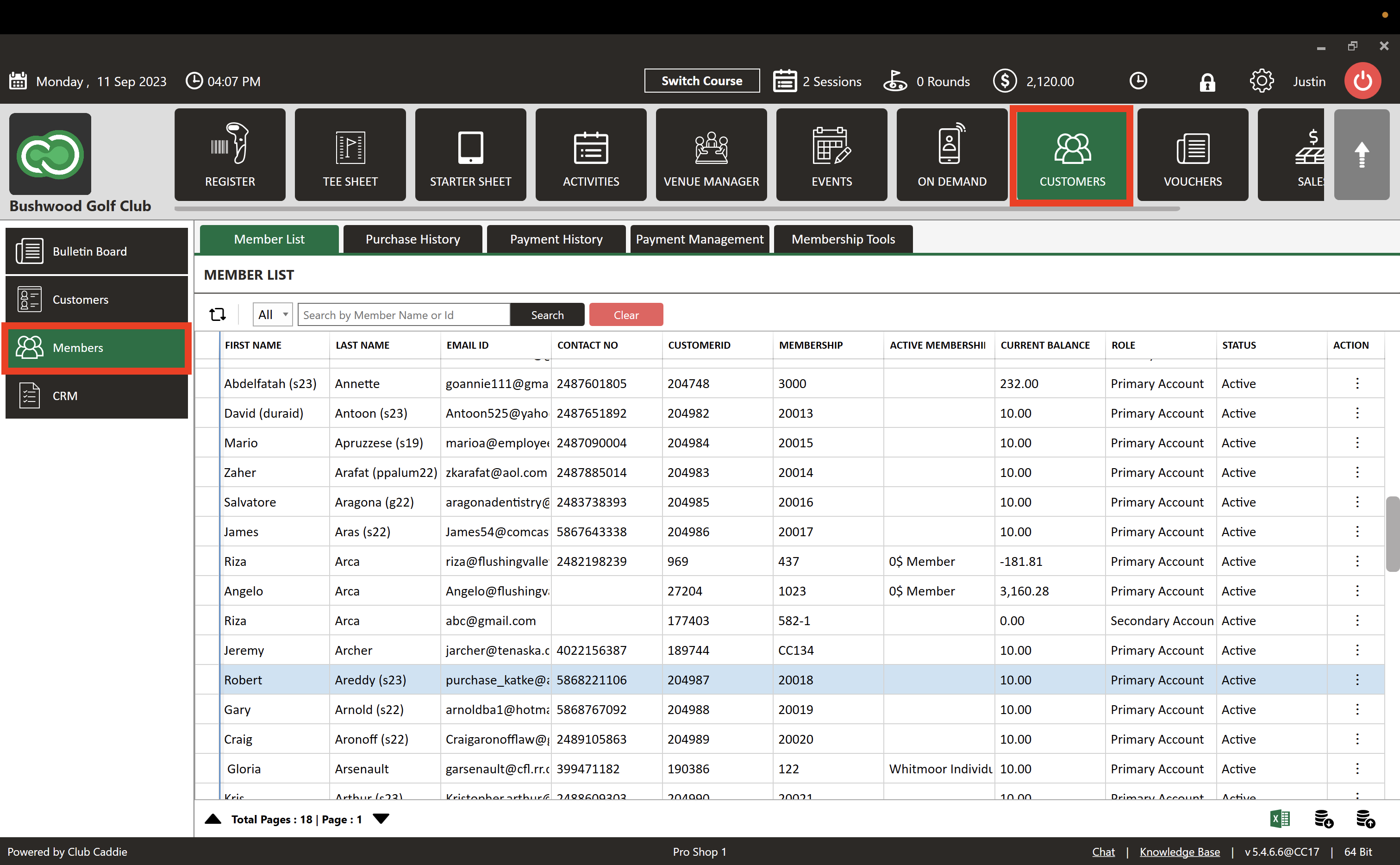
Step 1: Click on the "Guests" tab, followed by the "Members" option.
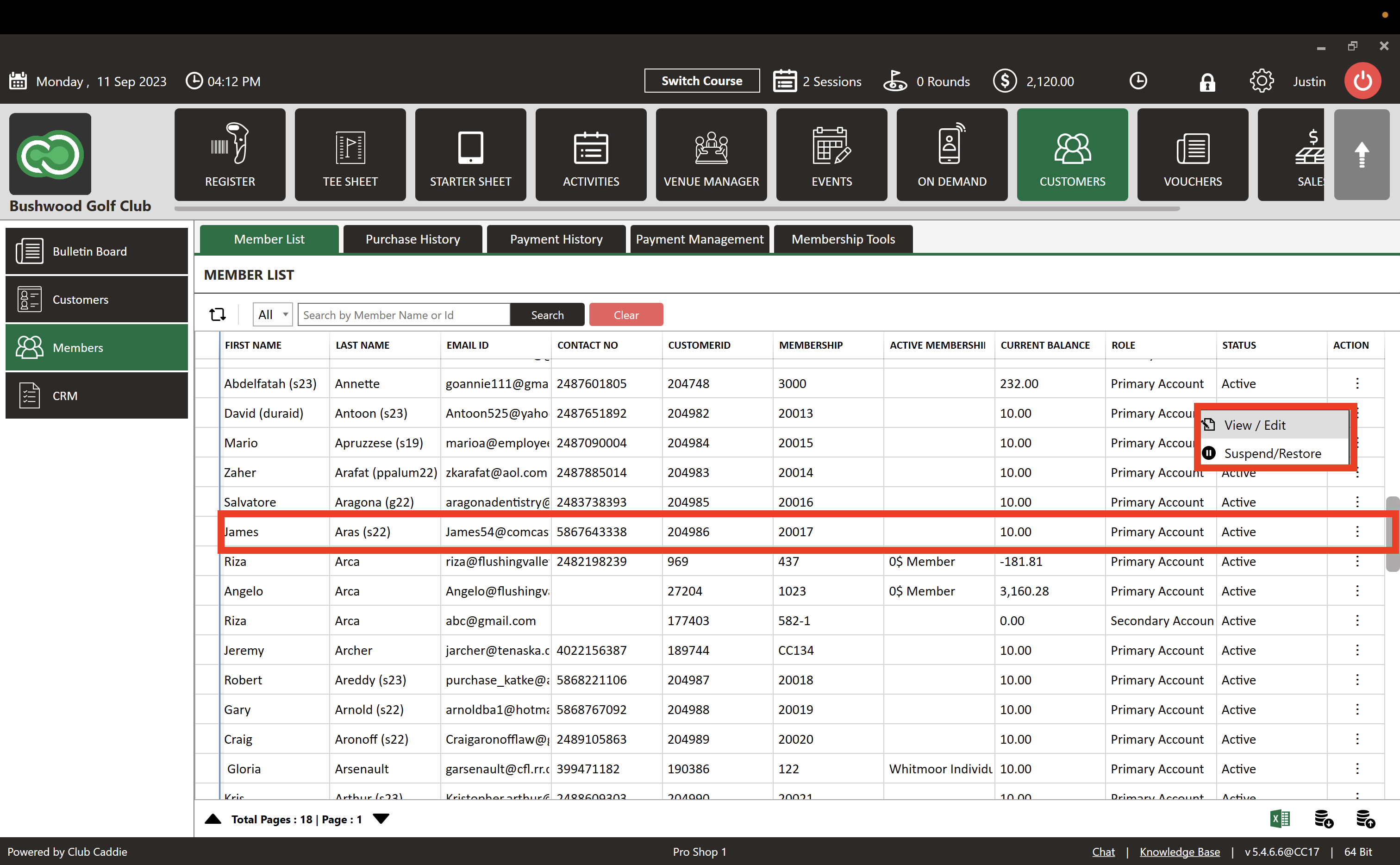
Step 2: Choose the member whose playing history you wish to view, then click on their Action Section and select "View/Edit.
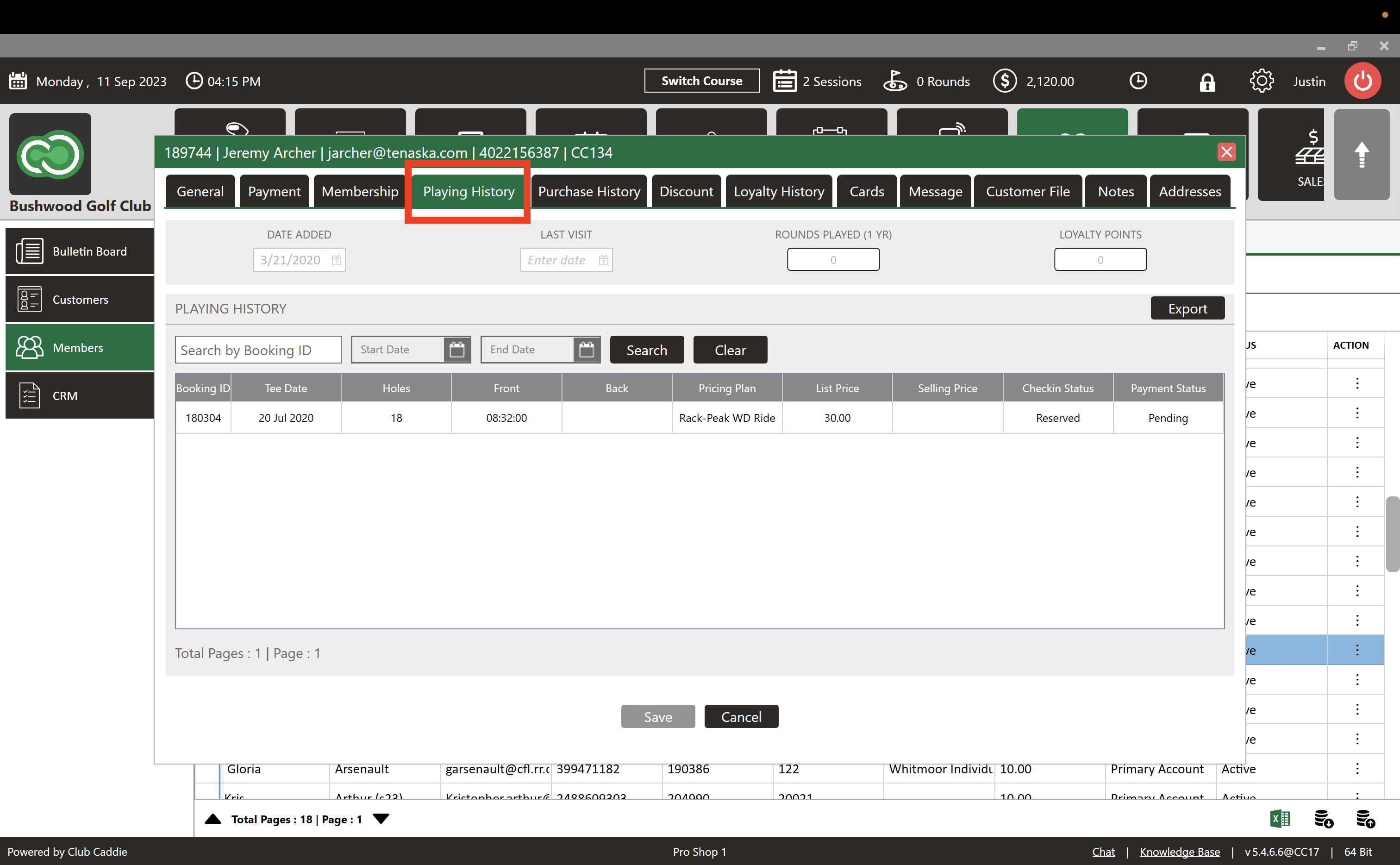
Step 3: A "Guest Profile" pop-up will appear. Locate and click on the "Playing History" tab. Within the "Playing History" tab, you'll find a comprehensive record for the selected member. This includes details like "DATE ADDED," "LAST VISIT," "ROUNDS PLAYED" for the year, and "LOYALTY POINTS." You have the option to search the history by date or booking ID.
Related Articles
Guest Playing & Purchase History
This article covers the features and functionality of the History and Purchase History tabs in the Jonas Synergy software. This includes a walkthrough of how to view member and golfer activity, search and filter transaction details, sort data, and ...How to Redeem Loyalty
This article contains step-by-step instructions on how to see guest/member loyalty histories and how to make payments through loyalty. Step-By-Step: A. How to see Guest/Member Loyalty history Step 1: Select the GUESTS module from the module ...Merging Guests
Article Content: This Article Provides Steps On How To Utilize The Merge Guests Tool That Allows Staff To Consolidate Duplicate Or Secondary Guest Profiles Into A Single Master Record. This Unified Profile Includes Total Play History, Purchases ...Create a New Email Campaign (MailChimp)
This article summarizes how to create a new Email Campaign. Step-By-Step: Step 1: Click on the Guest tab (1) from the header of the window. Select CRM (2) from the left row of the window, then select Create Email Campaign tab (3). Step 2: The system ...