Add a Sub-Member
Step-By-Step:
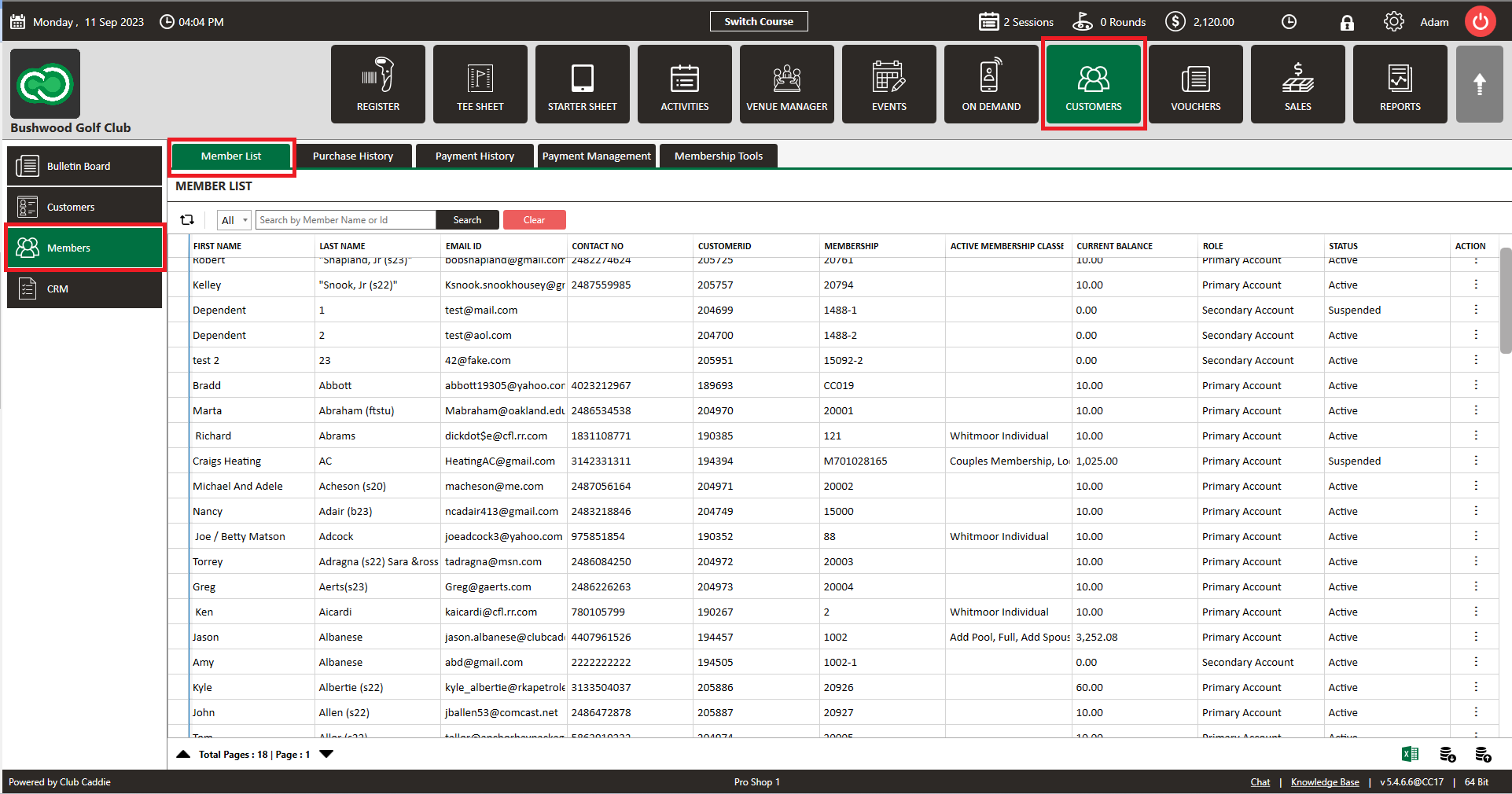
Step 1: Click on the "Guests" then click on "Members".
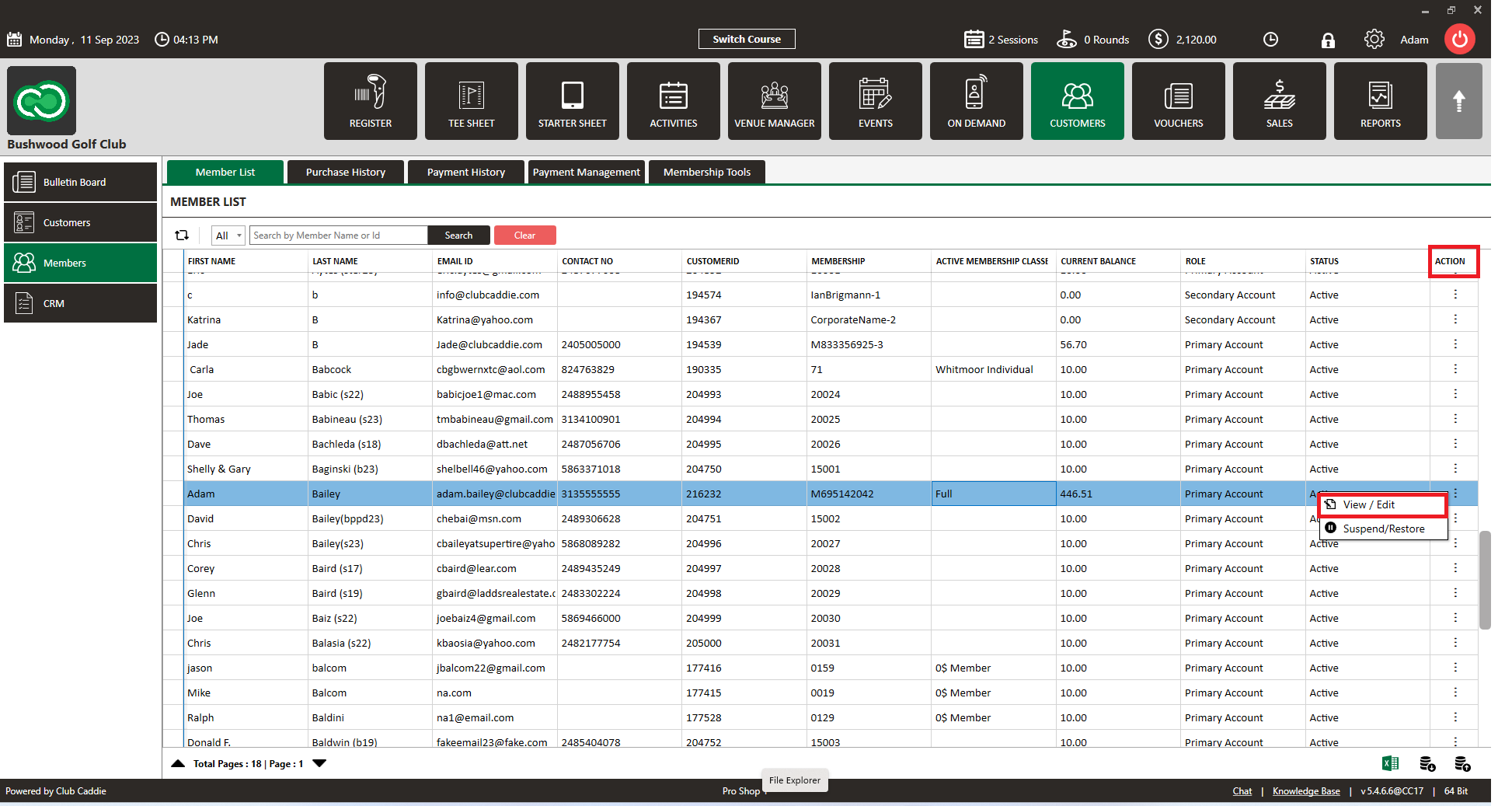
Step 2: Select Particular member that you want to add sub-member and click on Action -> View/Edit.
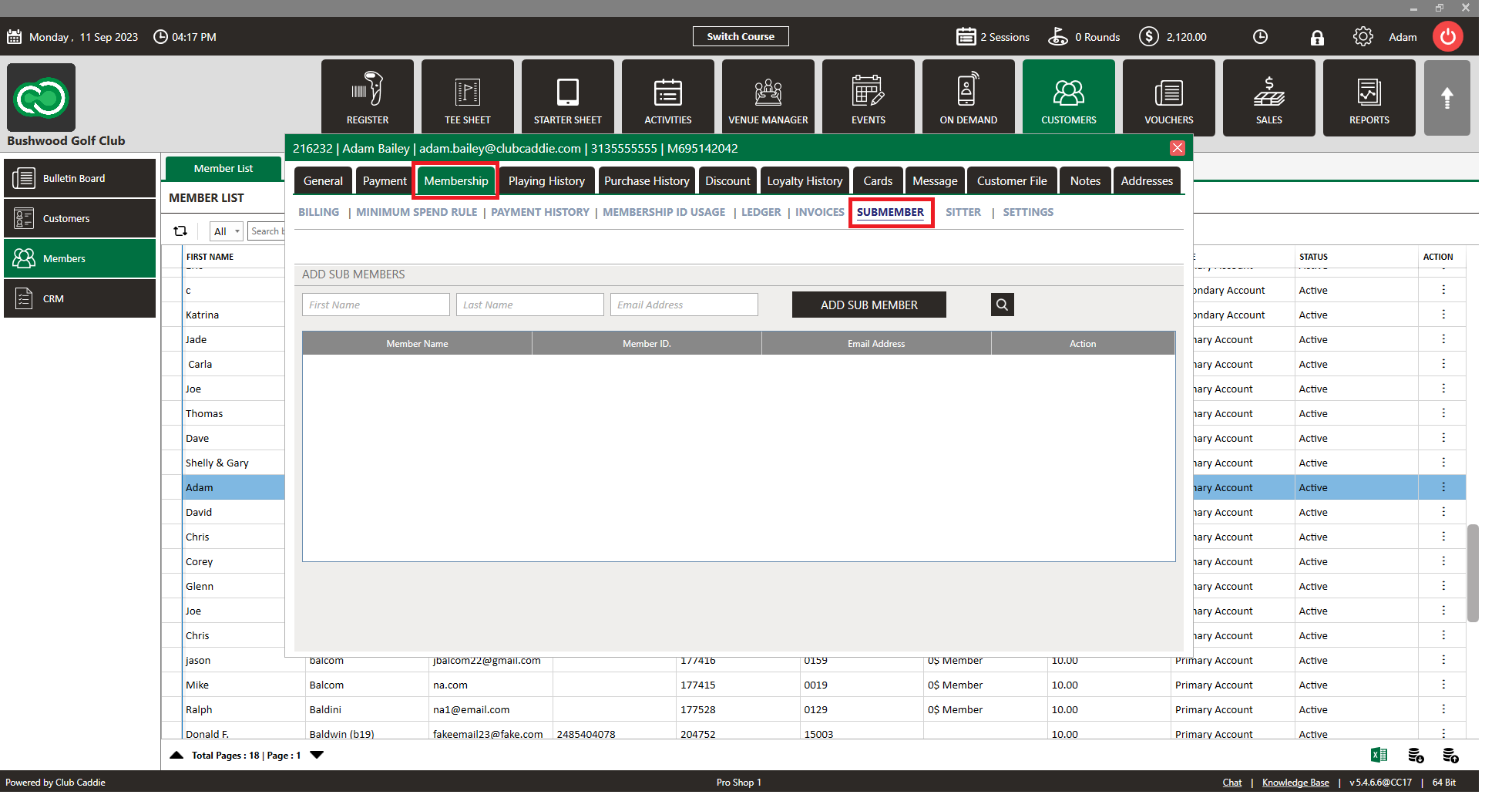
Step 3: Click on "Membership" then click on "SUBMEMBER".
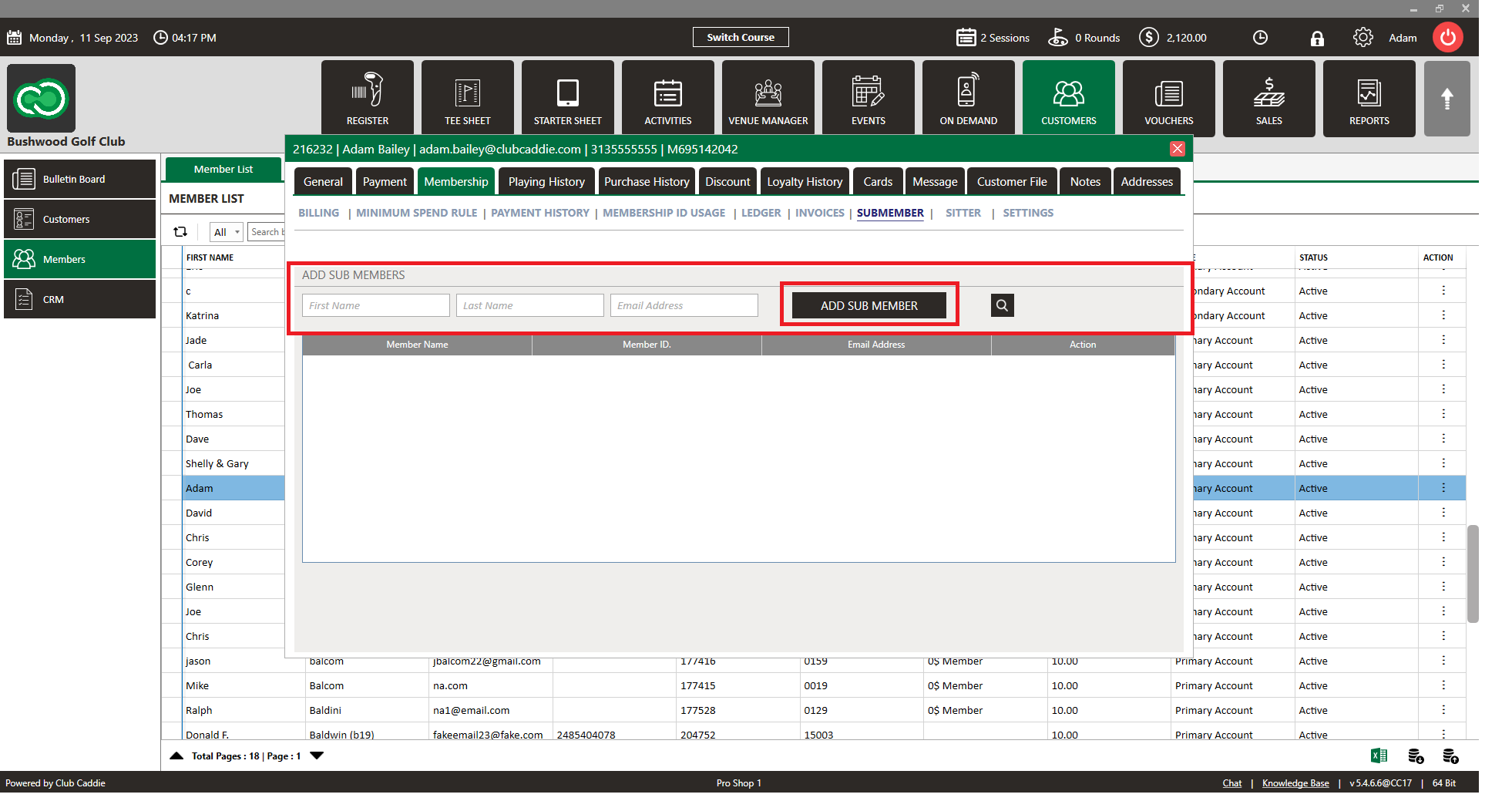
Step 4: Here you have option to add sub-member to the primary member, Fill the first name, last name and email then click on "ADD SUB MEMBER".
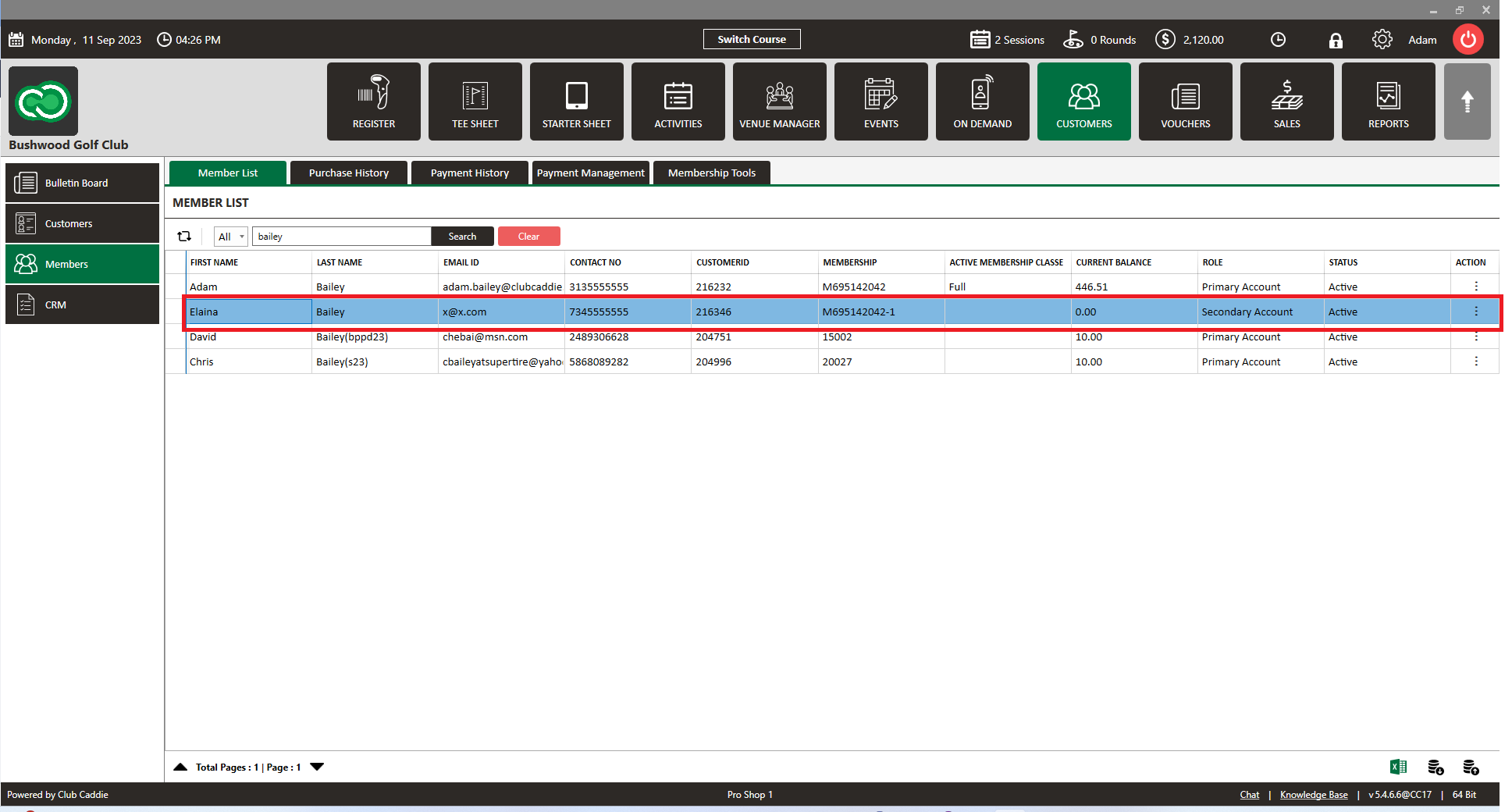
Step 5: You can see added sub-member in member list.
Related Articles
Creating or Removing Sub-Members
Article Contents: This article contains step-by-step instructions on how to create and remove Sub-Members. Step-By-Step: Step 1: Select the Guest module from the module navigation menu. Select Members from the left-hand menu. Step 2: The system will ...Member List
Article Contents: This article contains a step-by-step guide on how to view your member list. Step-By-Step: Step 1: Click on the Members Tab on the left pane. Step 2: Click on the Members button on the left side of the window to go to the member ...Add a Card or ACH to a Member Account
Article Contents: This article outlines the process for adding a new card or ACH account to a member's profile. Once a card or ACH account is on file for a guest, they become eligible for automated charges, which are scheduled according to your ...Bulk Expiring Member Classes
In this article we will cover how to bulk expire a particular membership class. In this example we will isolate the social membership types and set an expiration date. Step-By-Step: Step 1: Navigate to the Guest's tab within Jonas Synergy and then to ...Add New Card
Article Contents: This article contains step-by-step instructions on how to add a new card to make payments through the Membership Portal. Step-By-Step: Step 1: Log-in to the member portal via your course website using either your membership ID ...