Invoice Footer Text
Step-By-Step:
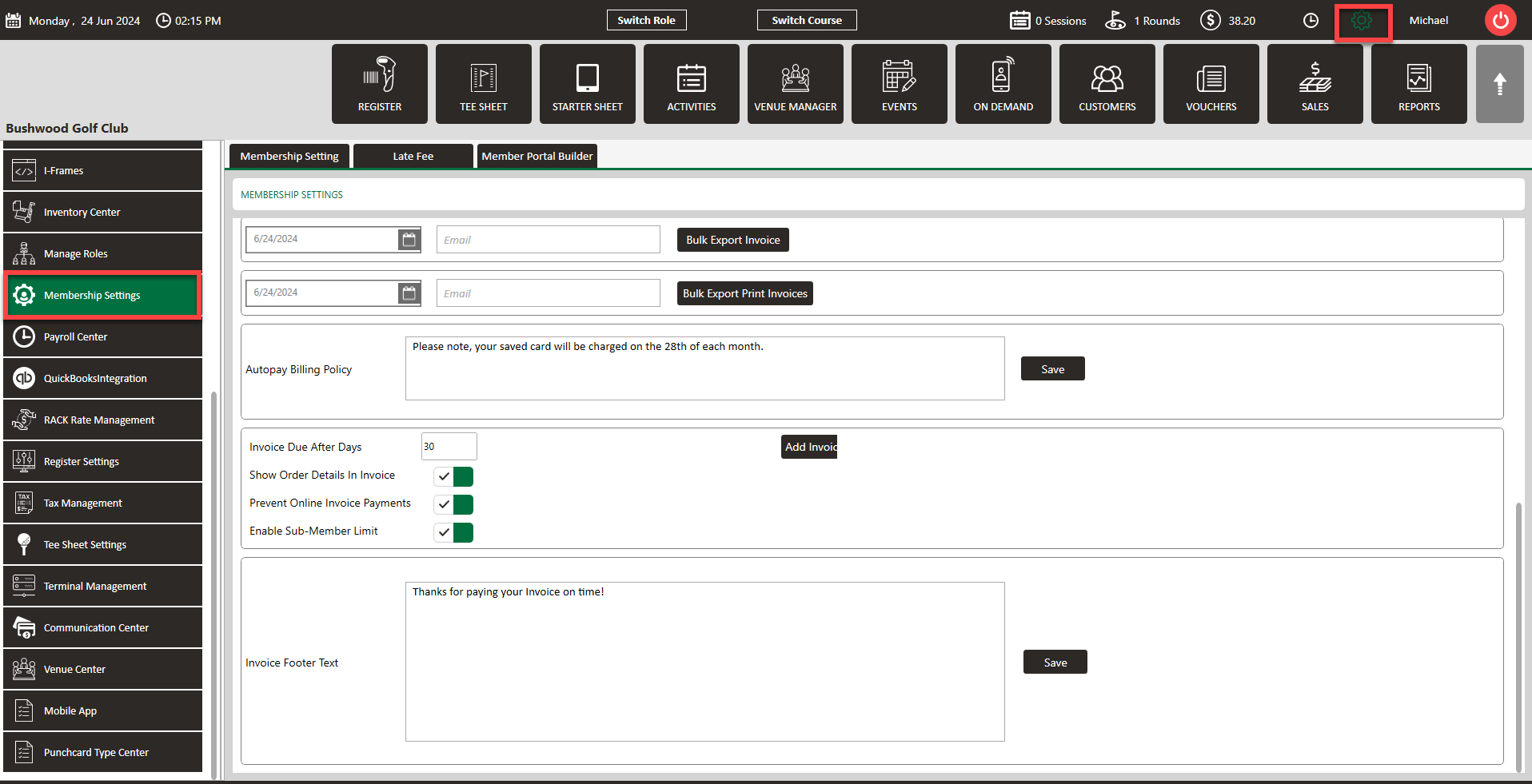
Step 1: Navigate to Settings > Membership Settings.
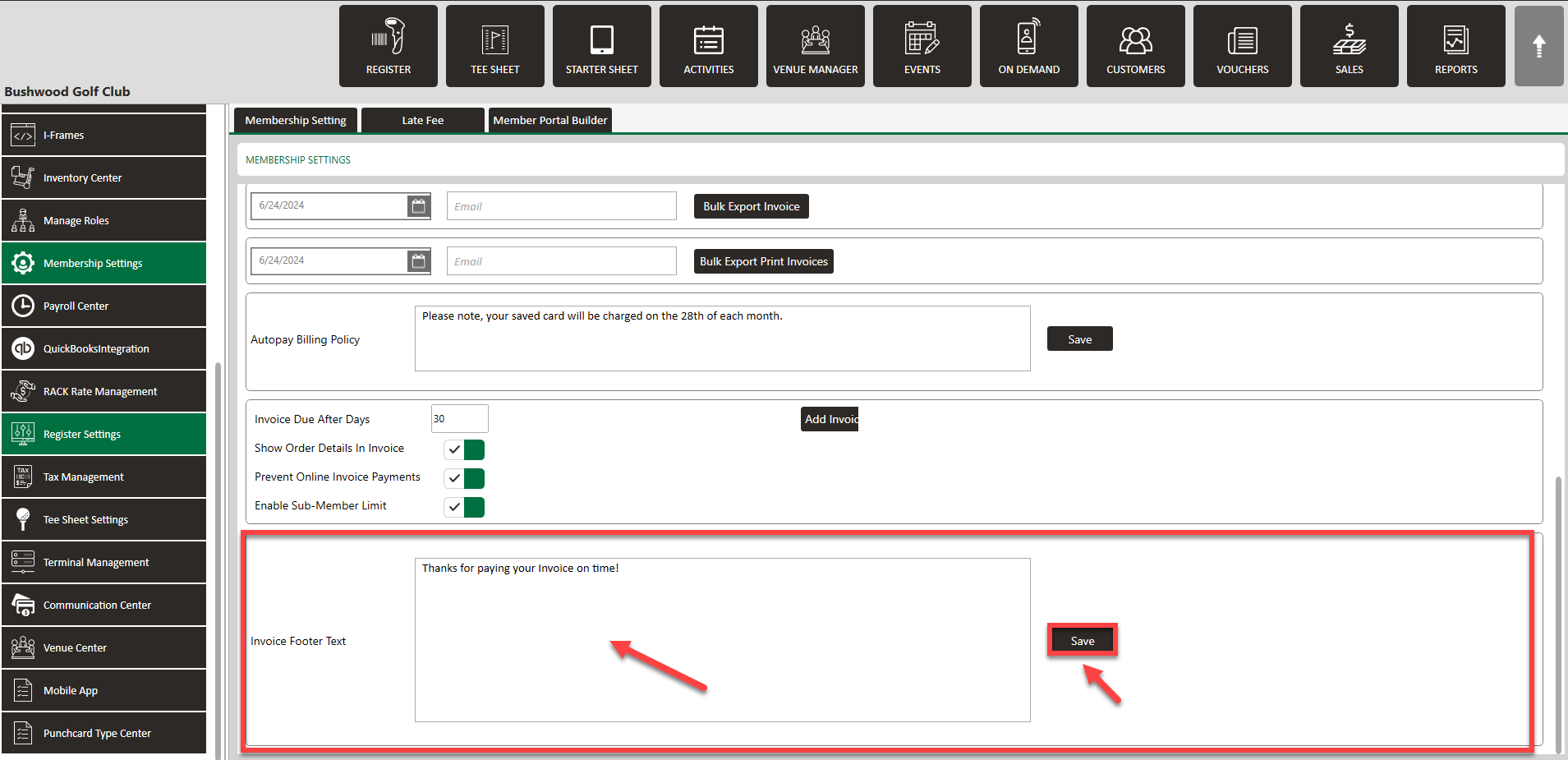
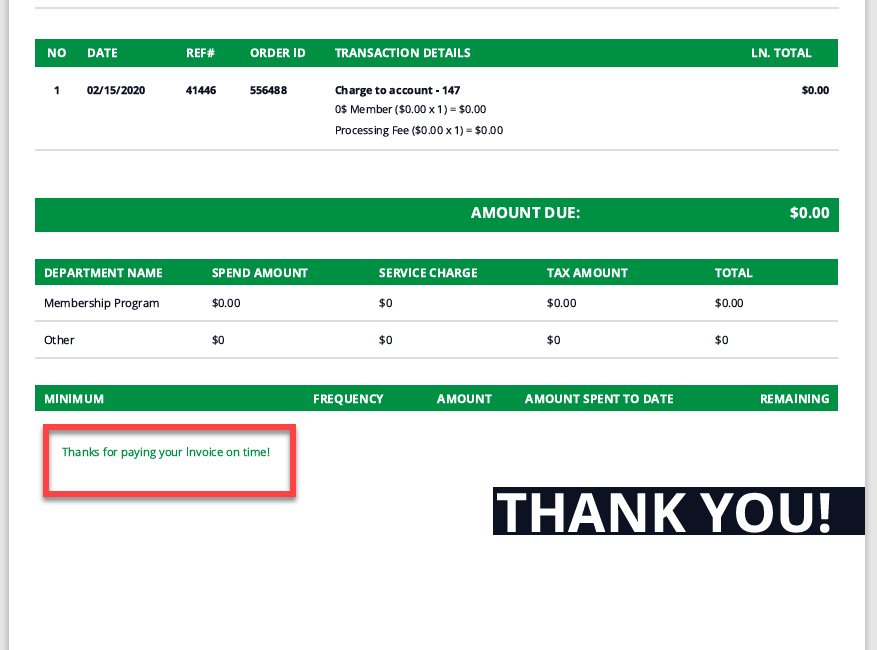
Step 2: Scroll to the section titled Invoice Footer Text. Enter the text you'd like to appear, then click Save.
Related Articles
Require Physical Invoice
This article gives step-by-step instructions on requiring a physical invoice for a member Step-By-Step: Step 1: Select the Guests module from the module navigation menu followed by selecting the Members tab from the left-hand menu. Then, select the ...Secondary Email for Invoice
Users can add a secondary email address to receive invoices. This option provides flexibility in determining who receives the invoice communication. Step-By-Step: Step 1: Navigate to Members > Guests > Action > View/Edit. Step 2: Then, Scroll down ...Downloading Member Invoice
This article gives step-by-step instructions on how to download member invoices. Step-By-Step: Step 1: Select the CUSTOMERS module from the module navigation menu. The system will show a list of all the customers within the CUSTOMER LIST. Step 2: ...Forced ACH Invoice Payment
This article explains how ACH payments function, why they are restricted to invoicing rather than being available at the register level, and how to process a forced ACH payment when necessary. Step 1: Understand ACH Payment Processing ACH payments ...Guest Module - Members and Portal features
Article Contents: This article contains step-by-step instructions on Guest Module Focusing On The Member And Portal Features. Step-By-Step: Step 1: To view an ad hoc statement, click on "Account Statement," which will download a PDF statement with ...