Require Physical Invoice
Step-By-Step:
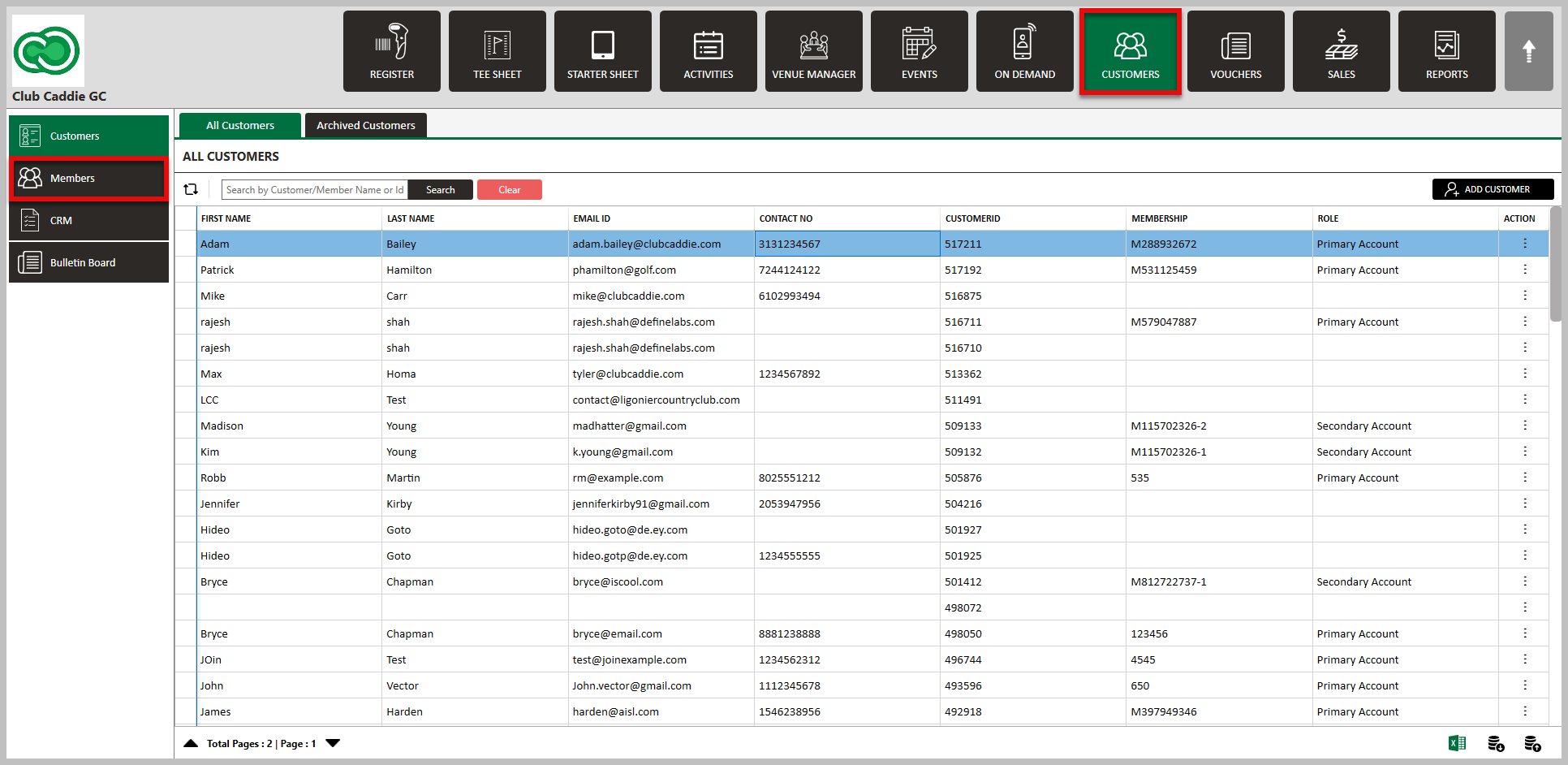
Step 1: Select the Guests module from the module navigation menu followed by selecting the Members tab from the left-hand menu. Then, select the member to bring up their profile.
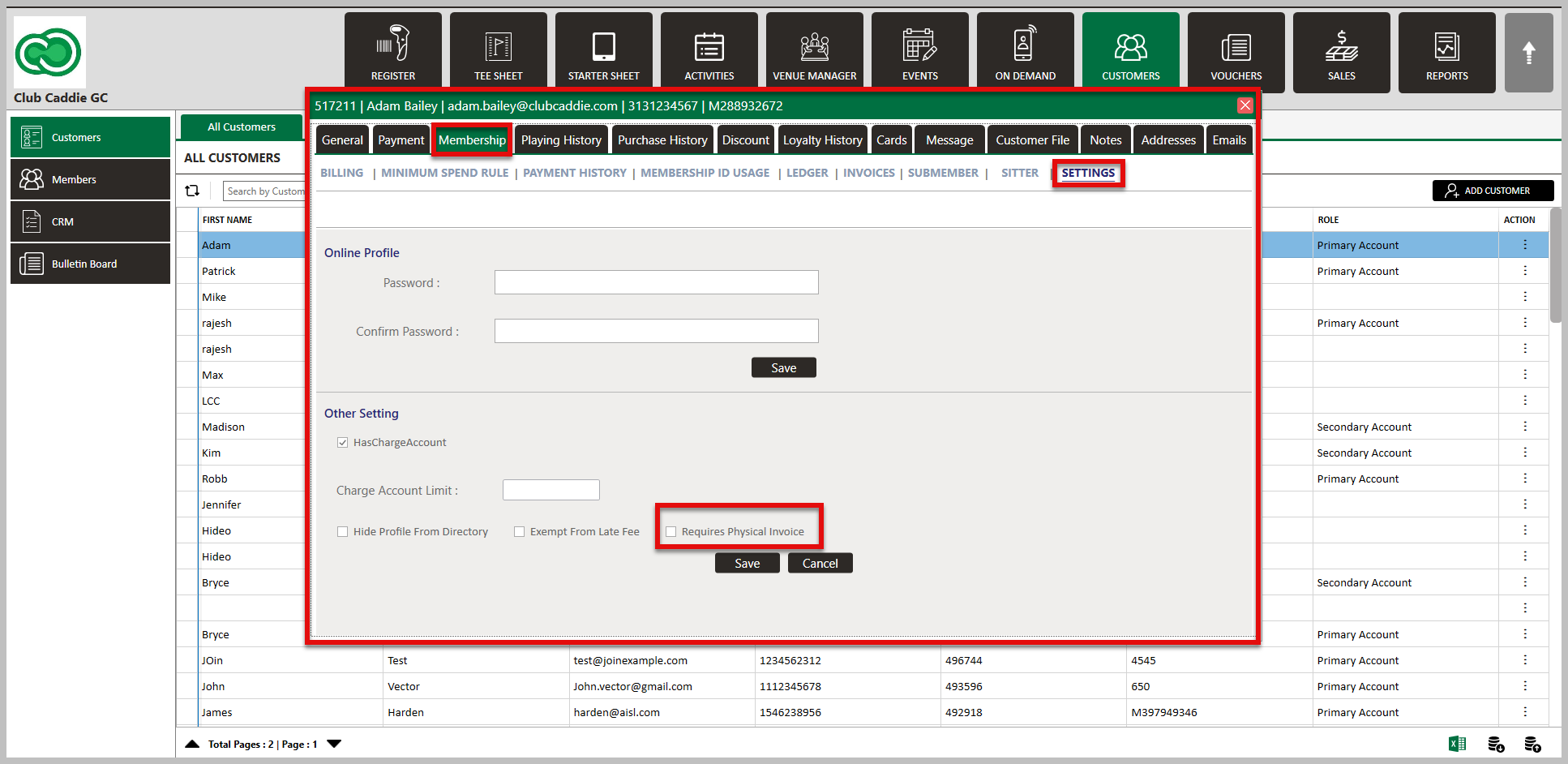
Step 2: Under the Membership tab, select Settings. Then, check the box "Requires Physical Invoice". Click Save.
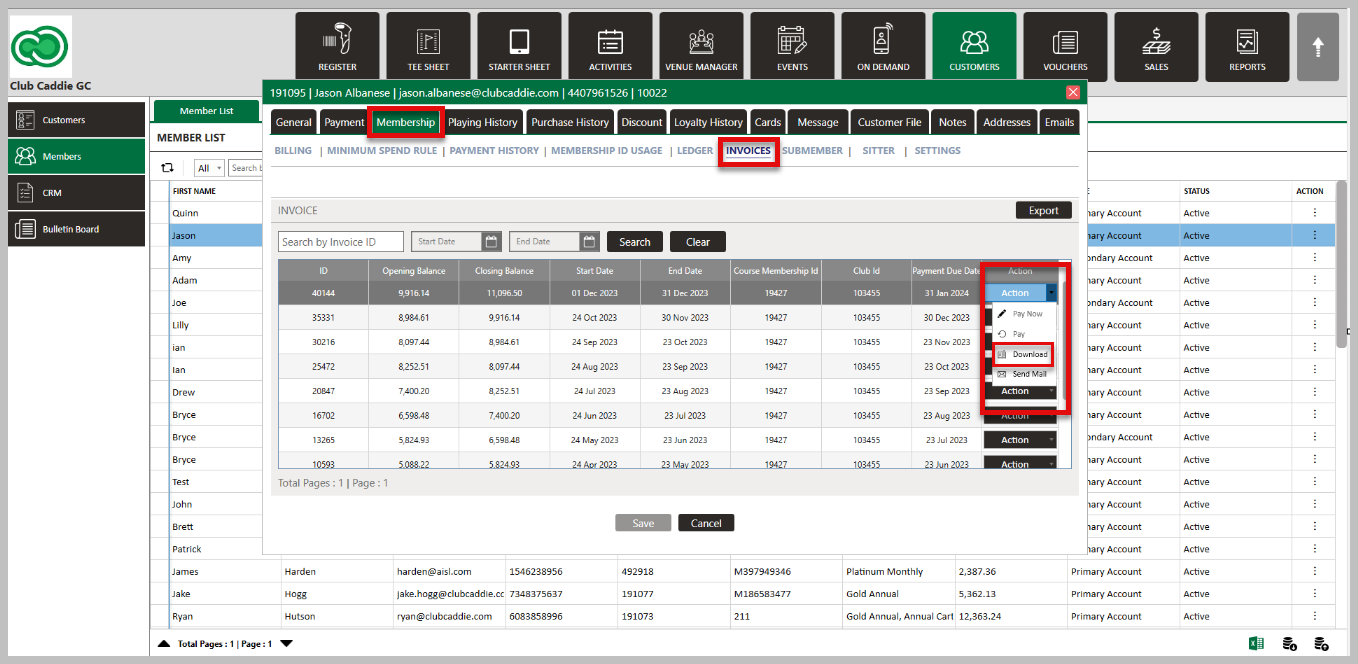
Step 3: To download the members invoice, you will do this from their profile. Under the Membership tab, select Invoices. Then, select the drop down under Action and click on Download.
Related Articles
Invoice Footer Text
This allows users to customize the language that appears at the bottom of member invoices. This feature enables better communication and personalization of invoices. Step-By-Step: Step 1: Navigate to Settings > Membership Settings. Step 2: Scroll to ...Secondary Email for Invoice
Users can add a secondary email address to receive invoices. This option provides flexibility in determining who receives the invoice communication. Step-By-Step: Step 1: Navigate to Members > Guests > Action > View/Edit. Step 2: Then, Scroll down ...Downloading Member Invoice
This article gives step-by-step instructions on how to download member invoices. Step-By-Step: Step 1: Select the CUSTOMERS module from the module navigation menu. The system will show a list of all the customers within the CUSTOMER LIST. Step 2: ...Forced ACH Invoice Payment
This article explains how ACH payments function, why they are restricted to invoicing rather than being available at the register level, and how to process a forced ACH payment when necessary. Step 1: Understand ACH Payment Processing ACH payments ...Guest Module - Members and Portal features
Article Contents: This article contains step-by-step instructions on Guest Module Focusing On The Member And Portal Features. Step-By-Step: Step 1: To view an ad hoc statement, click on "Account Statement," which will download a PDF statement with ...