Receipt Reprinting
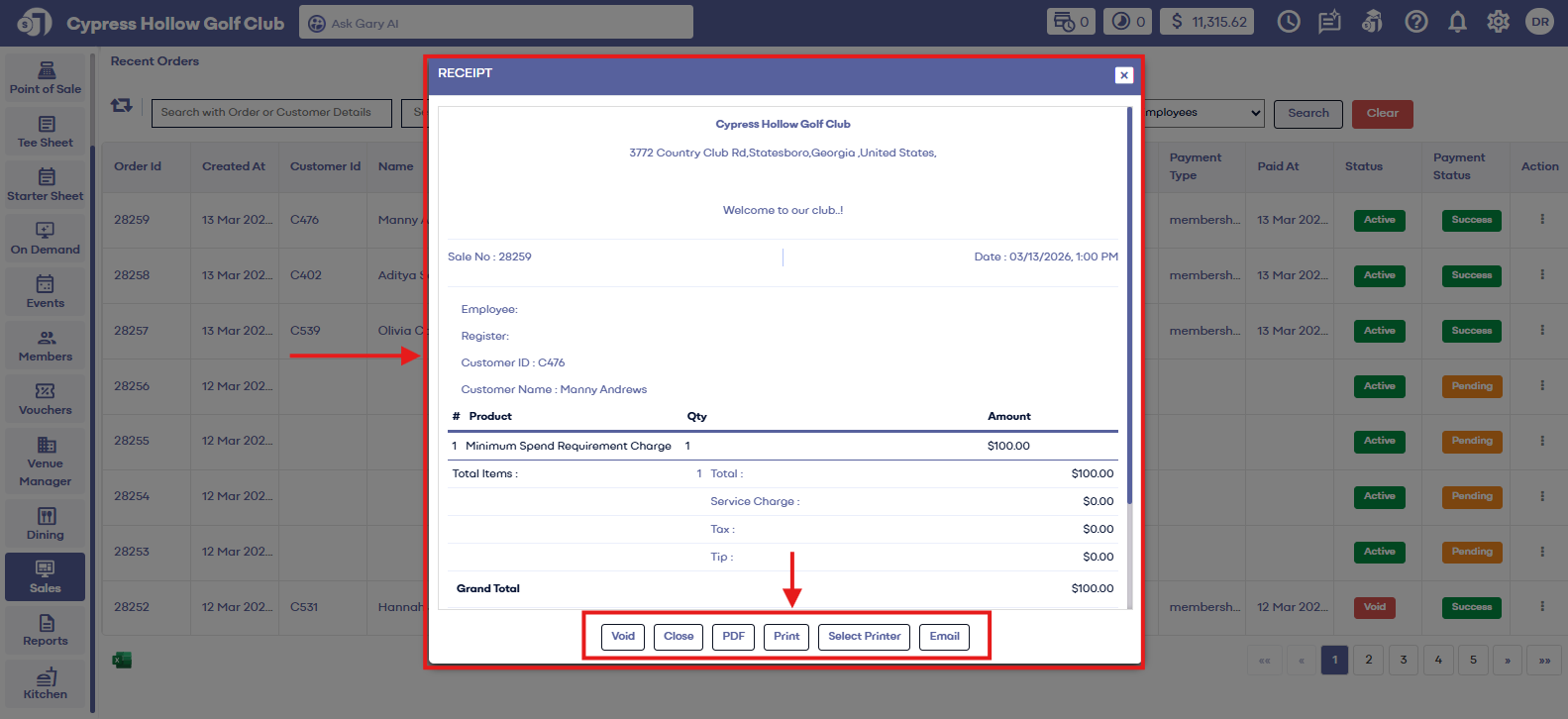
Step 2: The system will generate a recent orders window. Click on the "Action" Button which is placed on the right side of the recent order window. It will show four pop-up options i.e. Receipt, Refund, Void, Void and Re-Open, Add Tip, Re-Open, and Clone. Click on "Receipt" and it will open a new Receipt window.
"Receipt Window"
Step 3: In the "Receipt" window you can see the order receipt. Click on 'Print" to re-print the receipt.
Related Articles
View Receipt
Article Contents: This article contains information on how to view receipts of orders in the sales module Step-By-Step: Step 1: Select the "Sales" module from the left pane Step 2: Upon clicking on "Sales," the system will generate all sales that ...Refunding an Order
Article Contents: This article contains step by step instructions on how to refund an order that has settled Step By Step: Step 1: Click on "Sales" Tab from the left of window. Step 2: Click on the "Action" Button which is on the right side of the ...Sales Overview
Article Contents: This article contains step-by-step instructions on the sales history tab. Step-By-Step: Step 1: Select the SALES module from the module navigation menu. In the Recent Orders window, you can see the Orders list details with the ...Adding a Tip
This article shows you how to add a tip from the sales module. Step-By-Step: Add Note : Can not add tip to the order once batch is settled. Step 1: Click on the "Sales" tab from the main menu. It will open the recent order window. Step 2: Click on ...Voiding a Transaction
Article Contents: This article contains step by step instructions on voiding an order Step-By-Step: Step 1: Navigate to the SALES module from the main navigation menu. This will open the Recent Orders window. Step 2: Click on the Action button, ...