Editing Group Modifiers

Editing Group Modifiers

This article provides a step by step guide on how to edit Group Modifiers

Step-By-Step: 


Step 1: Click on Settings (gear wheel) followed by Inventory Center from the left hand menu. 

Step 2: Click on the Inventory Modifier Groups tab. Then, click on Action (three small dots) and select View/Edit. You will then be able to edit the name, cost, and toggle on/off to make it a default item. Once you have edited this item, click Save.
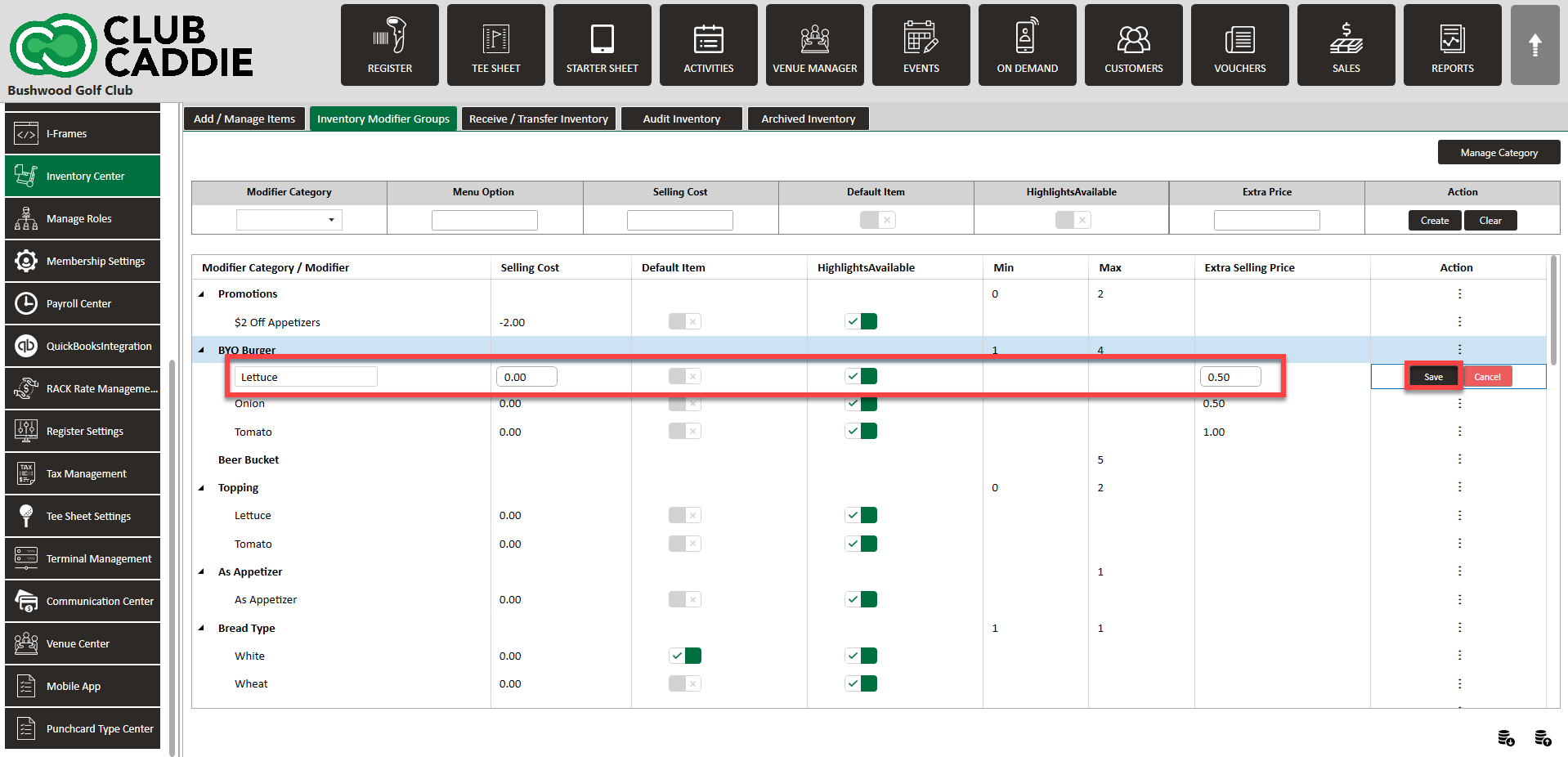
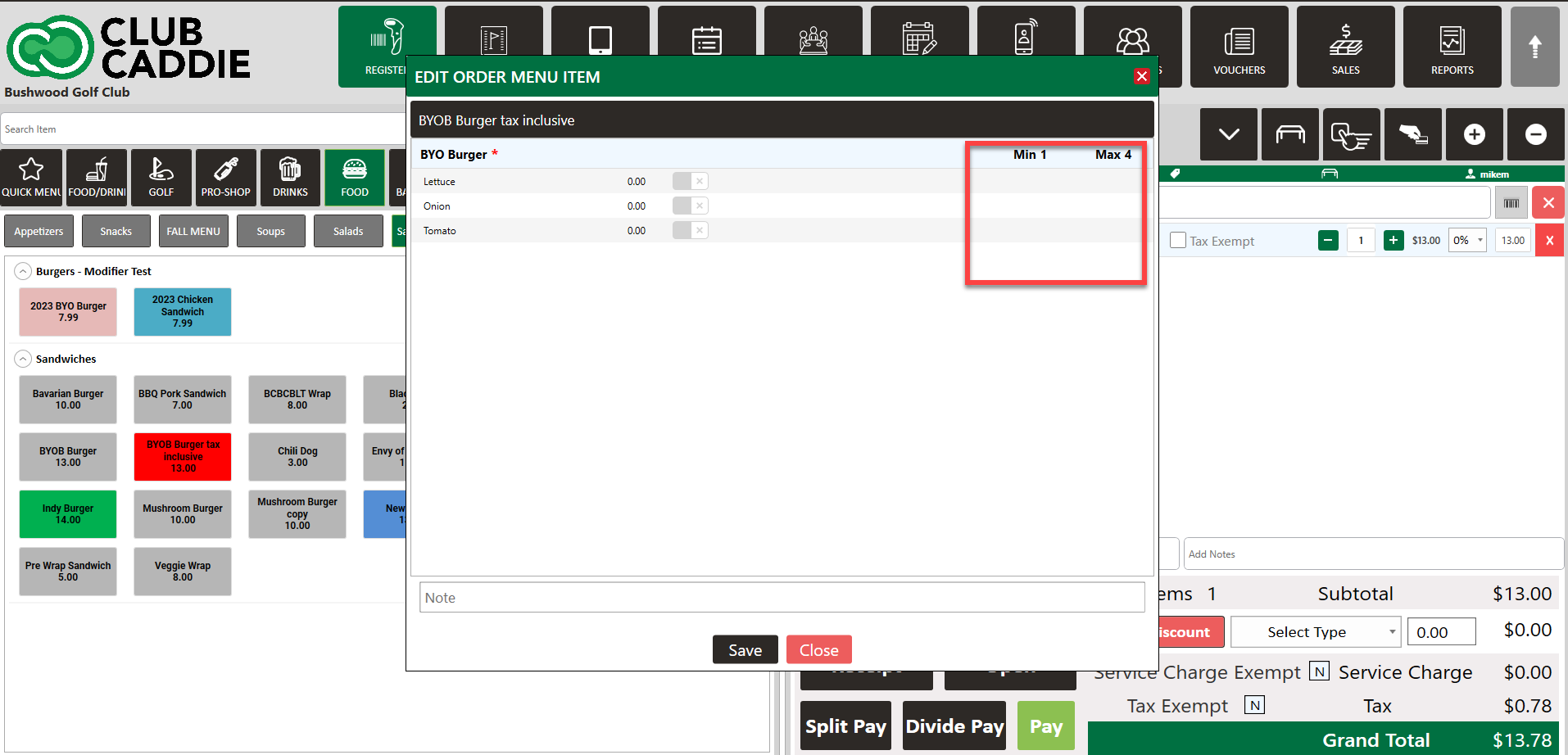
The “No/Extra/On-Side” modifier options can now be toggled on/off at the individual modifier level, as not all modifiers require a “No/Extra/On-Side”. For example, a meat temp modifier group for a burger will not need “No/Extra/On-Side” but Ranch Dressing for a salad will need it
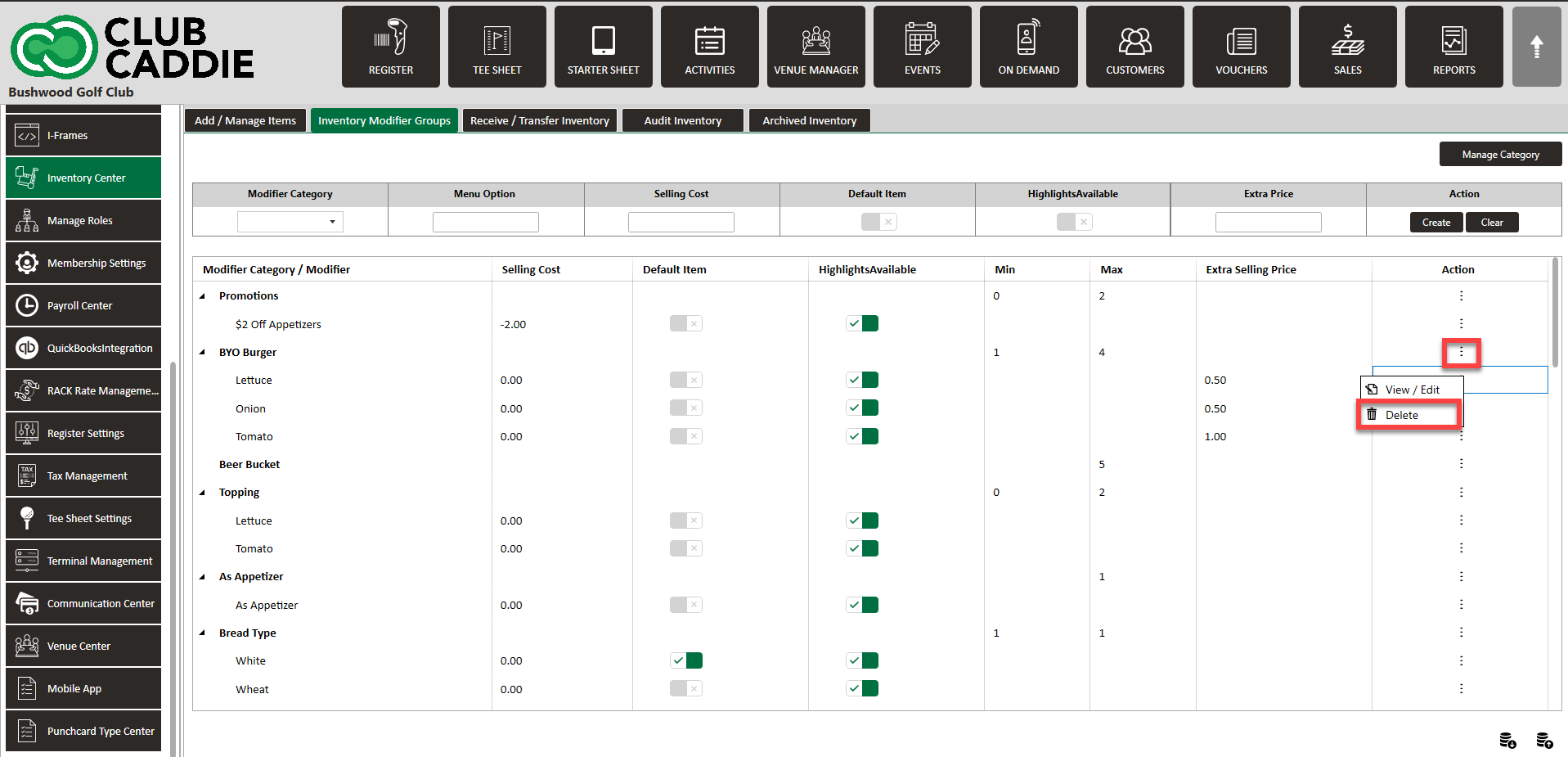
You can also delete the item by clicking on Action, then Delete


    • Related Articles

    • Assigning group modifiers to items

      Article Contents: This article provides a step by step guide on how to assign group modifiers to items. Step-By-Step: Step 1: Click on Settings (gear wheel) followed by Inventory Center from the left hand menu. Step 2: Click on the Inventory Modifier ...
    • Inventory Modifiers

      You will learn how to apply Modifiers to Inventory items by either creating reusable modifier groups to reduce repetitive data entry, naming new groups and setting quantity limits, building out groups by adding modifier categories and options, ...
    • Upcharge for "Extras" on Modifiers

      This article contains step by step instructions on how to assign a specific upcharge price for when Extra is selected on individual Modifiers Step-By-Step: Step 1: Navigate to Settings > Inventory Center > then click on the Inventory Modifier Groups ...
    • Creating A New Group Modifier (Video)

      In this video tutorial, we will guide you through the process of creating an inventory item with modifiers We will cover how to start with an existing item template, update its details, choose menu colors, add modifiers, and apply them to the ...
    • Modifier Up-Charges (Inventory)

      This article contains step-by-step instructions on setting up Modifier Upcharge Features to charge additional fees for item customizations. It covers navigating to the Inventory Modifier Groups settings, adding or editing a Modifier Category, ...