Minimum Group Size for Online Bookings
Example: If you have a class called Platinum and would like to allow them to book as a single, you can enter 1. However, if you have a silver category with more restrictions and do not want to allow them to book as a single golfer, then you could set this to 2 or more. You could further require prepayment to ensure those times are paid in full. This way, You get the most out of your tee times and even incentivize upgrading.
Step-By-Step:
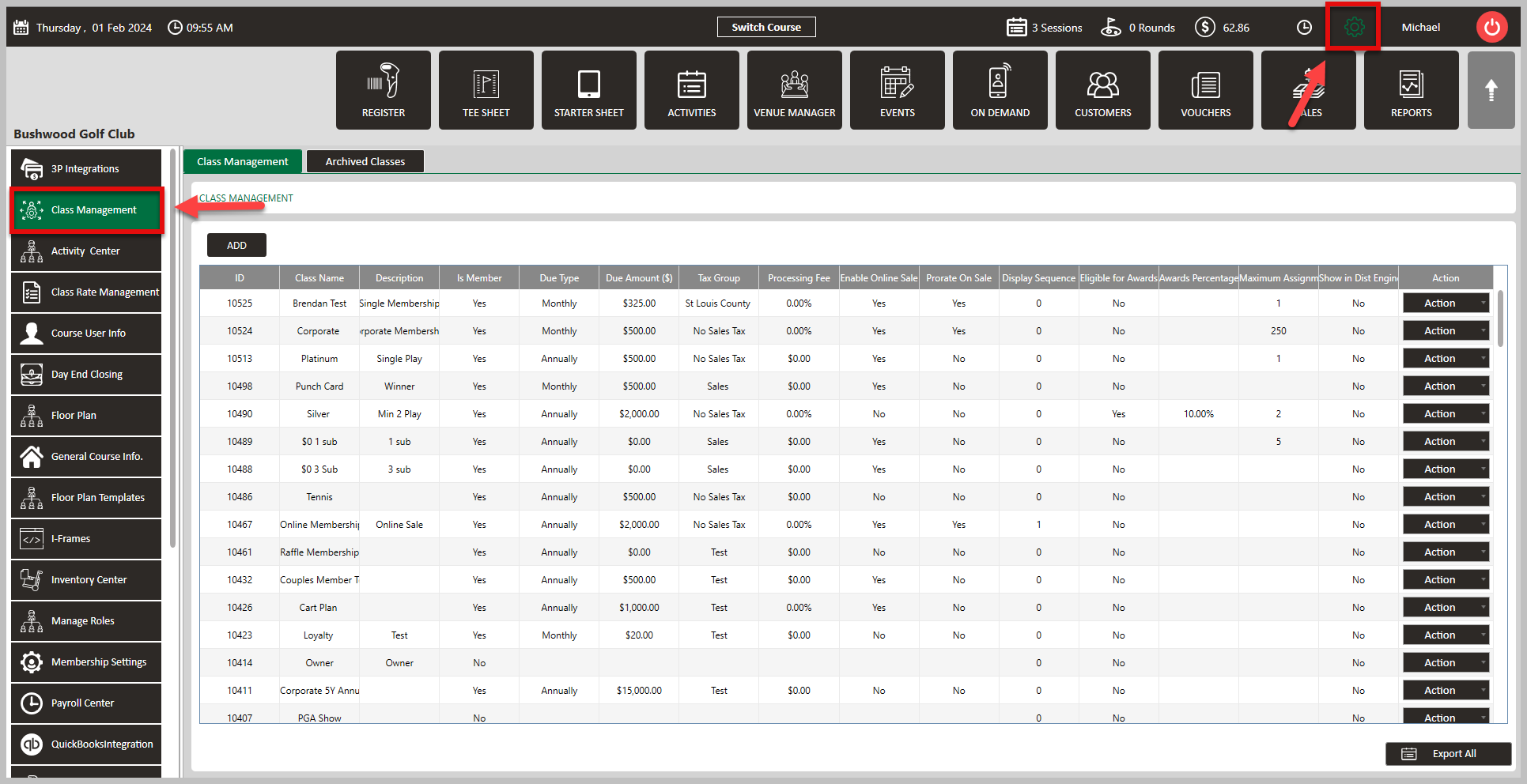
Step 1: Click on the Gear Wheel icon on the top-right corner of the screen. Then, select Class Management from the left hand side menu.
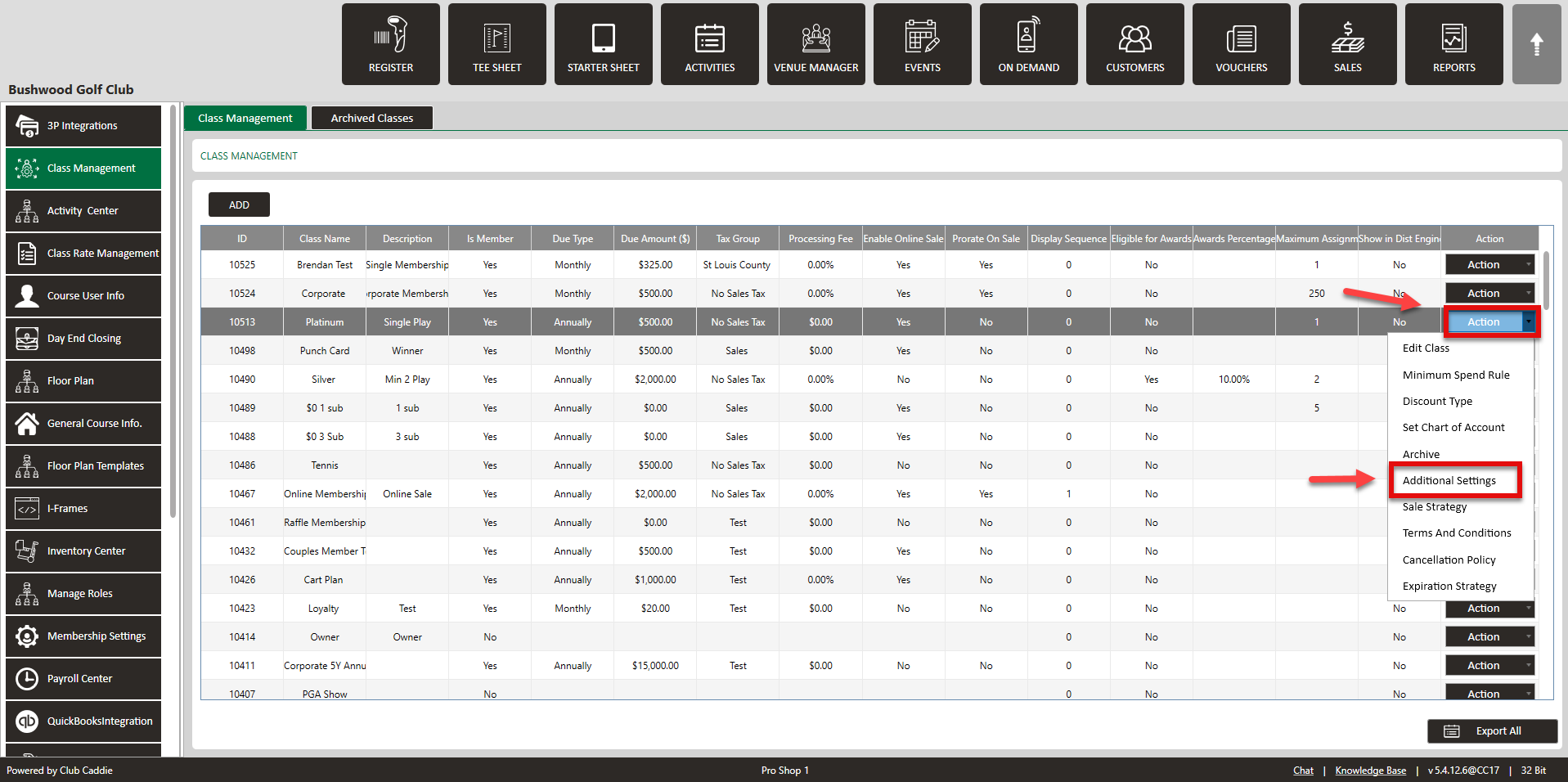
 Step 2: Select the Action drop-down on the right hand side to edit the class. Then, click on Additional Settings. This will generate a pop-up window.
Step 3: Here you will be able to set the Minimum Group Size For Online Bookings by clicking on the drop-down and selecting 1-4. After selecting your minimum, click Save.
Related Articles
Saving Credit Cards for Future Online Bookings
This article covers the process of how your customers can save their credit card for future online bookings Step-By-Step: Step 1: Your customer will first go online, select their tee time, enter their name and select their rate, and select Continue ...How to Require a Credit Card for Online Bookings
This article covers the process of requiring a credit/debit card for online bookings at your golf course Step-by-Step: Step 1: Click on 'Settings', then go to 'Tee Sheet Settings'. Scroll down until you find the 'Online Tee Sheet Settings' section. ...Tee Sheet Settings Overview
This article summarizes Tee Sheet Settings. The topics include Sales Tax, Prepaid Percentage, Max Golfers Per Slot For Online Sale, Select Holes, Tee Time Squeeze, Maximum Golfers, and Interval Settings Step-By-Step: Step 1: Click on the Gear icon in ...Online Prepayment Options by Class
Article Contents: There is an option to require prepayment for online Bookings. This enables operators to have more flexibility with their Guests/Members. Step-by-Step: Step 1: Navigate to the 'Settings' menu, select 'Class Management', and then ...Creating A New Group Modifier (Video)
In this video tutorial, we will guide you through the process of creating an inventory item with modifiers We will cover how to start with an existing item template, update its details, choose menu colors, add modifiers, and apply them to the ...