SETTINGS: RESTRICT EMPLOYEE CLOCK OUT WITH OPEN TABS
Step-By-Step:
Step 1: Click on the top left gear wheel image, Settings. Then, click on the Register Settings.
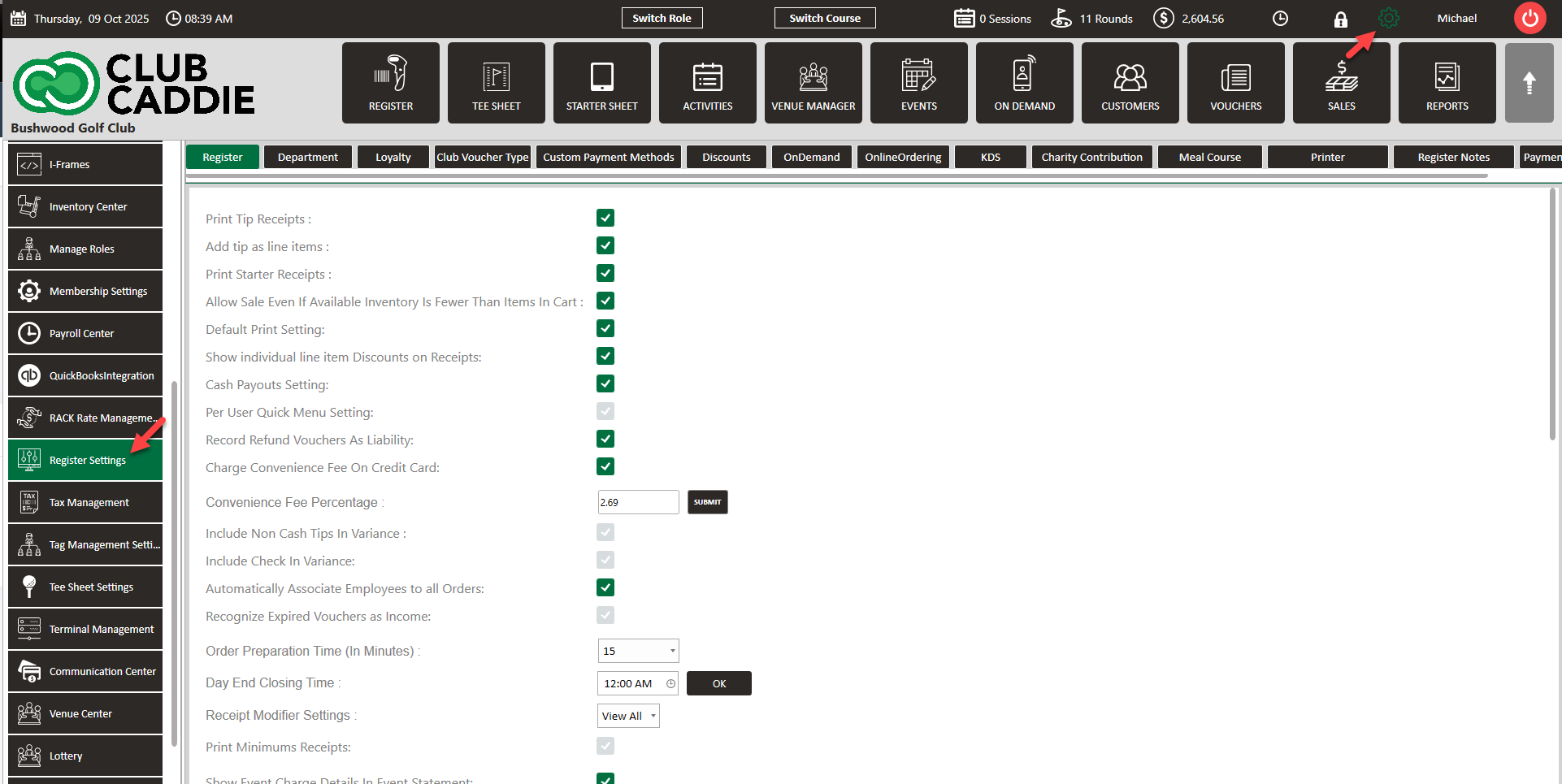
Step 2: Check mark Restrict Employee Clock Out with open Tabs.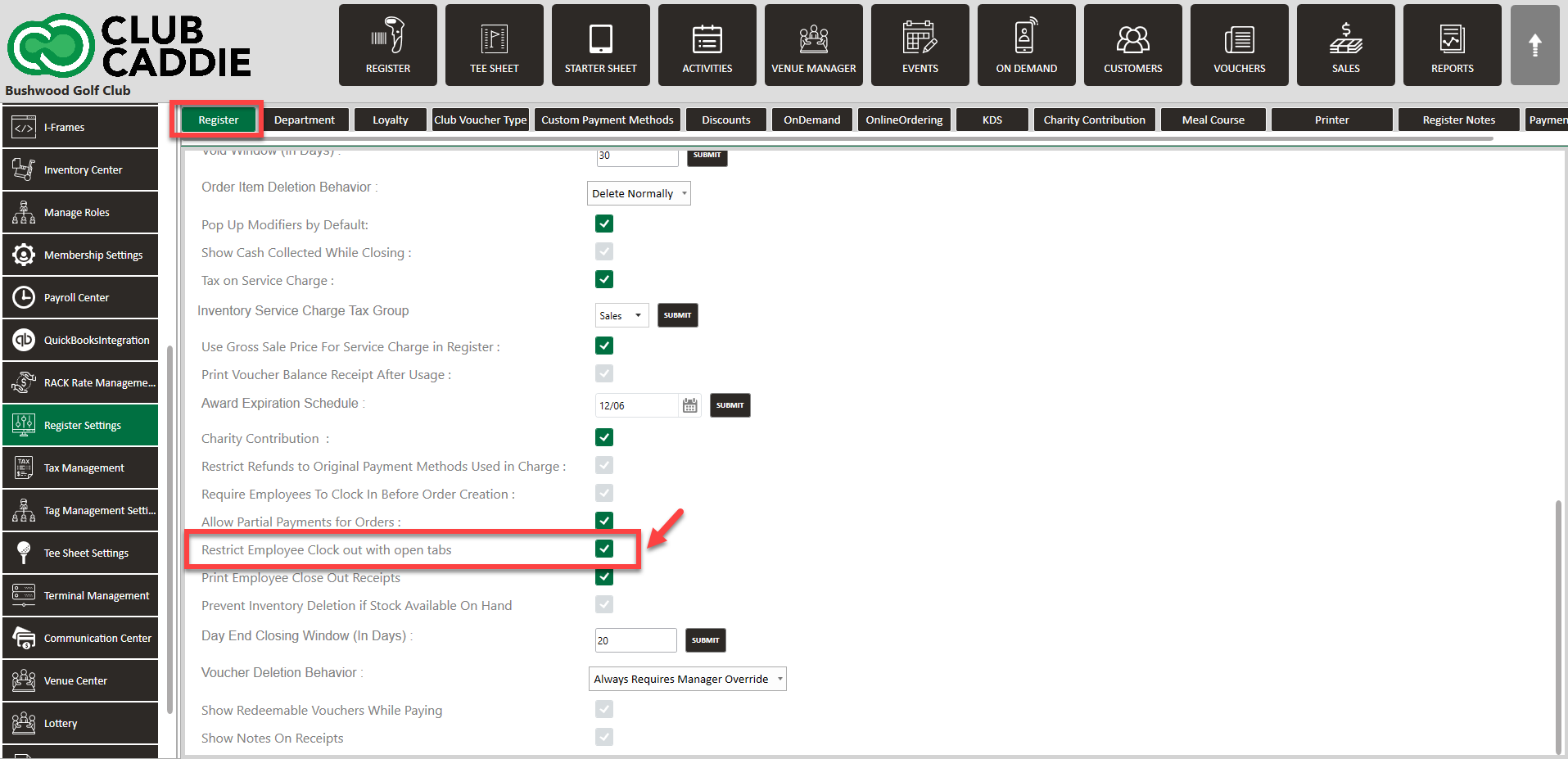
Related Articles
SETTINGS: REGISTER SETTINGS
Article Contents: This will show you how to navigate through your register settings, as well as providing a brief description on what each setting can do for you club. Video: The video covers essential features such as printing tip receipts, adding ...Employee Pin Lock
This is a guide with instructions on setting up Pin Lock for employees, creating a 4-digit code for each employee, as well as tips to making sure your transition to employee pin lock runs smoothly. Step-by-Step: Step 1: To set a pin for each employee ...SETTINGS: REQUIRE EMPLOYEES TO CLOCK IN BEFORE ORDER CREATION
Article Content: When this feature is turned ON, employees will not have the ability to start a tab until they Clock In. Step 1: Click on the top left gear wheel image, "Settings" Step 2: Click on the "Register Settings". Step 3: Check mark "Require ...SETTINGS: DEFAULT PRINT SETTINGS
Article Contents: This article gives step-by-step instructions on how to adjust the default print settings. Step-by-Step: Step 1: Click on the Gear Wheel icon on the top right corner of the screen. Step 2: Click on Register Settings from the ...Unique Employee Identifier
Article Content: This Article Provides Steps On Create An External Payroll ID Field To Support Integration With Third-Party Payroll Systems. These IDs Are Included In Payroll Exports, Ensuring Consistent Employee Tracking And Simplifying ...