Assign Guest Class
Step-By-Step:
Step 1: Select the TEE SHEET module from the module navigation menu.
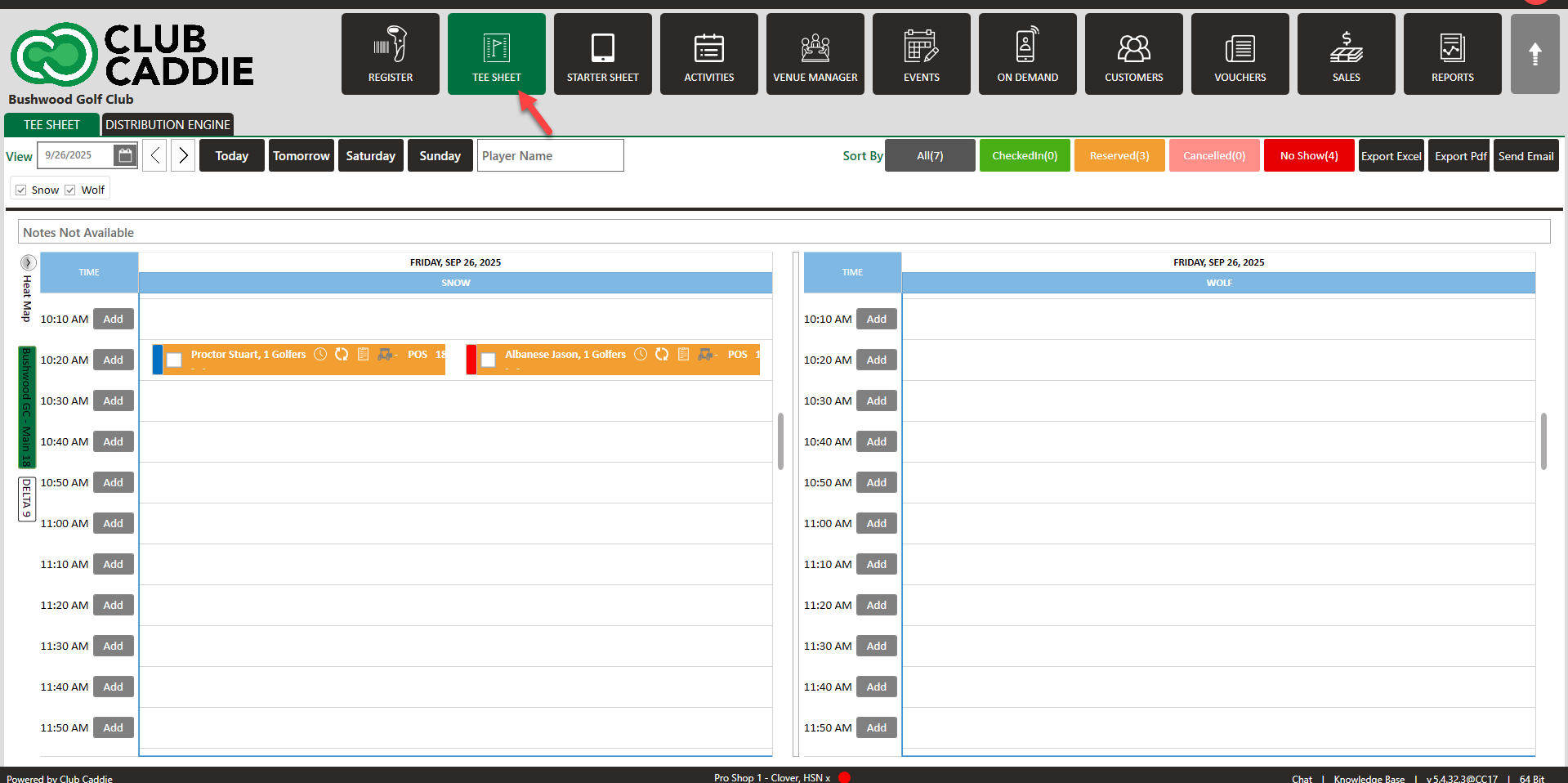
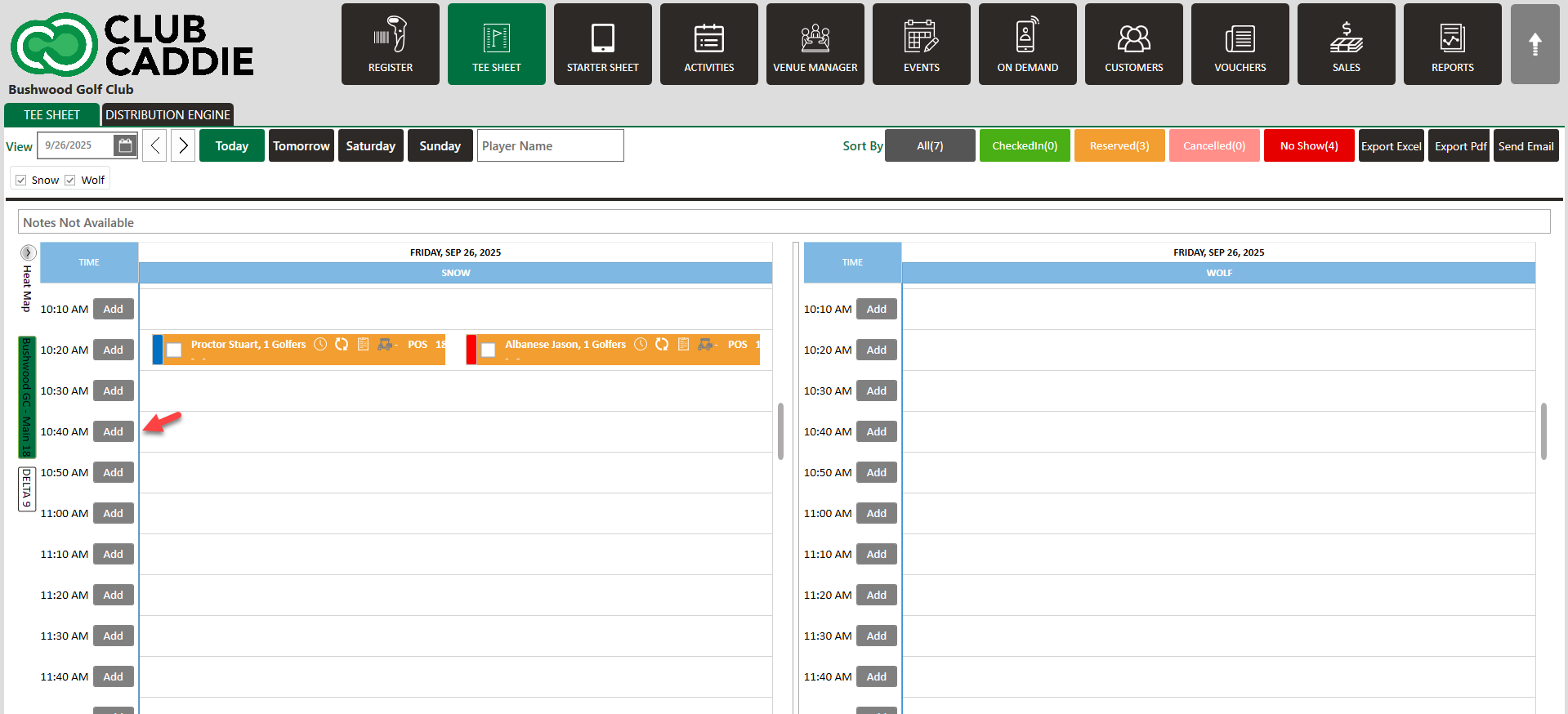
Step 2: Click on Add or a time slot to open a booking window.
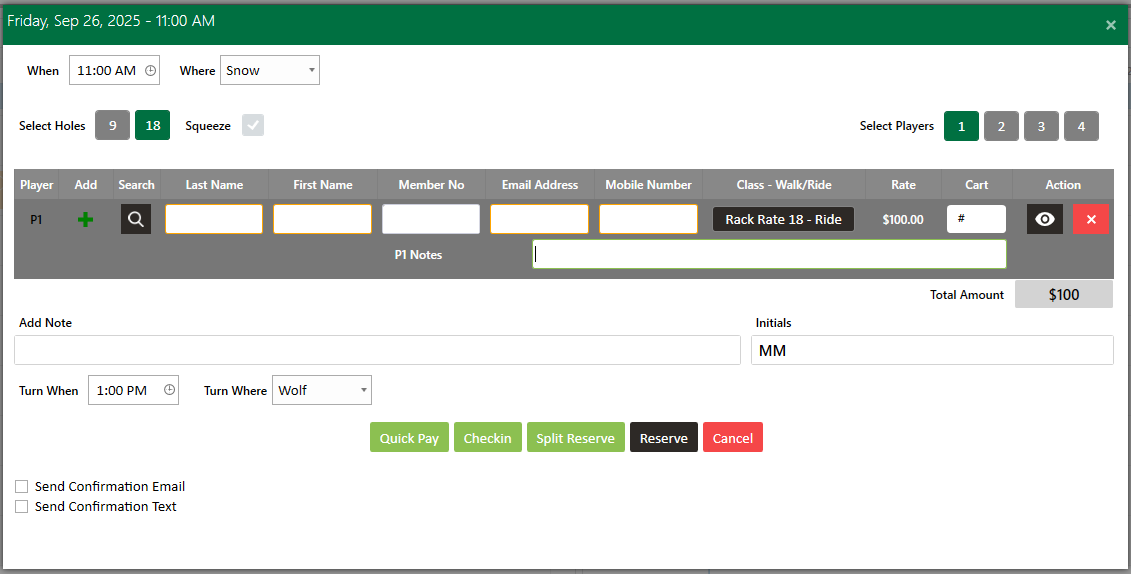
Step 3: With the booking details pop-up open click on "+' to add a new guest. Then system will generate an ADD Guest window. Fill in all the info then click on the Save button.
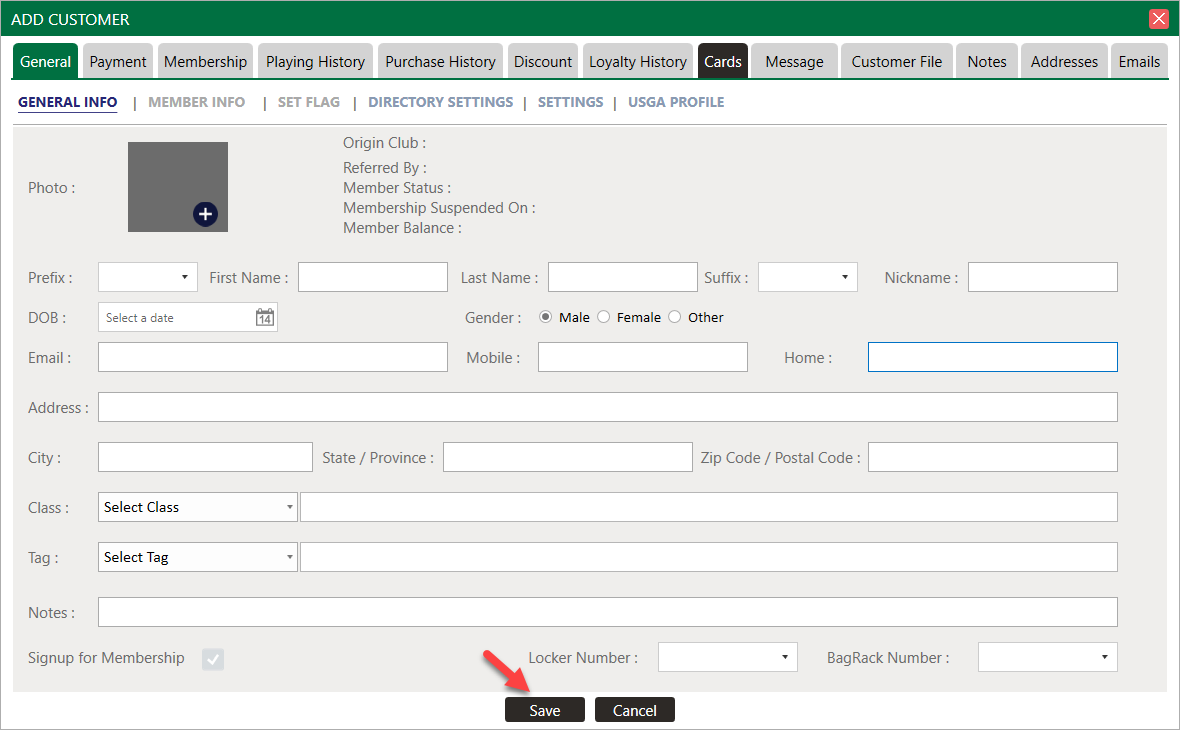
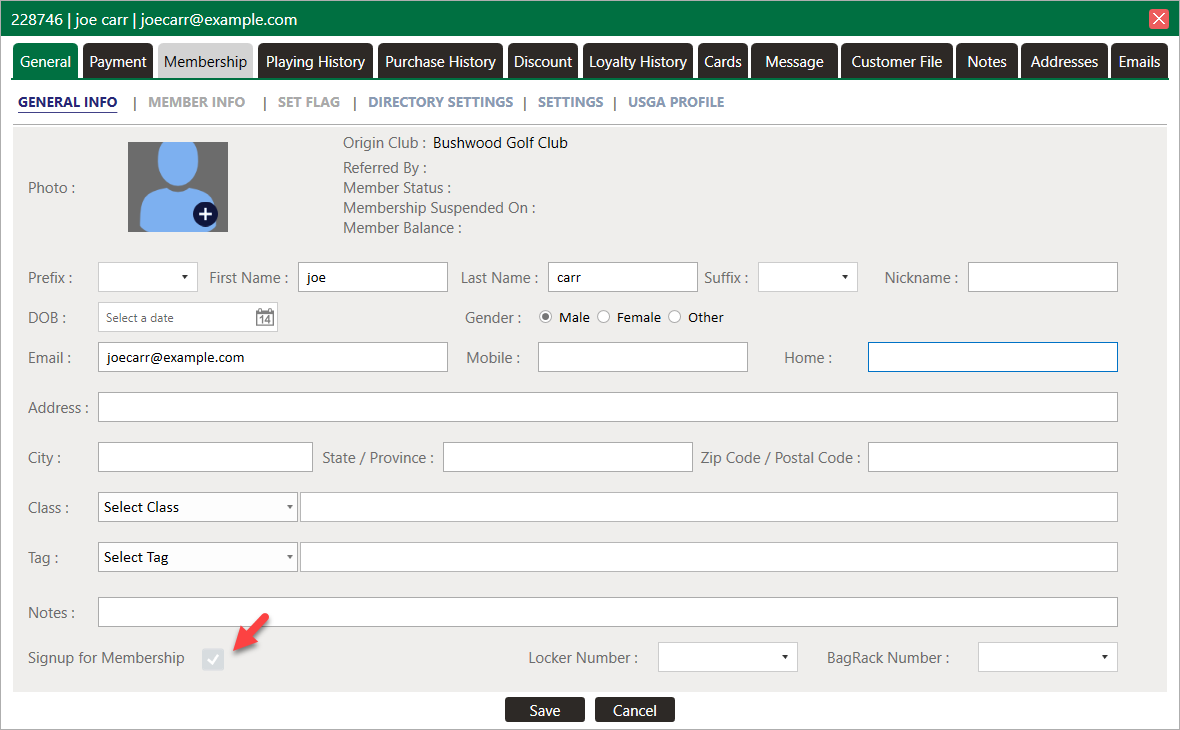
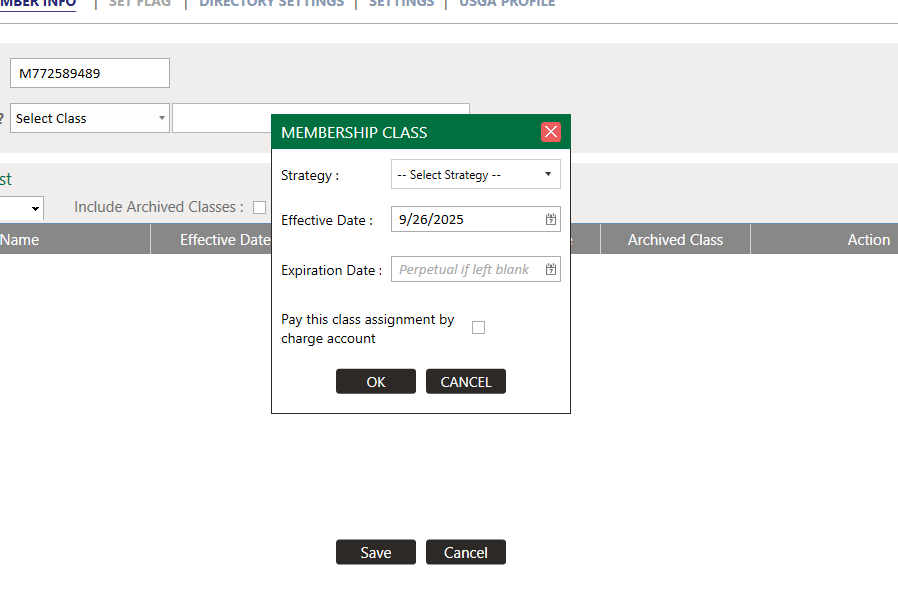
Step 4: After completion of Guest GENERAL INFO you can assign a class to the guest. First check the box Signup for Membership, and then click on MEMBER INFO under the General Tab.
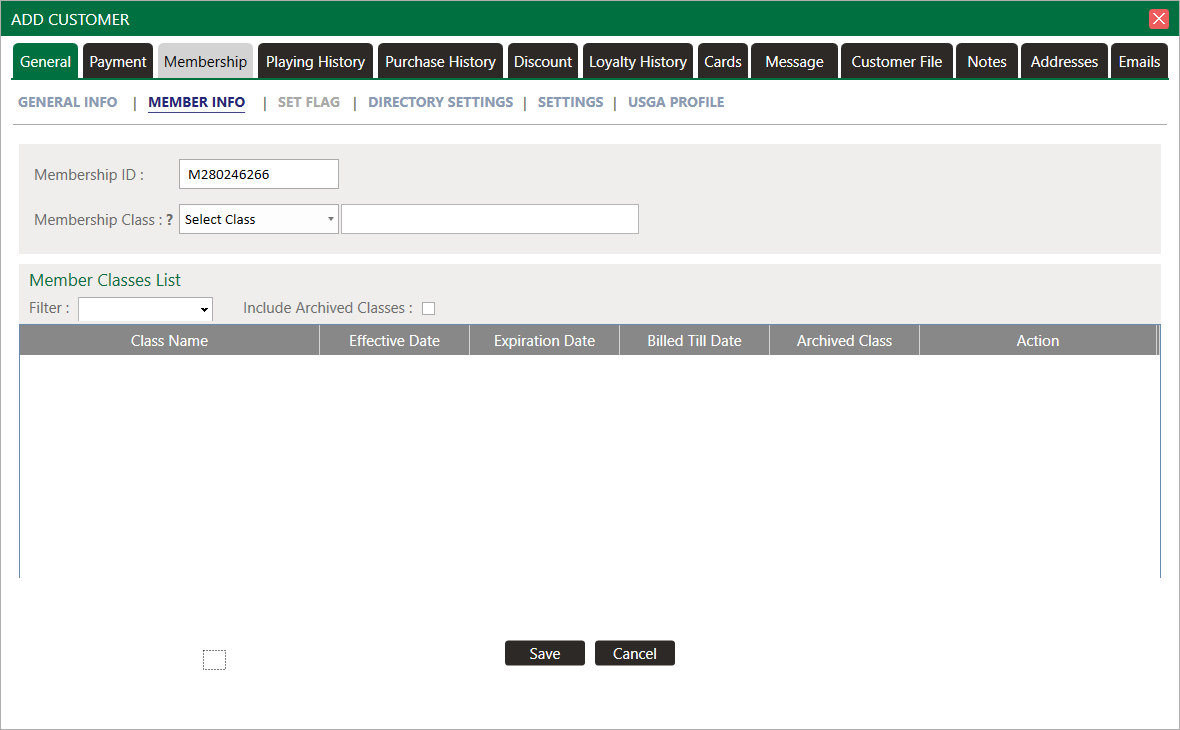
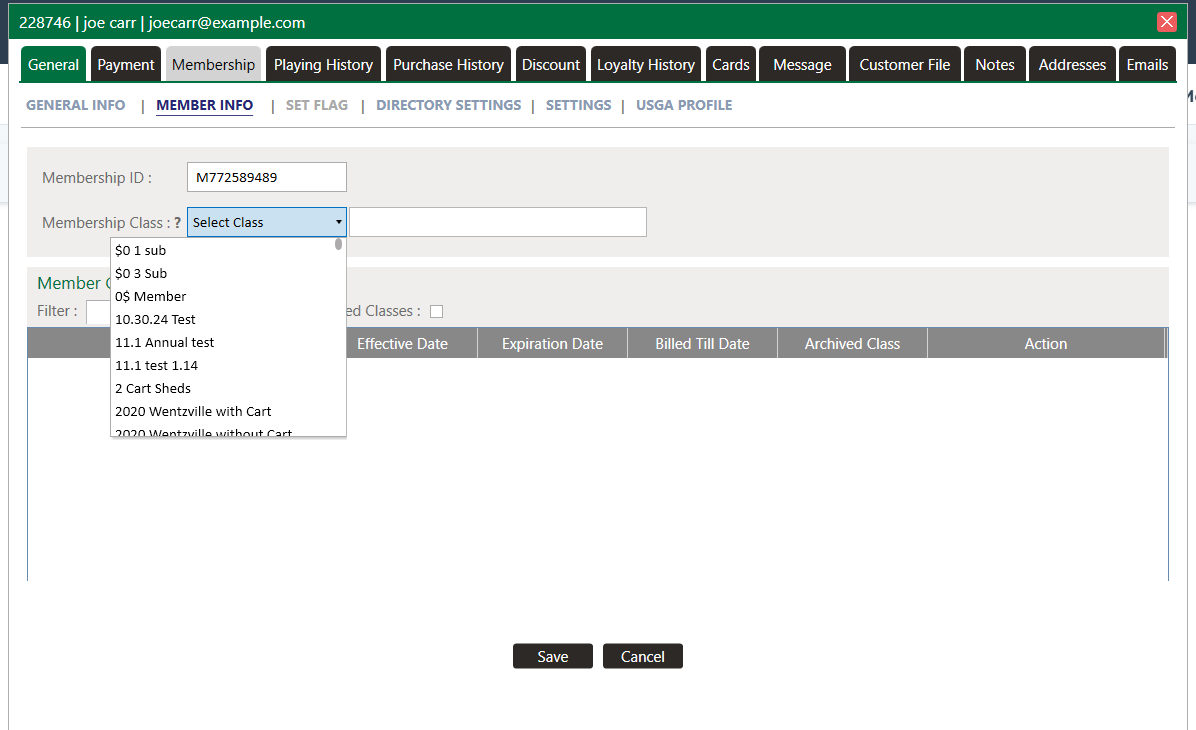
Step 5: Select the membership class from the Membership Class dropdown list then select the Expiration Date and click the Save button.
Related Articles
Set Guest Flags
Article Contents: This article summarizes how to set a flag on a Guest account Step-By-Step Step 1: From the tee time reservation pop up, you will see a plus (+) icon to the left of the Last Name field and under the “Add” column. If they are a new ...View Guest Profile
This article gives step-by-step instructions on how to view a Guest profile from the tee sheet. Step-By-Step: Step 1: Click on the tee sheet module from the top navigational menu. Step 2: Go to the Tee Sheet and select the guest reservation time ...Add New Guest
Article Contents: This article contains step-by-step instructions on how to add new Guest through the Tee Sheet Step-By-Step Step 1: Select the TEE SHEET module from the module navigation menu. Step 2: Book a tee time: There are 3 ways to reserve a ...Add Guest to Group Reservation
Article Contents: This article contains step-by-step instructions on how to add a Guest to a group booking. Step-By-Step: Step 1: From the module navigation menu, select the TEE SHEET module. Step 2: Right-click on the desired time slot and select ...Multiple Guest Check In
Article Contents: This article contains information on how to make Group Check In into tee sheet. Step By Step: Step 1: Go to the TEE SHEET module and select the time slot. Step 2: Select the players listed on the time slot. Check on the boxes on the ...