Export Tee Sheet

Export Tee Sheet

Article Contents: This article contains step-by-step instructions on how to export the tee sheet to Microsoft Excel and as a PDF.

Step-By-Step

Note: Microsoft Excel must be installed for this feature to function properly.

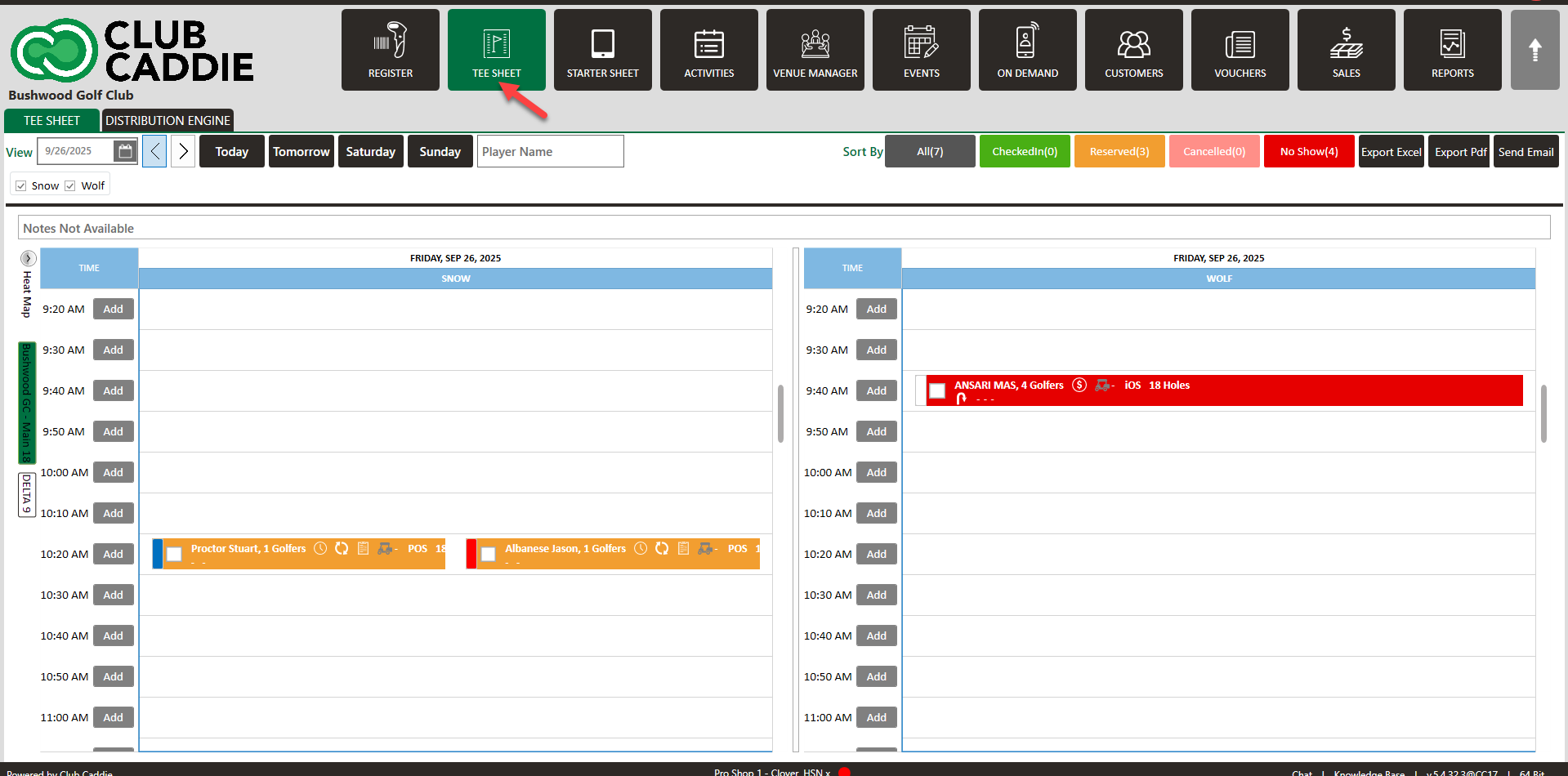
 Step 1:  Click on the TEE SHEET module at the top of the screen. 


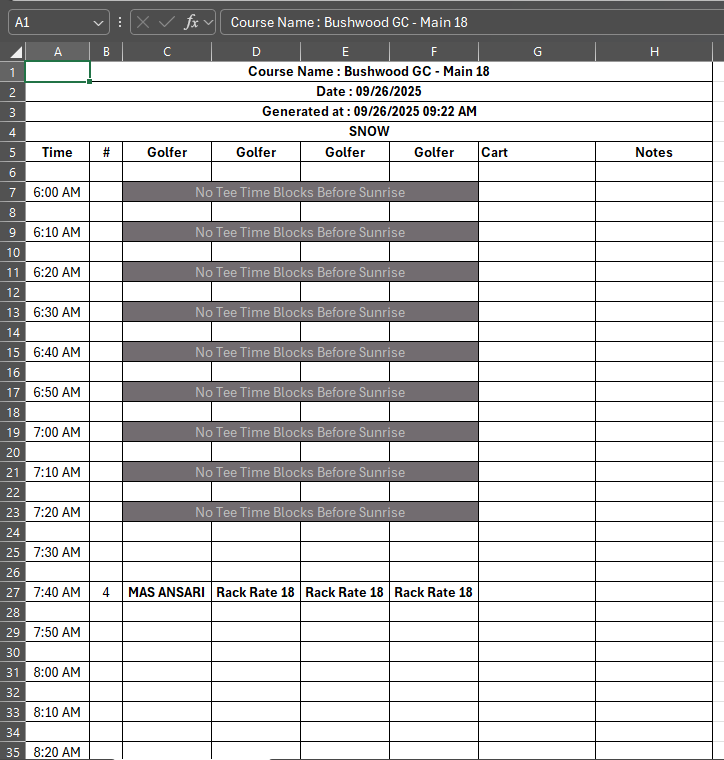
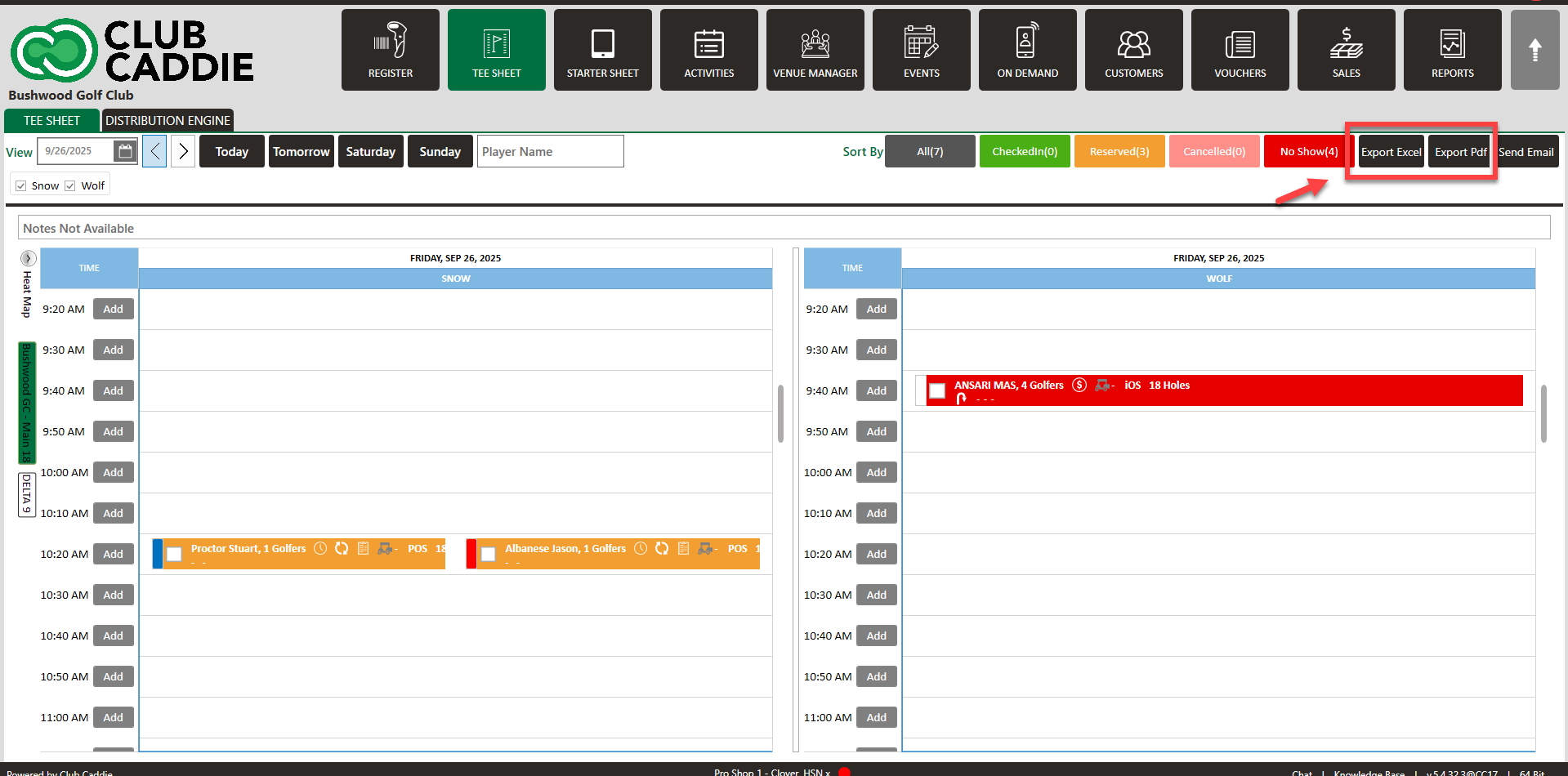
Step 2:  A) Click on the Export Excel button. A new Excel window will open up like below.


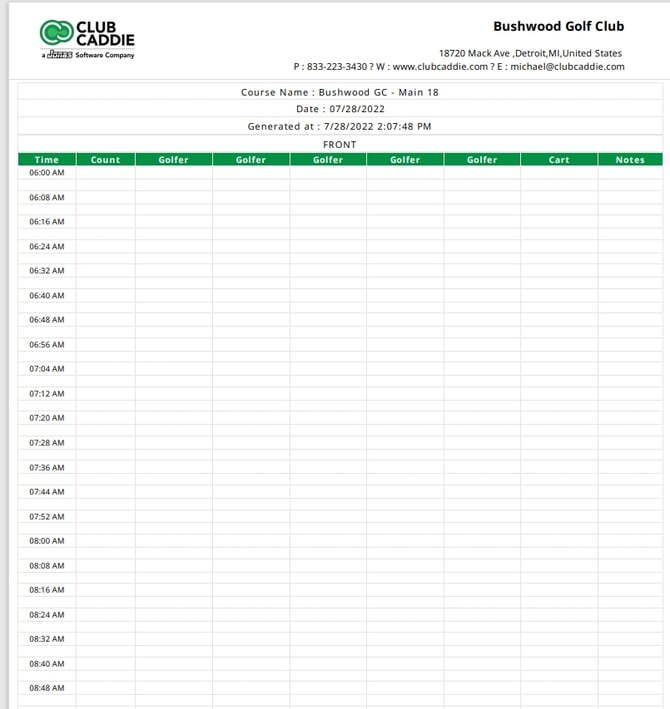
   B) Click on the  Export Pdf button. A tee sheet pdf like the one below will be produced.
    • Related Articles

    • Tee Sheet Icons

      Article Contents: This article contains information related to icons that appear on the tee sheet. Step-By-Step Step 1: Below are icons that you may encounter while viewing an active tee-sheet: : Signifies that the tee time was booked today. : The ...
    • Edit Tee Time

      Article Contents: This article contains step by step instructions on how to edit a tee booking through the tee sheet. Step-By-Step Step 1: Access the TEE SHEET tab from the main menu. Step 2: Locate and select the reservation on the Tee Sheet. Step ...
    • Cancel a Tee Time

      Article Contents This article contains a step by step guide on canceling or deleting a tee time from the Jonas Synergy tee sheet. Step-By-Step Step 1: Navigate to the tee sheet module from the top navigation bar. Step 2: Locate the tee time ...
    • Move a Tee Time

      Article Contents: This article contains step-by-step instructions on how to move a tee-time from one time slot to another using two different methods. Step-By-Step: Method 1: Drag-and-Drop Method Step 1: Click on "TEE SHEET" on the top menu. Then, ...
    • Repeating Tee Times

      Article Contents: This article contains information on how to repeat tee times. Step-By-Step Step 1: Navigate to the TEE SHEET module from the top navigation bar. Step 2: Check the box of the desired reservation / booked tee time from the Tee Sheet ...