Tee Sheet - Move a Tee Time

Move a Tee Time

Article Contents: This article contains step-by-step instructions on how to move a tee-time from one time slot to another using two different methods.

Step-By-Step:

Method 1: Drag-and-Drop Method

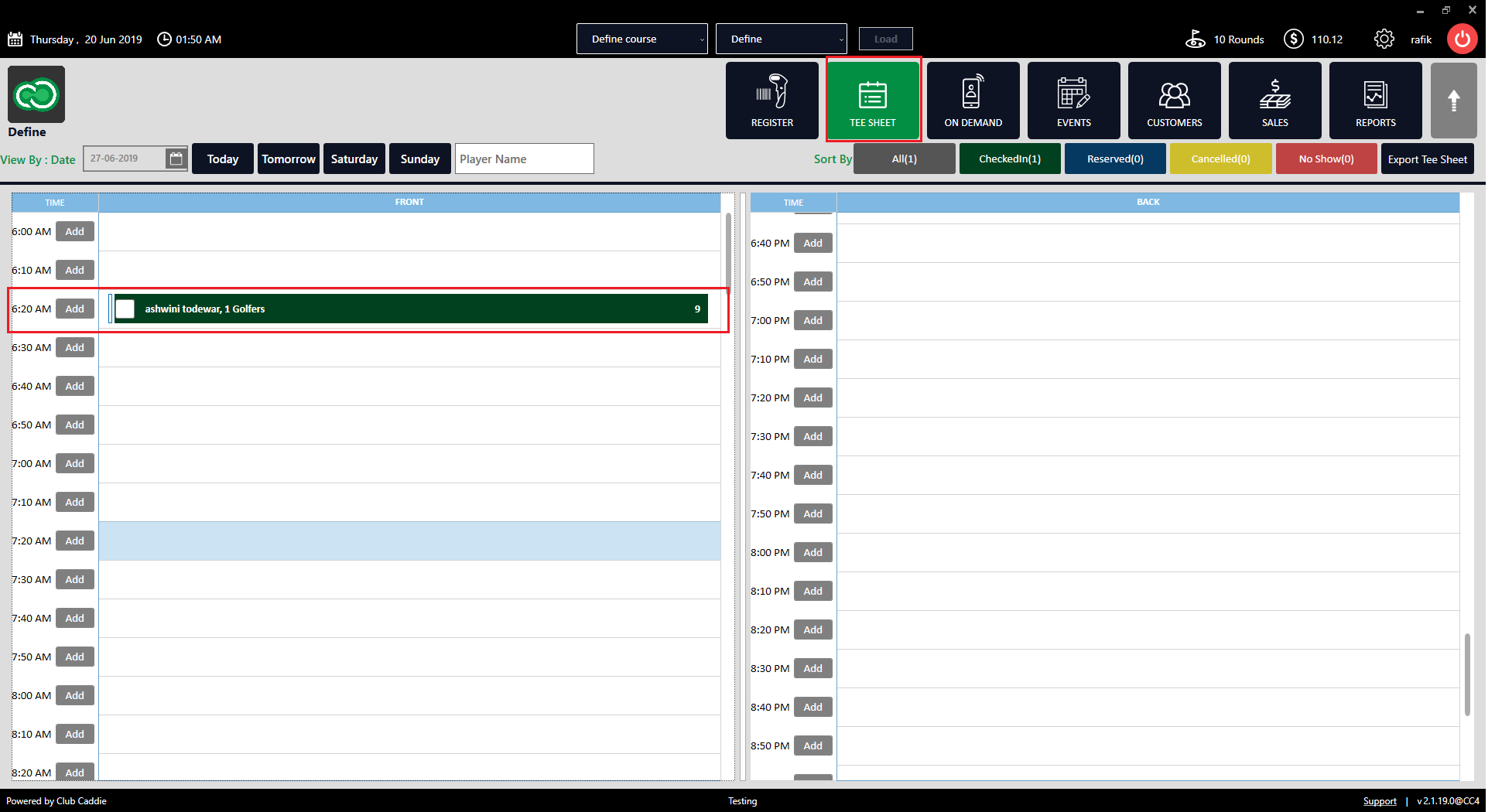
Step 1: Click on "TEE SHEET" on the top menu. Then, select the reservation from the available time slots.  
DocsDisplay.png

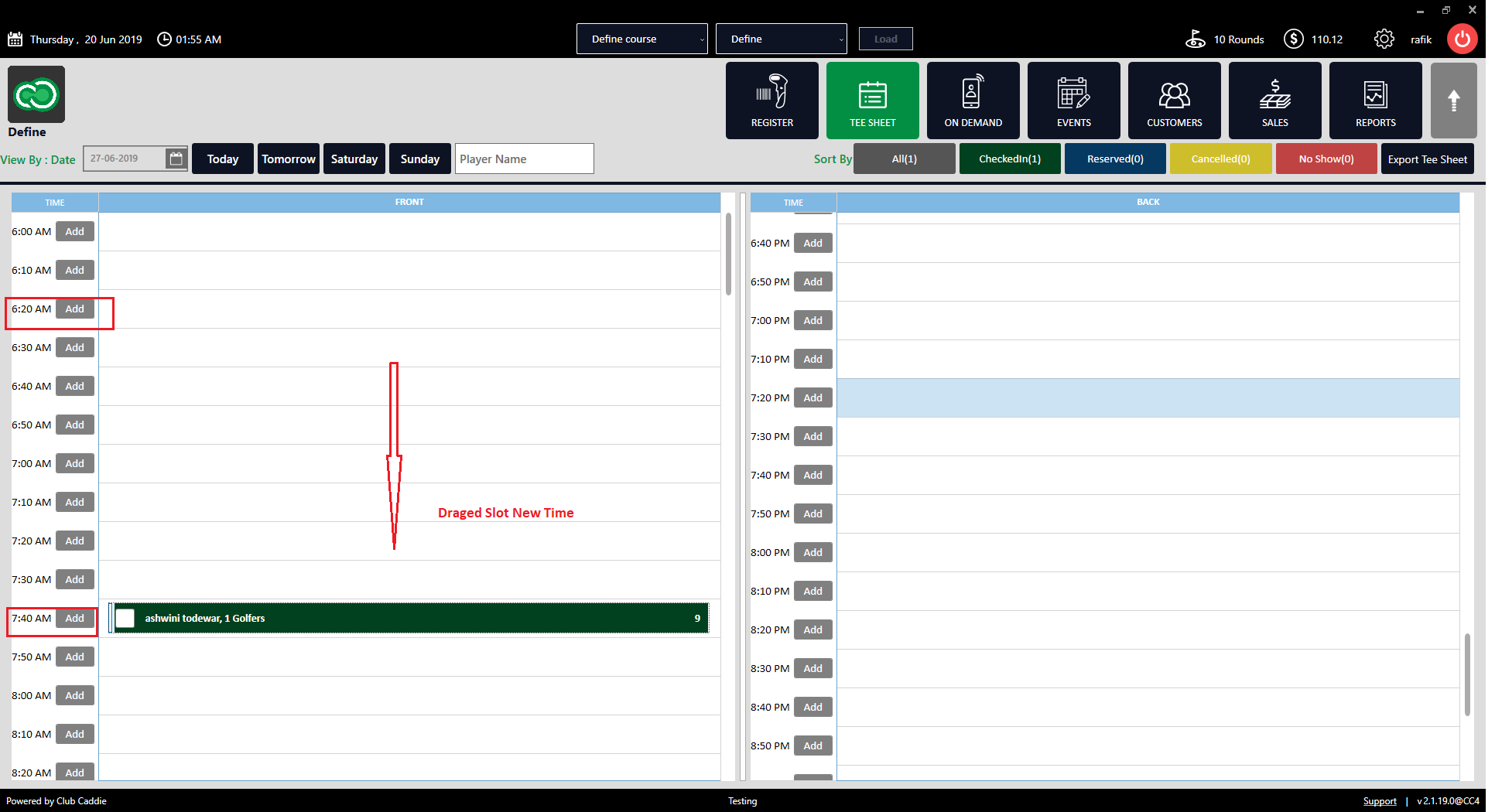
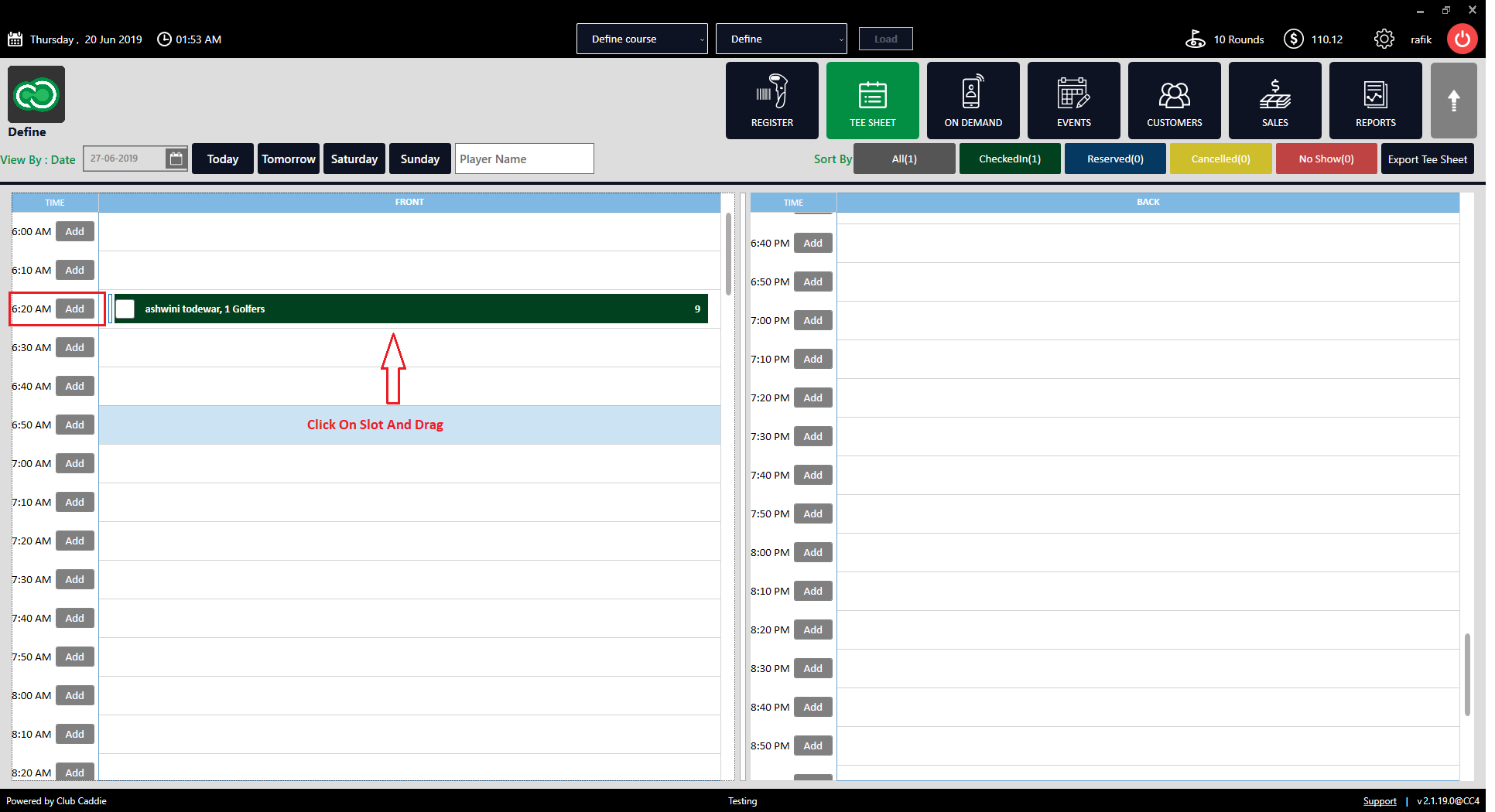
 Step 2: Select the tee time from the current time slot and drag it to the desired new time on the tee sheet. The tee time will now be moved to the selected time slot and is rescheduled for this new time.  
DocsDisplay_1.png


DocsDisplay_2.png

 Method 2: Through the Editing Window

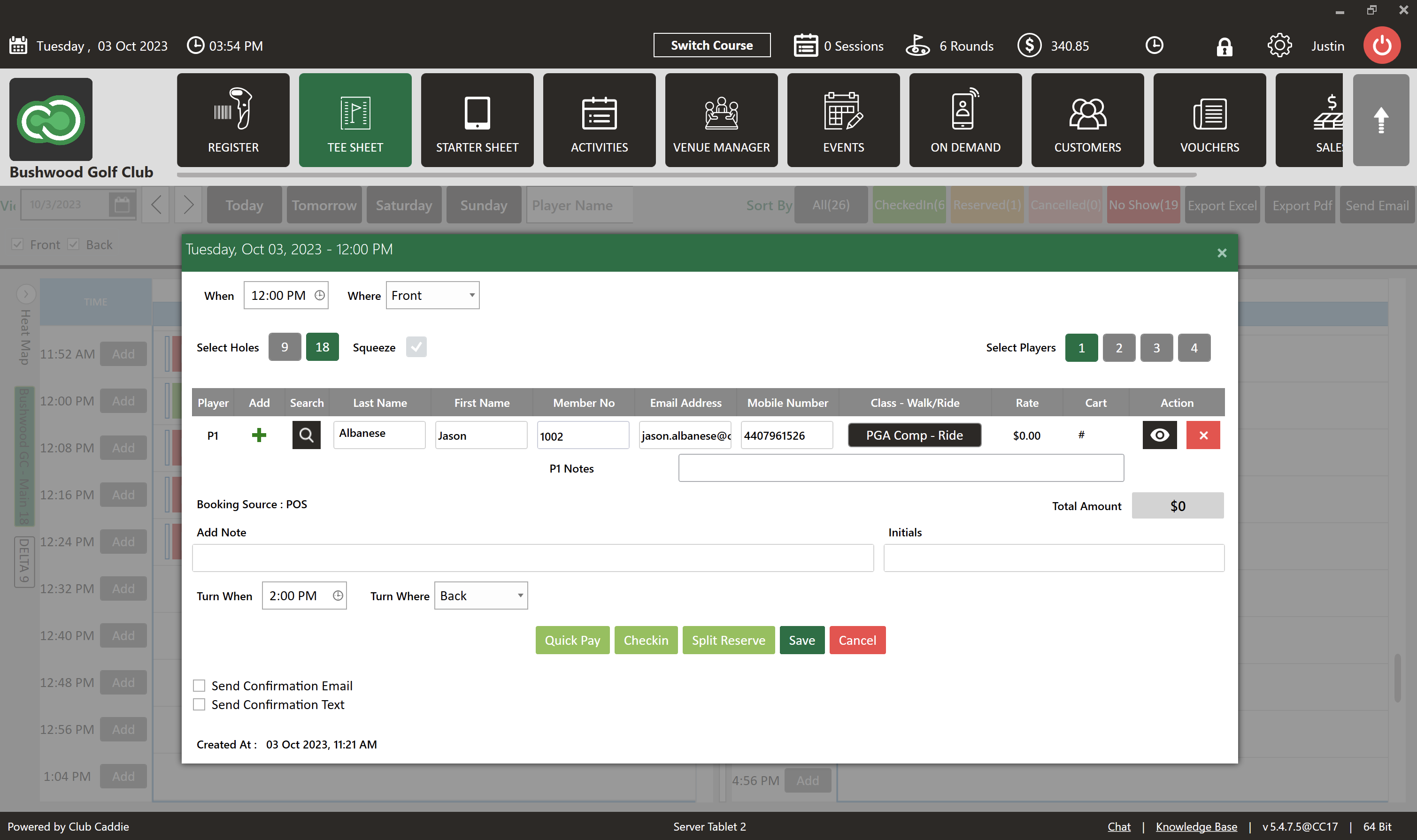
Step 1: Click on "TEE SHEET" on the top menu and double-click on the tee time you wish to move. A new window will open.  
edbsn7890f7b047df9dccfb6dfba80885b1acd2301d169ac510f4d50975c96811470bd8ebf3594a73df950a092850f409f8b7.png

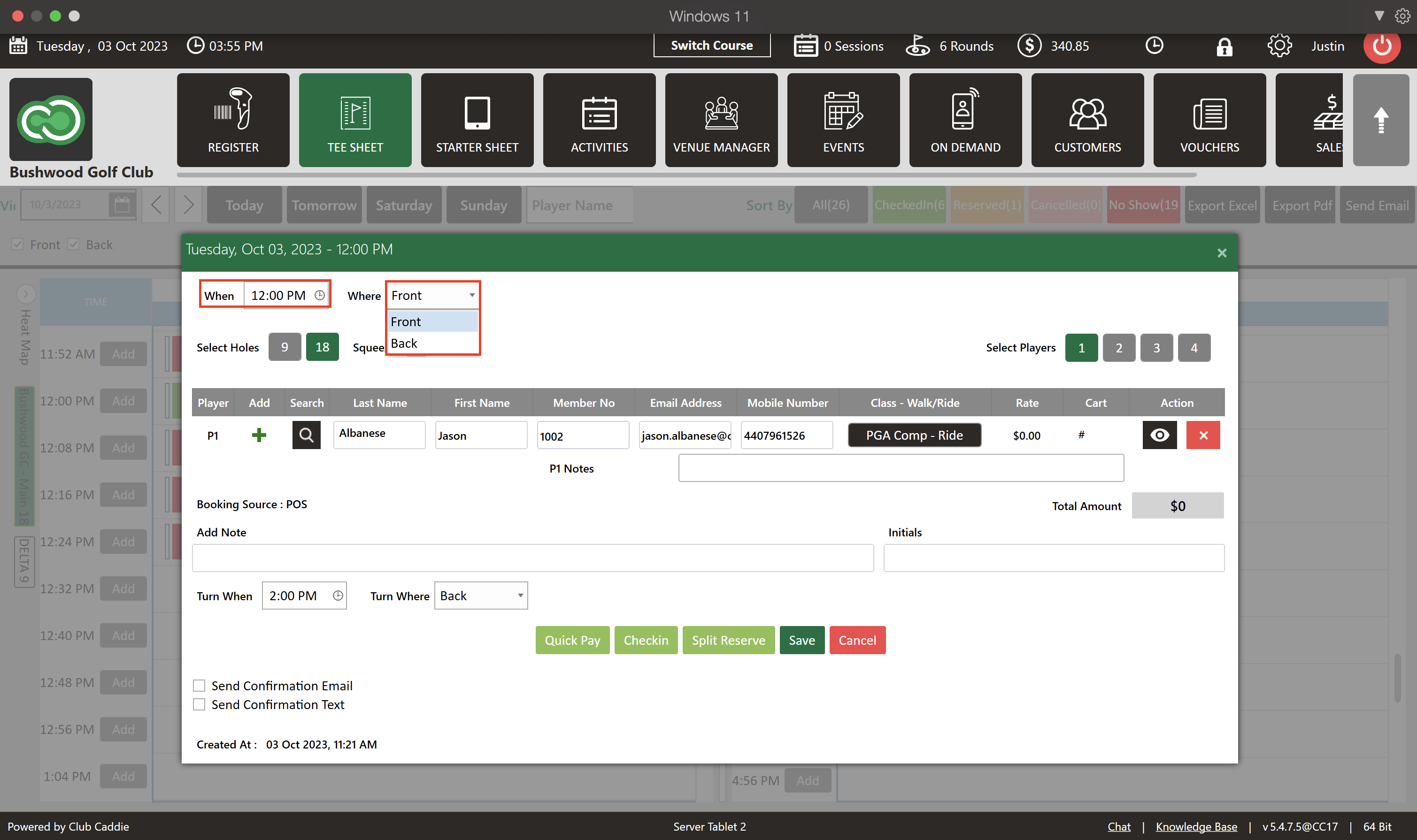
 Step 2: In the top left corner of the window, you will see two labels: "When" and "Where".  

Clicking on "When" allows you to either select a new time from the available options or manually enter the desired date and time.  

The "where" dropdown menu enables you to select which course the tee time will be played on. For instance, your choices may be "Front" or "Back".  
edbsn3d5c3897095804cbfa0516361c0ea95737281b0d449be67d7a113a8733434db9454ec8e4be4e3be1553b966492d6099c.png

Step 3: Once you have made the necessary changes, click "Save" to finalize and apply the new tee time and/or location. 

    • Related Articles

    • Cancel a Tee Time

      Article Contents This article contains a step by step guide on canceling or deleting a tee time from the Jonas Synergy tee sheet. Step-By-Step Step 1: Navigate to the tee sheet module from the top navigation bar. Step 2: Locate the tee time ...
    • Edit Tee Time

      Article Contents: This article contains step by step instructions on how to edit a tee booking through the tee sheet. Step-By-Step Step 1: Access the TEE SHEET tab from the main menu. Step 2: Locate and select the reservation on the Tee Sheet. Step ...
    • Check In Tee Time

      Article Contents: This article contains a step-by-step guide on how to check-in a tee-time. Step-By-Step Step 1: Click on the TEE SHEET tab from the main menu (1). Step 2: Find and select the reservation from the Tee Sheet (2). Step 3 (Option a): ...
    • Reserve A Tee Time

      Article Contents: This article contains step-by-step instructions on reserving a new tee time within the tee-sheet module. Step-By-Step Step 1: Select “Tee Sheet” from the main menu. Step 2: The default date selection will be today's date. If you ...
    • Un-Checkin a Tee Time

      Article Contents: This article contains a step-by-step guide on how to un-check in a tee time. Step 1: If you don't know how to check in a golfer or tee time, please click here to be taken to a separate article. Step 2: To un-checkin tee-time, you ...