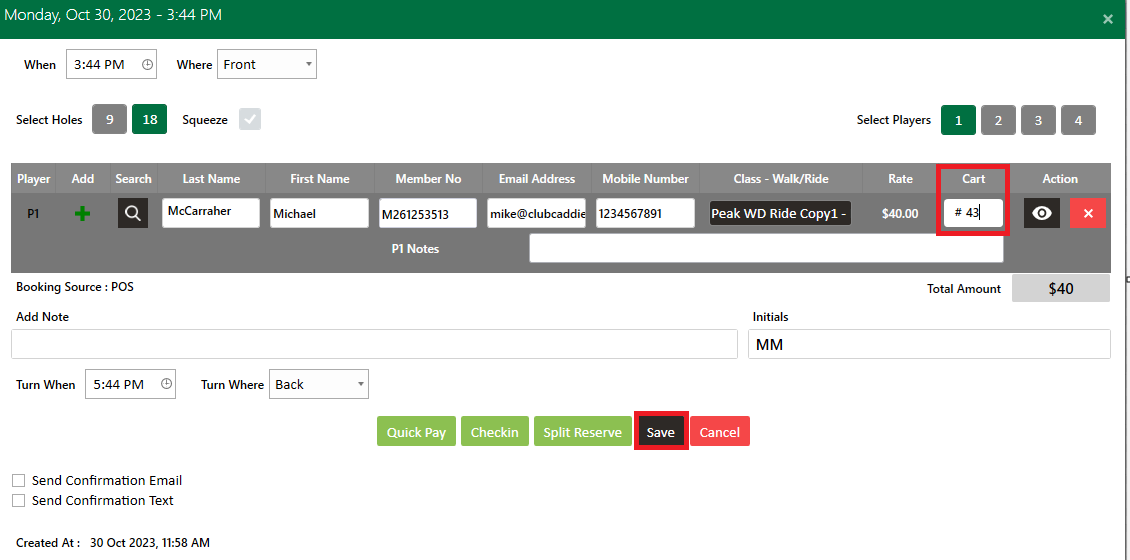
Tee Sheet - Add Cart Number

Add Cart Number

Article Contents: This article summarizes how to add a cart number on the tee sheet

Step-By-Step

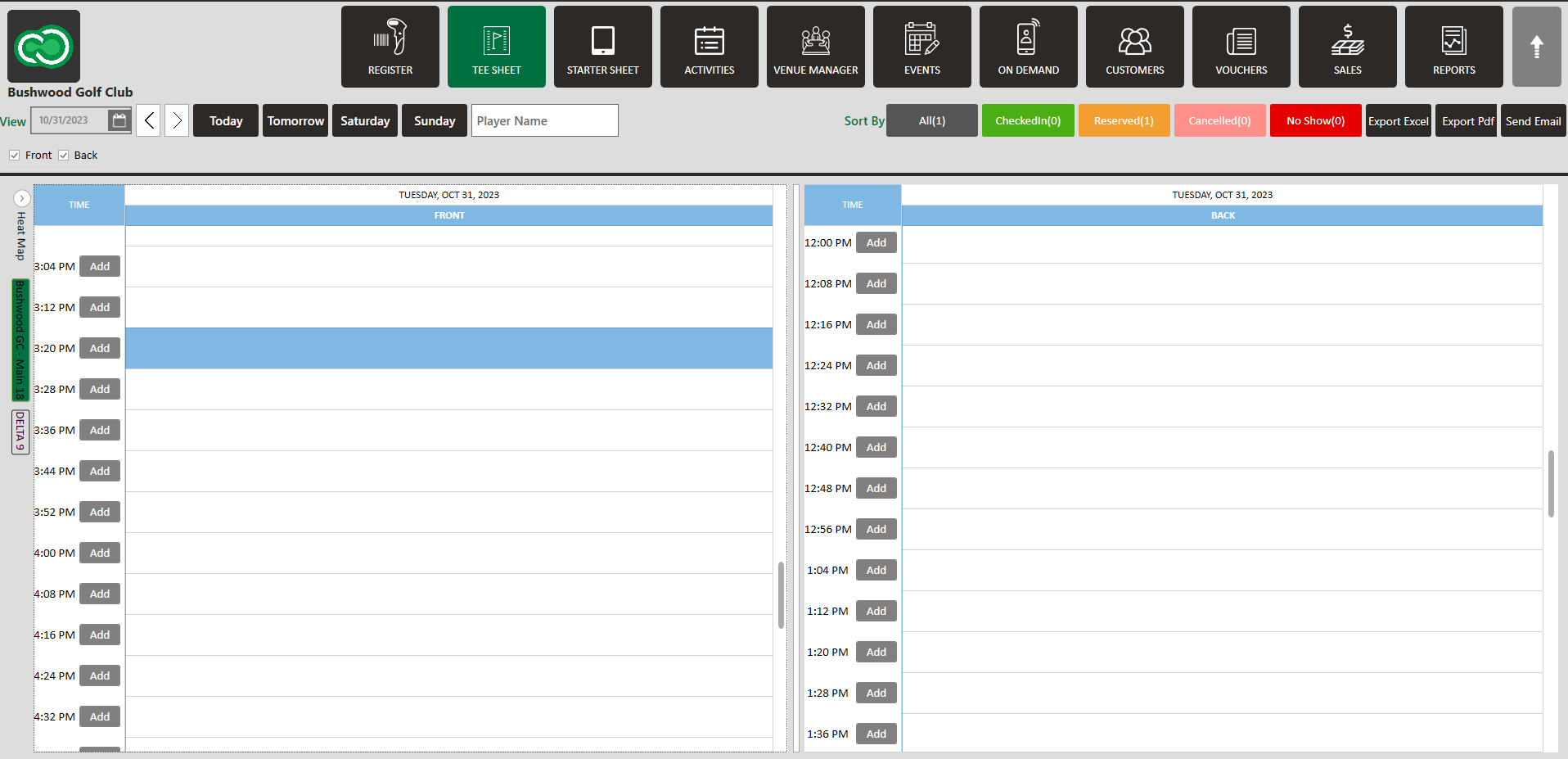
Step 1: Select “Tee Sheet” from module navigation menu at the top of the point-of-sale

Step 2: Double click on tee time that you wish to add a cart number OR this can be done when booking the tee time.

Step 3:
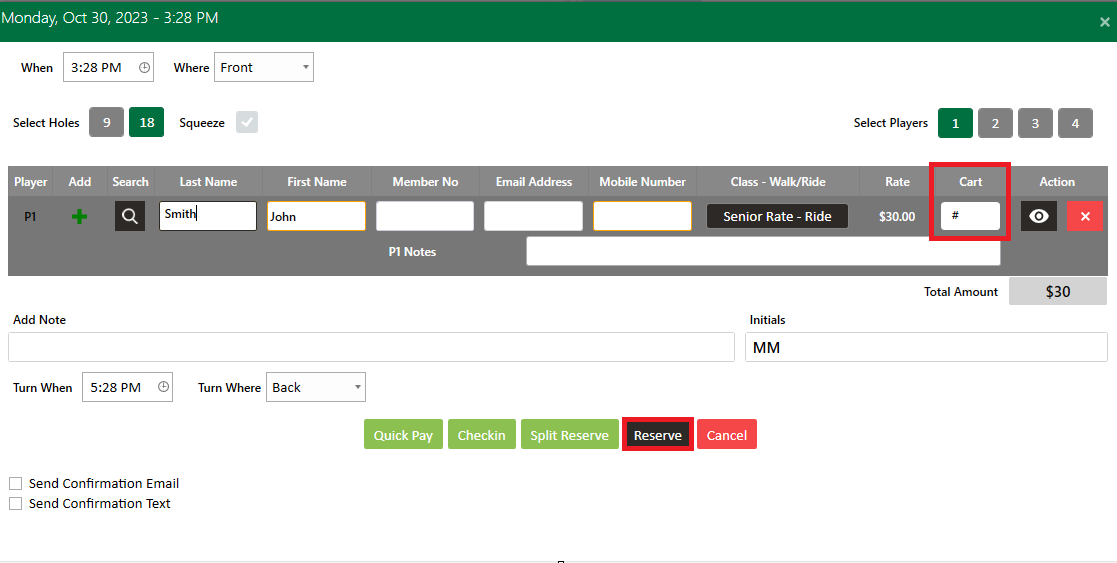
Click on the box titled "Cart", type in the cart number, click Save (for existing tee time) or Reserve (when booking new tee time).


    • Related Articles

    • Reserve A Tee Time

      Article Contents: This article contains step-by-step instructions on reserving a new tee time within the tee-sheet module. Step-By-Step Step 1: Select “Tee Sheet” from the main menu. Step 2: The default date selection will be today's date. If you ...
    • Add New Guest

      Article Contents: This article contains step-by-step instructions on how to add new Guest through the Tee Sheet Step-By-Step Step 1: Select the TEE SHEET module from the module navigation menu. Step 2: Book a tee time: There are 3 ways to reserve a ...
    • Add Guest to Group Reservation

      Article Contents: This article contains step-by-step instructions on how to add a Guest to a group booking. Step-By-Step: Step 1: From the module navigation menu, select the TEE SHEET module. Step 2: Right-click on the desired time slot and select ...
    • Add Notes to Individual Bookings

      Article Contents: This article gives step-by-step instructions on how to add notes to individual tee bookings Step-By-Step Step 1: Select the Tee Sheet module from the top navigation bar. Step 2: Open the tee booking window for the select tee time. ...
    • Create A Group Reservation

      Article Contents: In this article we will walk through creating a new group reservation which can be used to reserve multiple tee-times at pre-setup or custom prices. Step-By-Step Step 1: Navigate to the TEE SHEET module from the top navigation bar. ...