Quick Pay

Quick Pay

Article Contents: Quick Pay allows for you to easily check-in and pay for golfers directly from the tee sheet through the integrated point of sale.


Step-By-Step

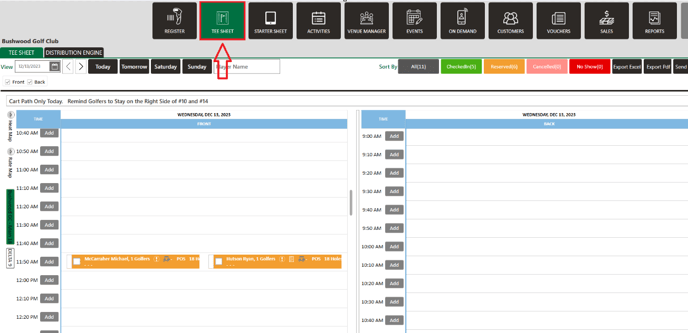
Step 1: Click on the "Tee Sheet" Tab from the top of the navigation menu.


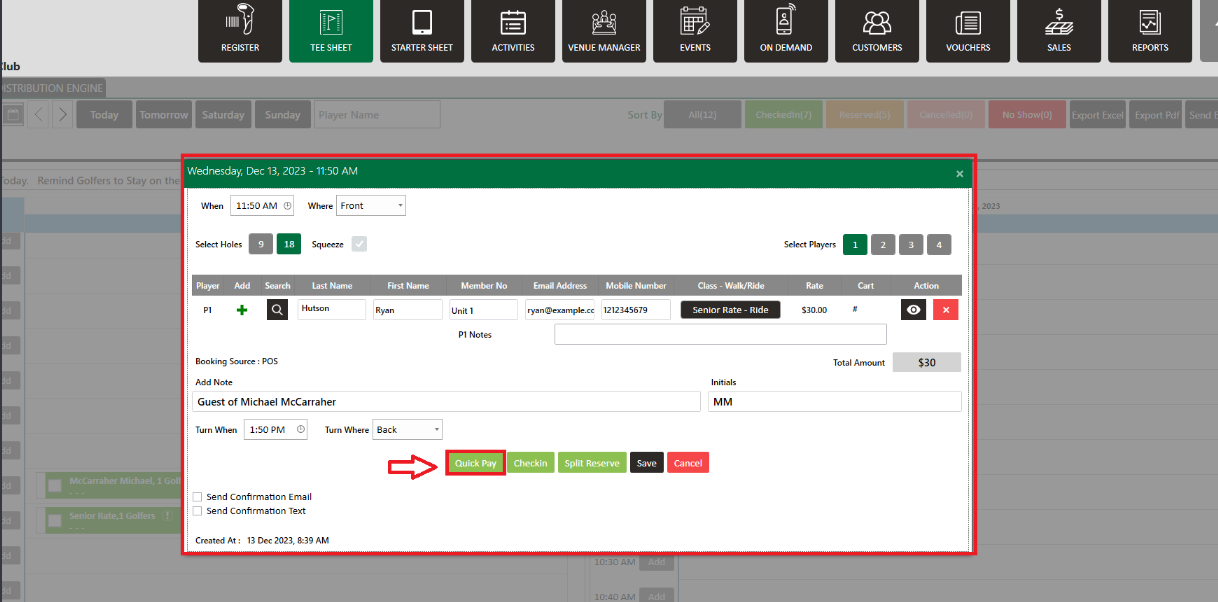
Step 2: With the booking details pop-up open, you will have number of different options available. With all the necessary details filled in, click on the "Quick Pay" button.


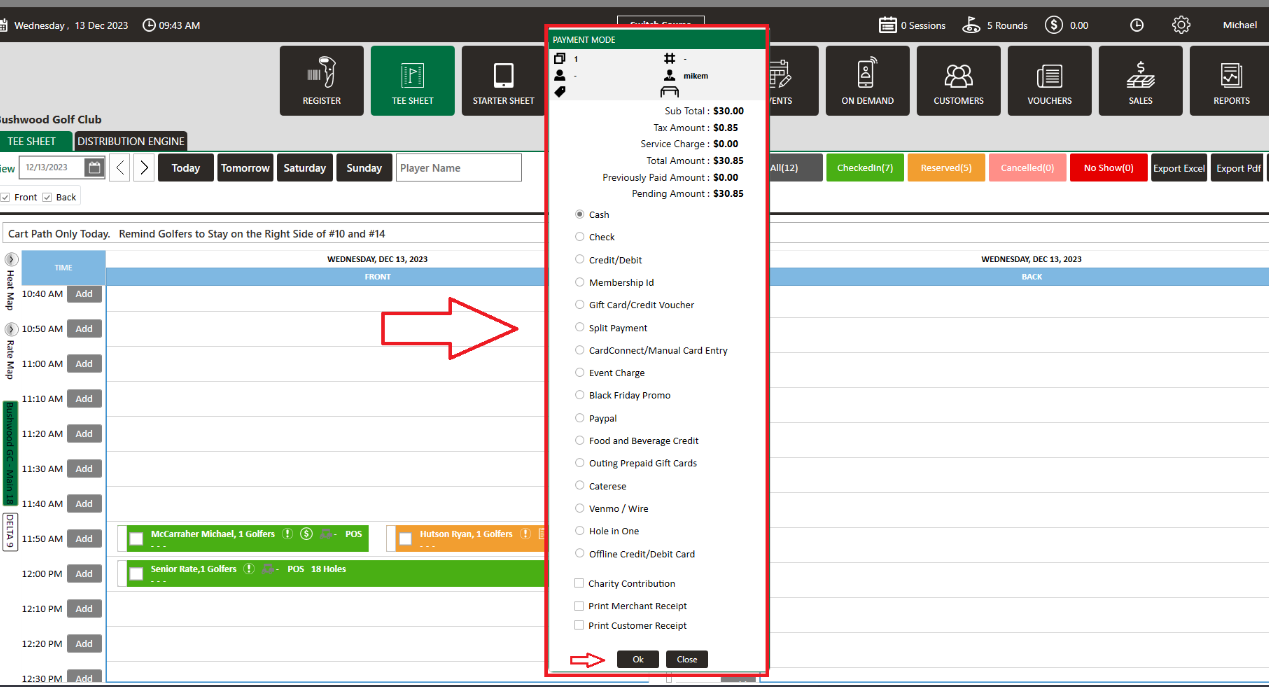
Step 3: The system will generate a new "Payment Mode" window where you can pay through different payment options. Select the Payment Mode and then click the "Ok" button.


    • Related Articles

    • Group Quick Pay

      Article Contents: This article gives step-by-step instructions on using Quick Pay in the Tee Sheet for a group of players. Step-By-Step: Step 1: Click on the TEE SHEET module from the top of the navigation menu. Step 2: On the tee sheet, there are ...
    • Check In Tee Time

      Article Contents: This article contains a step-by-step guide on how to check-in a tee-time. Step-By-Step Step 1: Click on the TEE SHEET tab from the main menu (1). Step 2: Find and select the reservation from the Tee Sheet (2). Step 3 (Option a): ...
    • Create A Group Reservation

      Article Contents: In this article we will walk through creating a new group reservation which can be used to reserve multiple tee-times at pre-setup or custom prices. Step-By-Step Step 1: Navigate to the TEE SHEET module from the top navigation bar. ...
    • Redeeming a punch card round

      Article Contents: This article contains step-by-step instructions on how to redeem a punch card round. Step-By-Step: Step 1: Within the 'TEE SHEET' select the appropriate tee time and search for and add the guest for whom the punch card is being ...
    • Reserve A Tee Time

      Article Contents: This article contains step-by-step instructions on reserving a new tee time within the tee-sheet module. Step-By-Step Step 1: Select “Tee Sheet” from the main menu. Step 2: The default date selection will be today's date. If you ...