Check-in Tee Time

Check In Tee Time

Article Contents: This article contains a step-by-step guide on how to check-in a tee-time.

Step-By-Step


Step 1
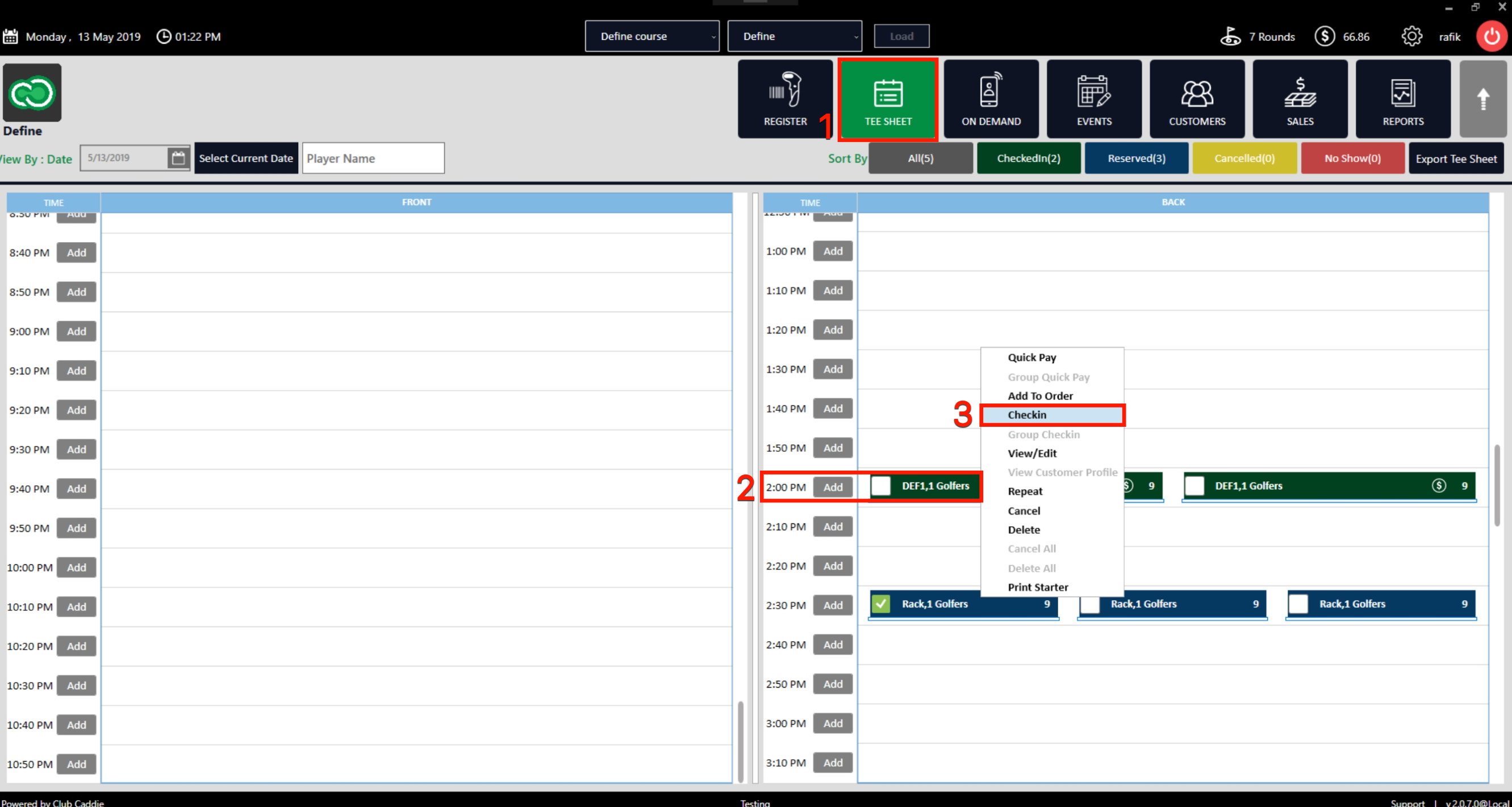
: Click on the TEE SHEET tab from the main menu (1). 

Step 2: Find and select the reservation from the Tee Sheet (2).

Step 3 (Option a): Right-click on the reserved time slot and click on Check-in (3) from the drop-down menu.


Alternatively:
 
Step 3 (Option b): Double click on the reserved time slot, once the pop-up window opens, fill in the golfer's information (1) and then click on Check-In (2).
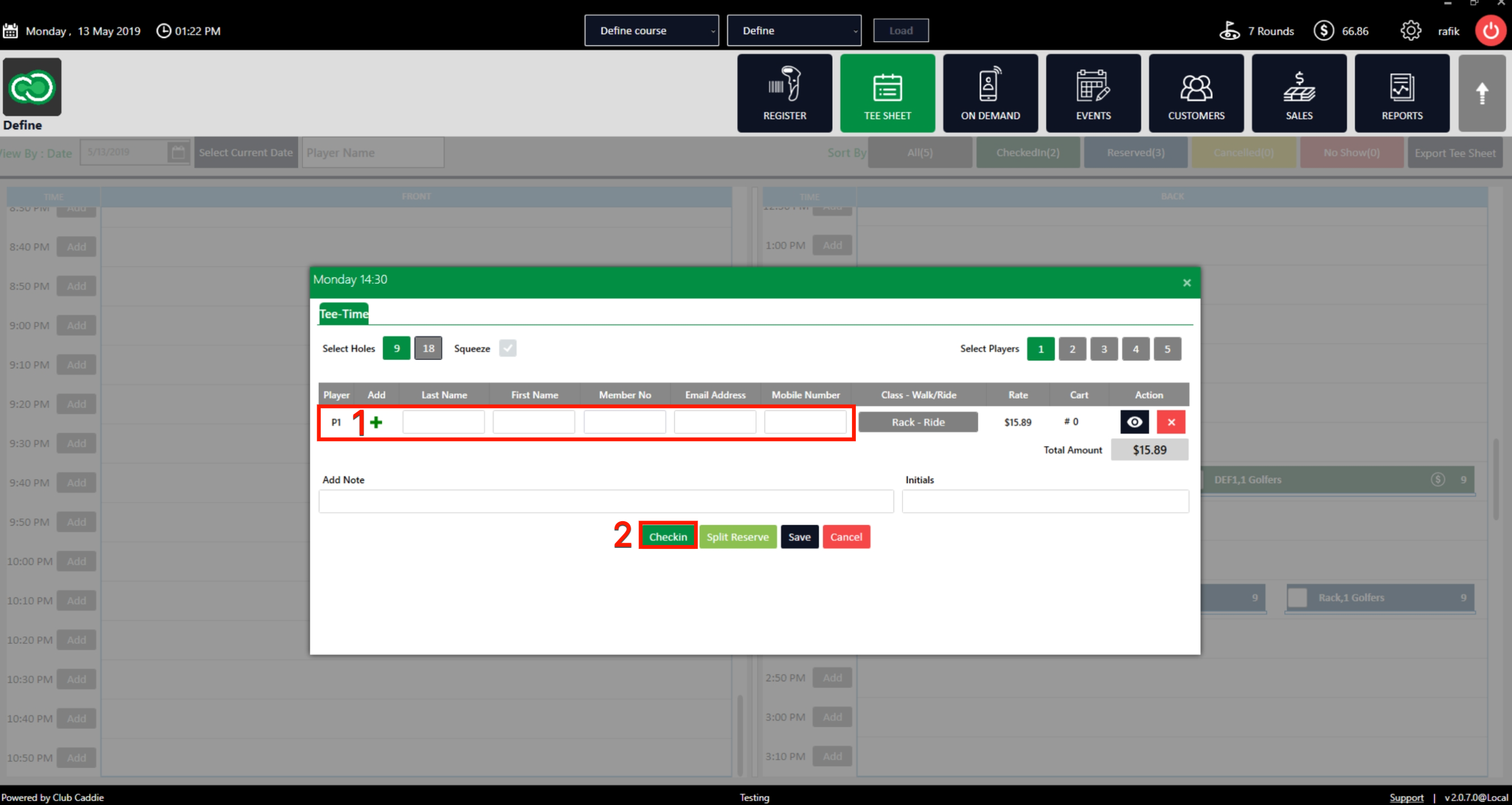


Step 4:  After using any of the options above for check-in, an order will be created for a particular user and you will be directed to the point of sale tab in the main menu.
 

Note:
1) You can also click on direct check-in while on booking pop up following the same booking tee time method, in case of a walk-in.
2) Additionally, you can utilize the Quick-Pay functionality to check-in and pay directly from the tee-sheet. 


    • Related Articles

    • Un-Checkin a Tee Time

      Article Contents: This article contains a step-by-step guide on how to un-check in a tee time. Step 1: If you don't know how to check in a golfer or tee time, please click here to be taken to a separate article. Step 2: To un-checkin tee-time, you ...
    • Multiple Guest Check In

      Article Contents: This article contains information on how to make Group Check In into tee sheet. Step By Step: Step 1: Go to the TEE SHEET module and select the time slot. Step 2: Select the players listed on the time slot. Check on the boxes on the ...
    • Golf League Check-in

      This article gives step-by-step instructions on how to make a Golf League check-in within the tee sheet. Step-By-Step: Step 1: Click on the TEE SHEET from the top menu. Select the Golf League event from the time slot, then right-click on the time ...
    • Golf League Check-in

      Article Contents: This article gives step-by-step instructions on how to make a Golf League check-in within the tee sheet. Step-By-Step: Step 1: Click on the TEE SHEET from the top menu. Select the Golf League event from the time slot, then ...
    • Issuing A Rain Check

      Article Contents:- This article provides step-by-step instruction on how to issue a Rain Check or refund a transaction directly from the tee Sheet module. Step-By-Step: Step 1: Click on the "Tee Sheet" button from the top navigation bar. Step 2: ...