Class Expiration / Archiving
This article contains instructions on how to archive a class on a member

Once a class is assigned to a Guest, it cannot be deleted. The user has to wait until the expiration time of the class for it to get deleted.
You can also change the expiration date to the most recent one if you want to delete the class for any member.
Step-by-step:
Step 1:
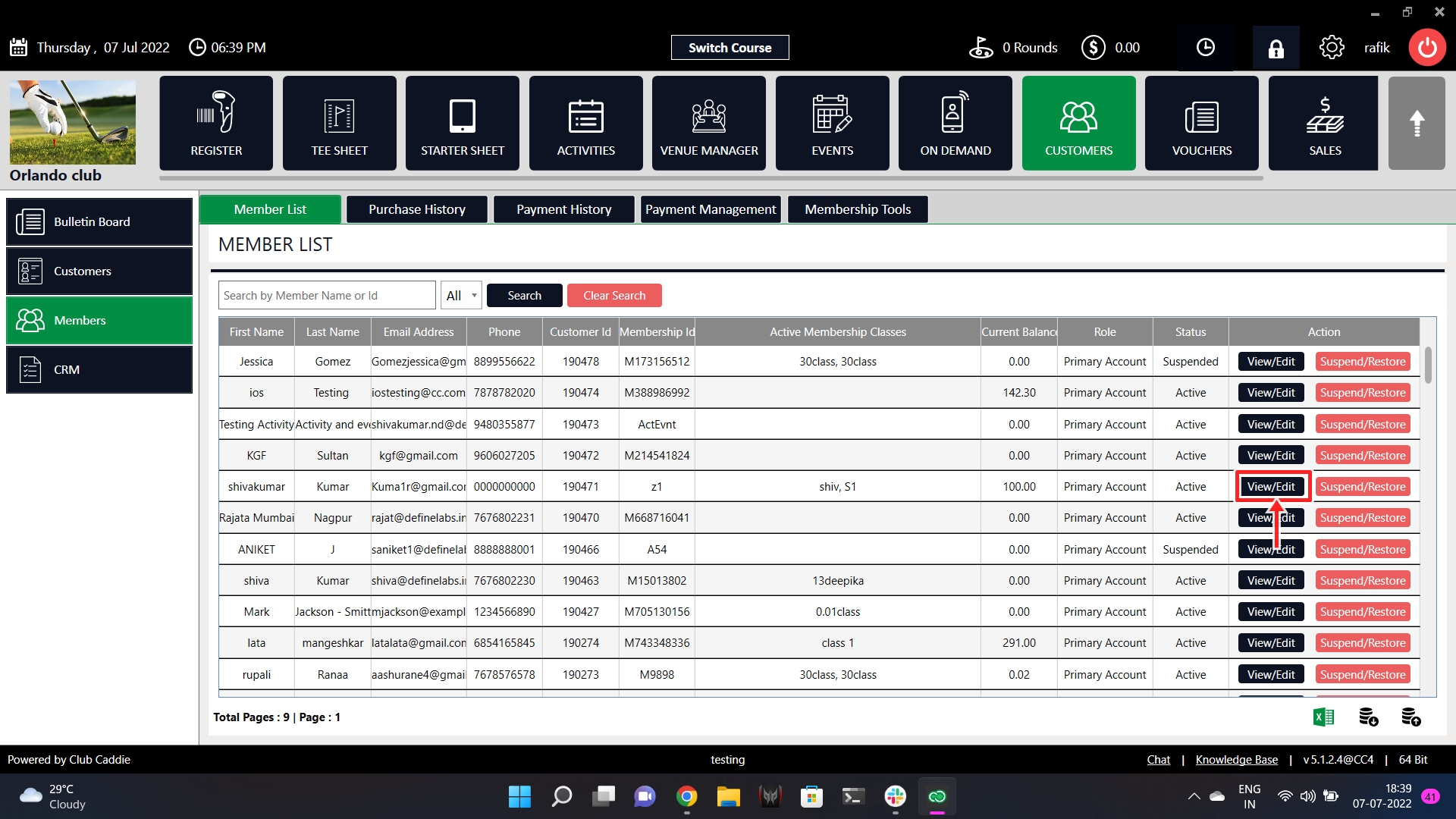
On the main screen, click on the 'Guests' tab in the top section. Then click on the 'Members' button on the top right side.

Step 2:
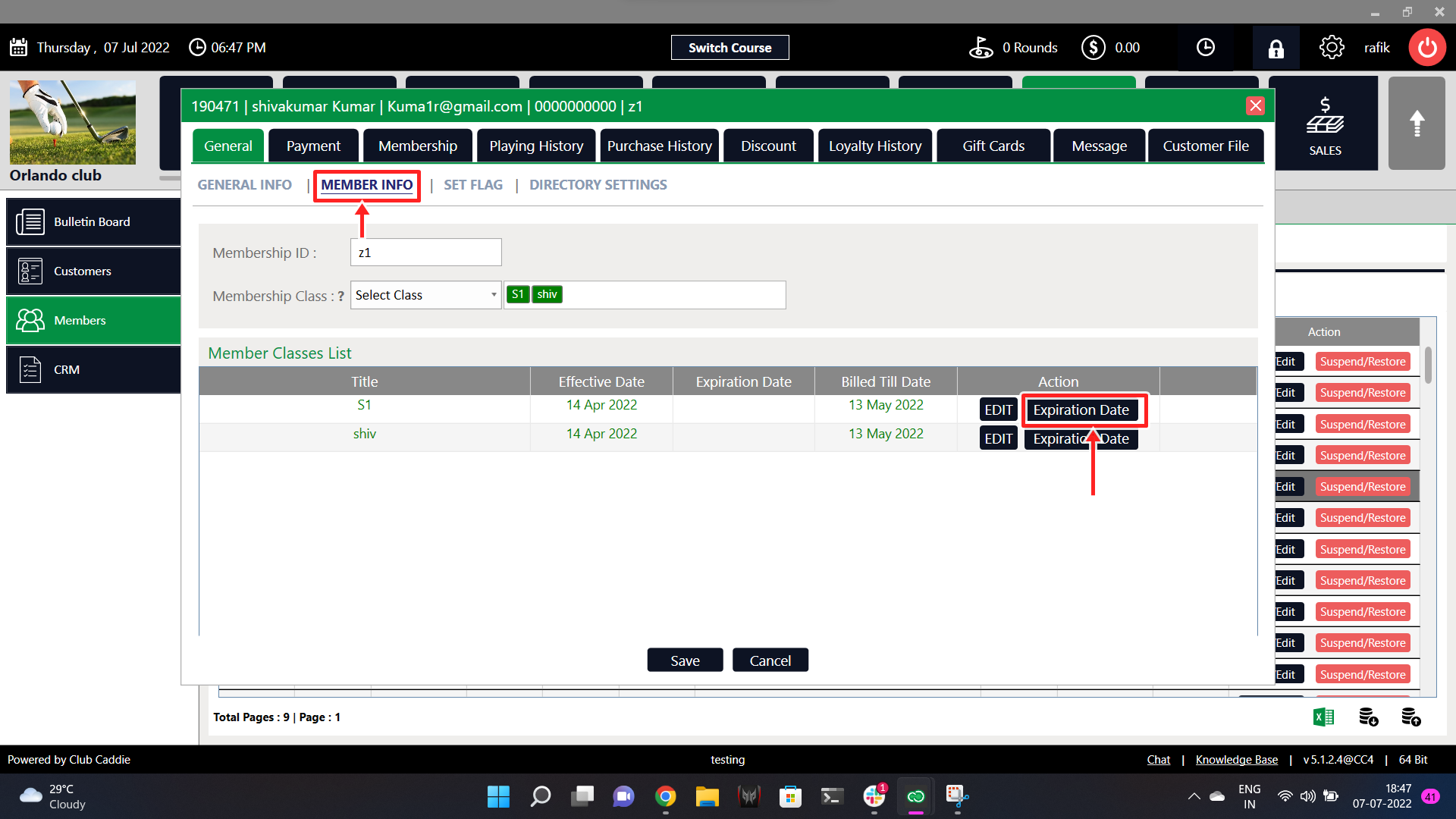
Select the member whose class you wish to expire and click on the 'View/Edit' button on the right side. Then click on the 'Member Info' button on the top side.
Step 3:
You will see a list of classes assigned to this particular member. Click on the 'Expiration Date' button and set the expiration date as you want.

Related Articles
Assign Guest Class
Article Contents: This article contains step-by-step instructions on how to link a Guest class to a Guest Step-By-Step: Step 1: Select the Guest module from the module navigation menu, then click on Guests in the left-hand menu. Step 2: Click on the ...Archiving a Guest
This is a step-by-step guide on how to delete (archive) a member from your Guest list. Please keep in mind that this will move the Guest to your Archived list. Step-By-Step: Step 1: Navigate to the Guests module along the top of the POS, then click ...Advanced Billing
Article Content: Jonas Synergy’s Advanced Billing Feature Now Allows You To Customize An Individual Member’s Annual Payment Plan Without Altering The Default Schedule For Others. You Can Edit Future Instalments To Adjust Due Dates, Or Apply ...Mass and Multiple Membership Adjustment
Article Contents: This Article Provides Step-By-Step Instructions On How To Use The Membership Tool In The Guests Module To Perform A Mass Membership Adjustment And A Multiple Membership Adjustment. A Mass Adjustment has the option to "select all" ...