Discount Rules for Guests / Members
Step-by-Step Guide:
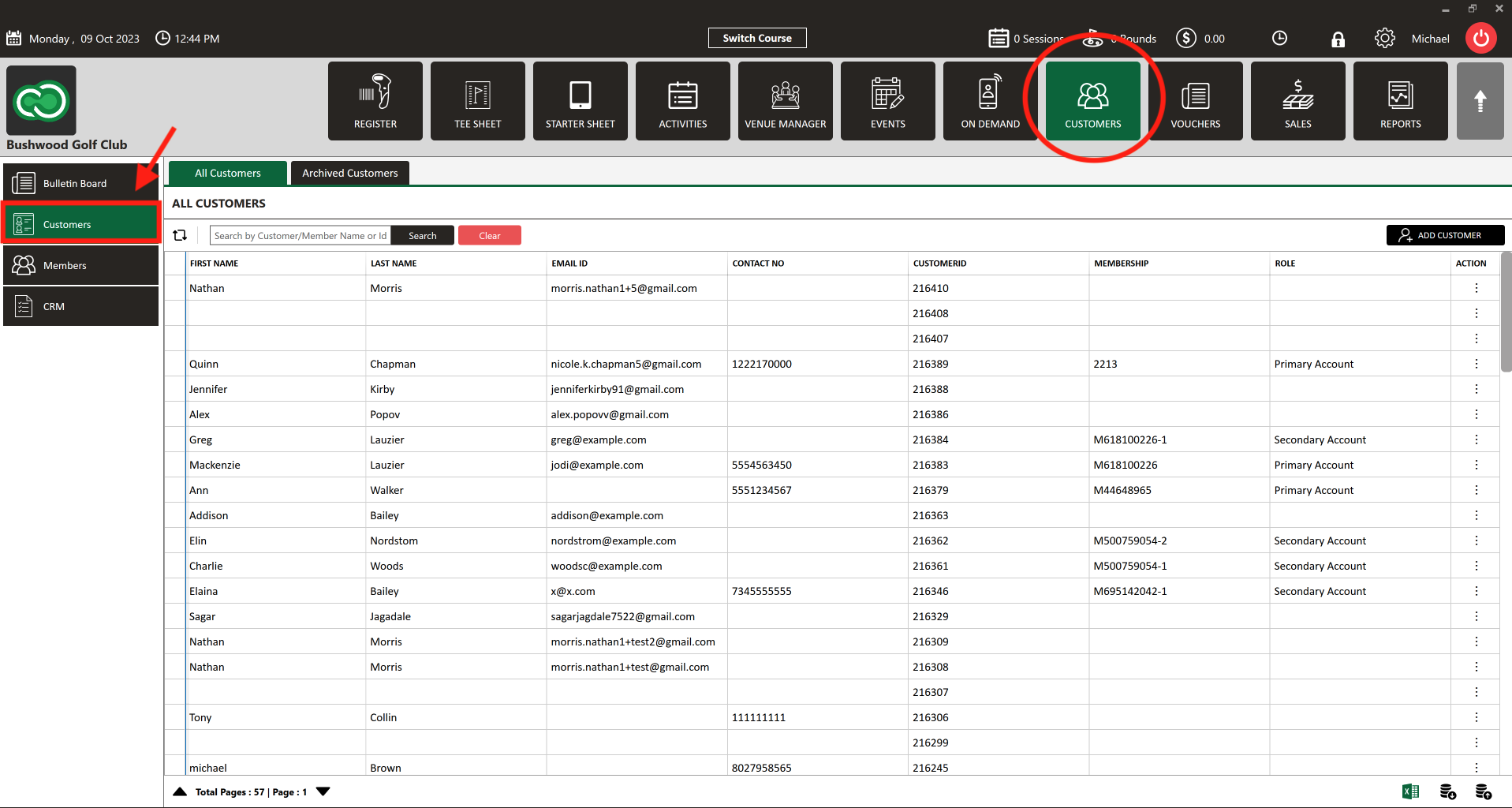
Step 1: Click on the "Guests" tab from the row of headers. Click on the "Guests" option in the left-side panel.
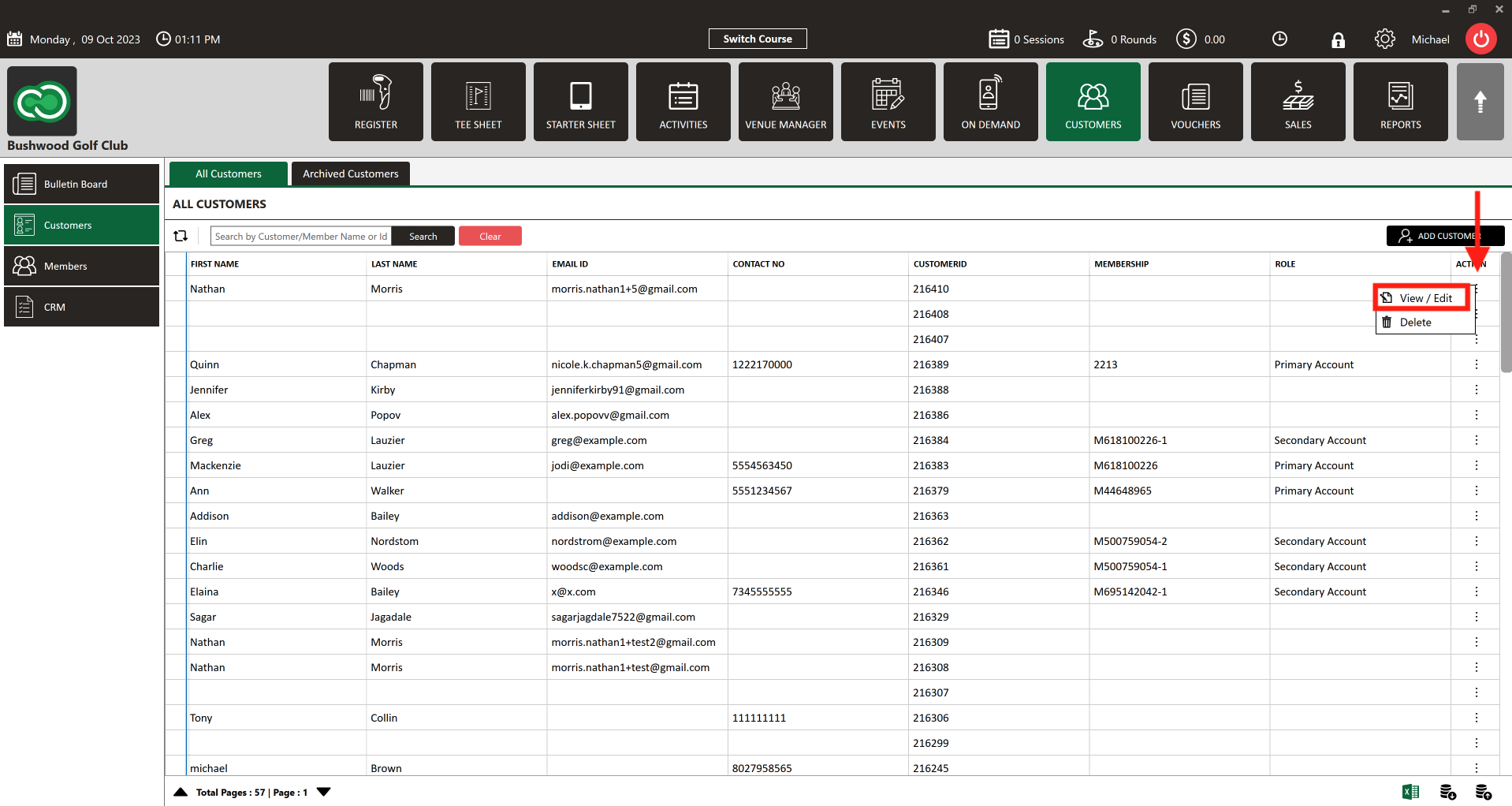
Step 2: Select "Guest s" or "Members" from the left row of the window. Both can be used for this purpose. Click the "Action" button (3 vertical lines) then select "View/Edit."
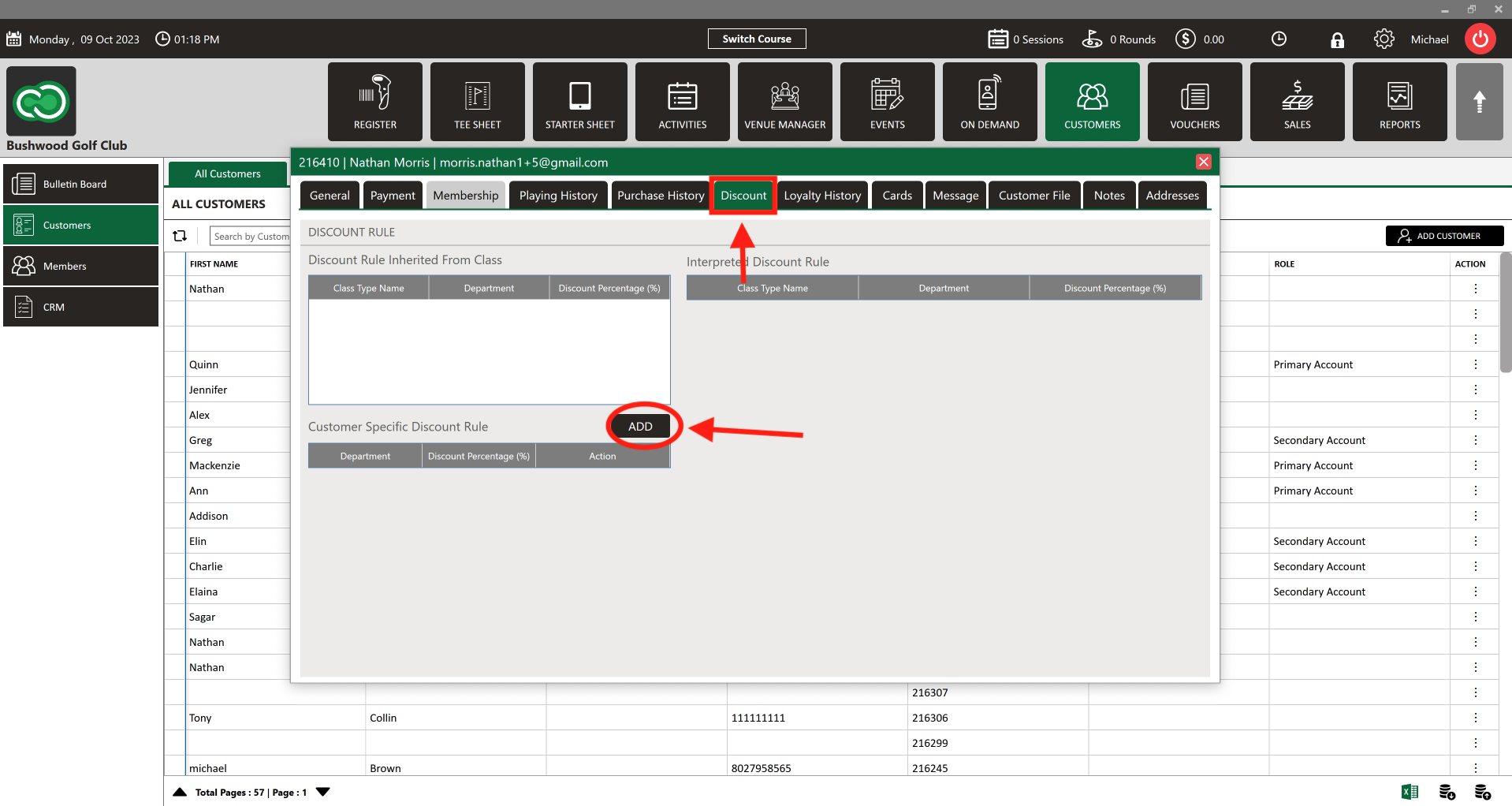
Step 3: The Guest window will open. Select "Discount" from the header row. Next, select "Add" to create a Guest -specific discount rule.
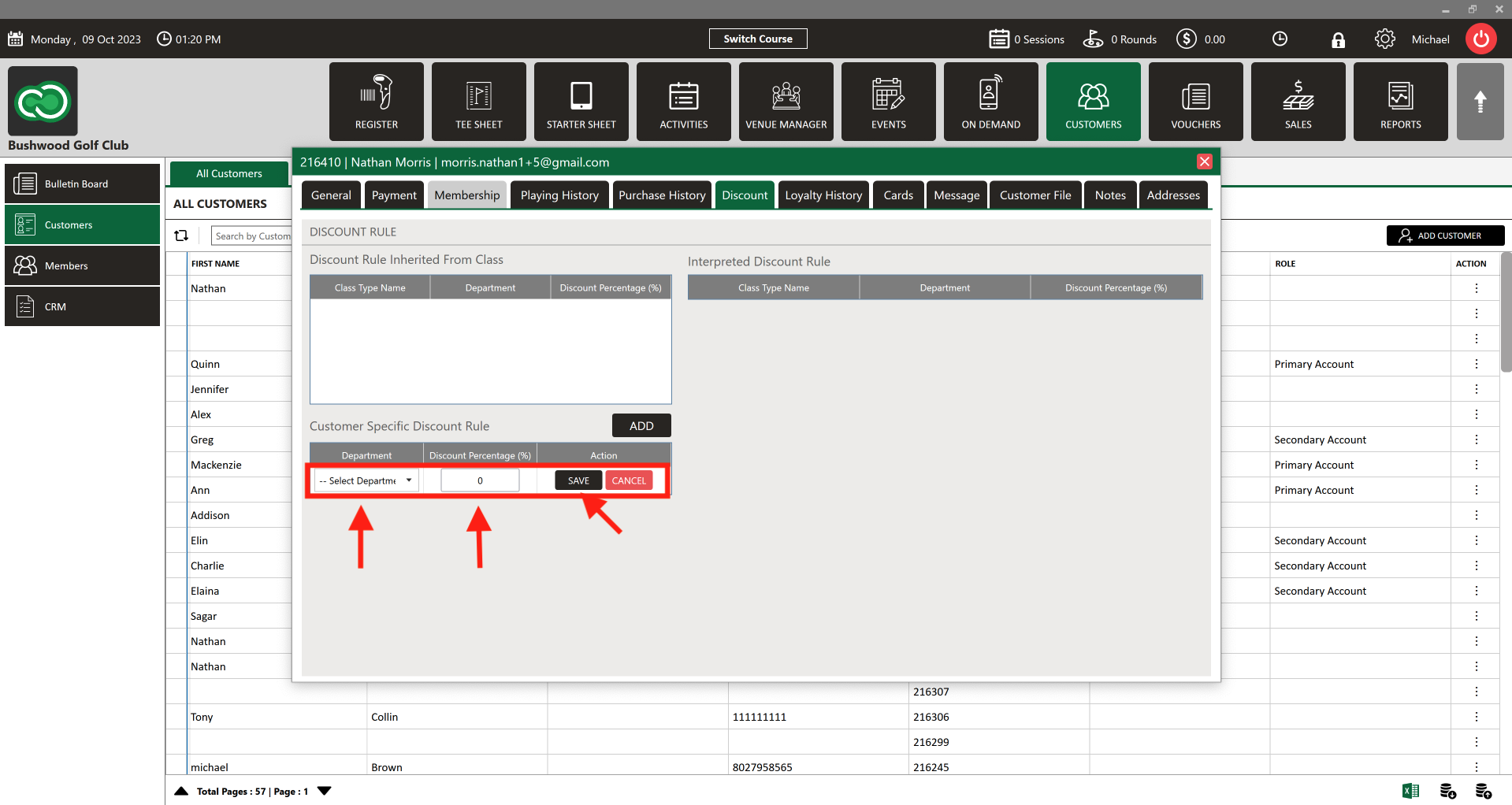
Step 4: Select the department to apply the discount. Enter the discount percentage (%). Click Save.
Discount is a percentage, not specific dollar ($) amount.
Related Articles
Options in Emailing Guests
Article Contents: This Article Provides A Guide On The Options You Have For Emailing Your Members (Guests). Step-By-Step: In Jonas Synergy, there are two primary methods to send messages to your Guests: directly from the tee sheet or via the ...Merging Guests
Article Content: This Article Provides Steps On How To Utilize The Merge Guests Tool That Allows Staff To Consolidate Duplicate Or Secondary Guest Profiles Into A Single Master Record. This Unified Profile Includes Total Play History, Purchases ...Understanding the Bulletin Board (Video)
Article Contents: The video tutorial focuses on the bulletin board feature within the guests module of the Jonas Synergy software. It demonstrates how to create, edit, and manage posts to effectively communicate with guests or members. Step-By-Step: ...How to Redeem Loyalty
This article contains step-by-step instructions on how to see guest/member loyalty histories and how to make payments through loyalty. Step-By-Step: A. How to see Guest/Member Loyalty history Step 1: Select the GUESTS module from the module ...Playing History
This article outlines how to search for the playing history of an individual guest or member. Step-By-Step: Step 1: Click on the "Guests" tab, followed by the "Members" option. Step 2: Choose the member whose playing history you wish to view, then ...