Book Tee Time
Step-By-Step:
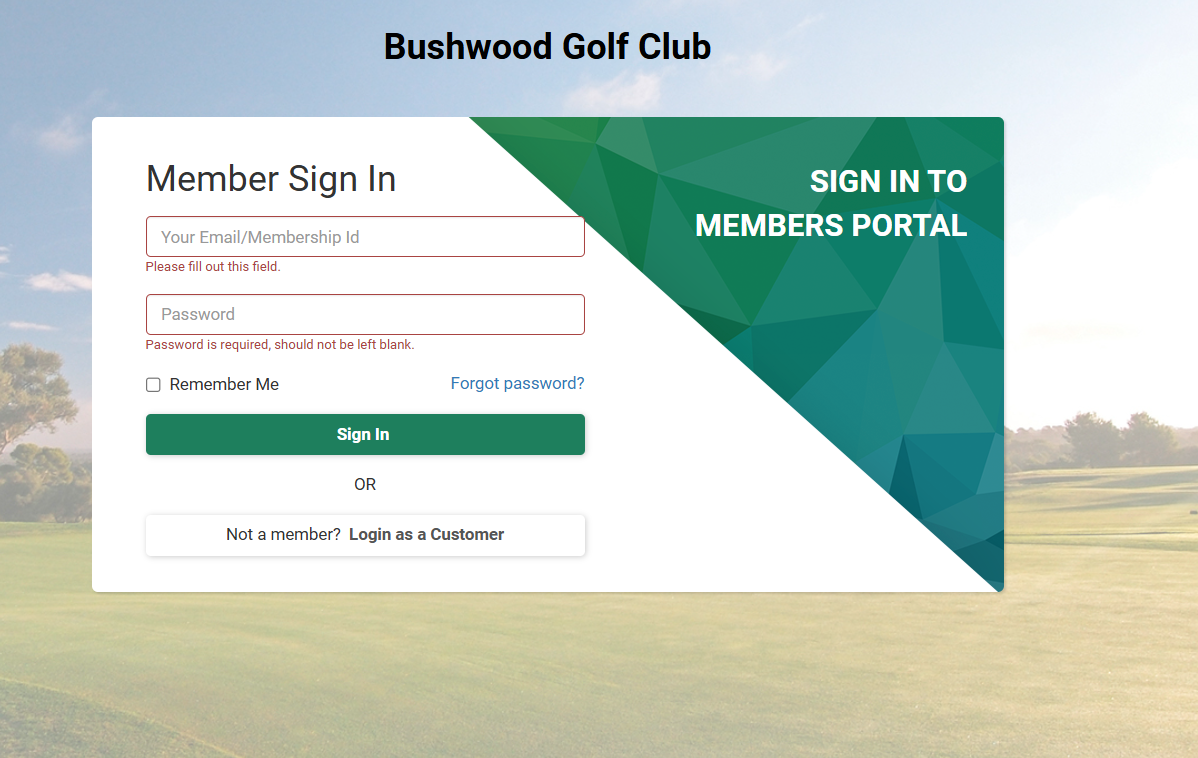
Step 1: Open membership portal in your browser then login to member's account.
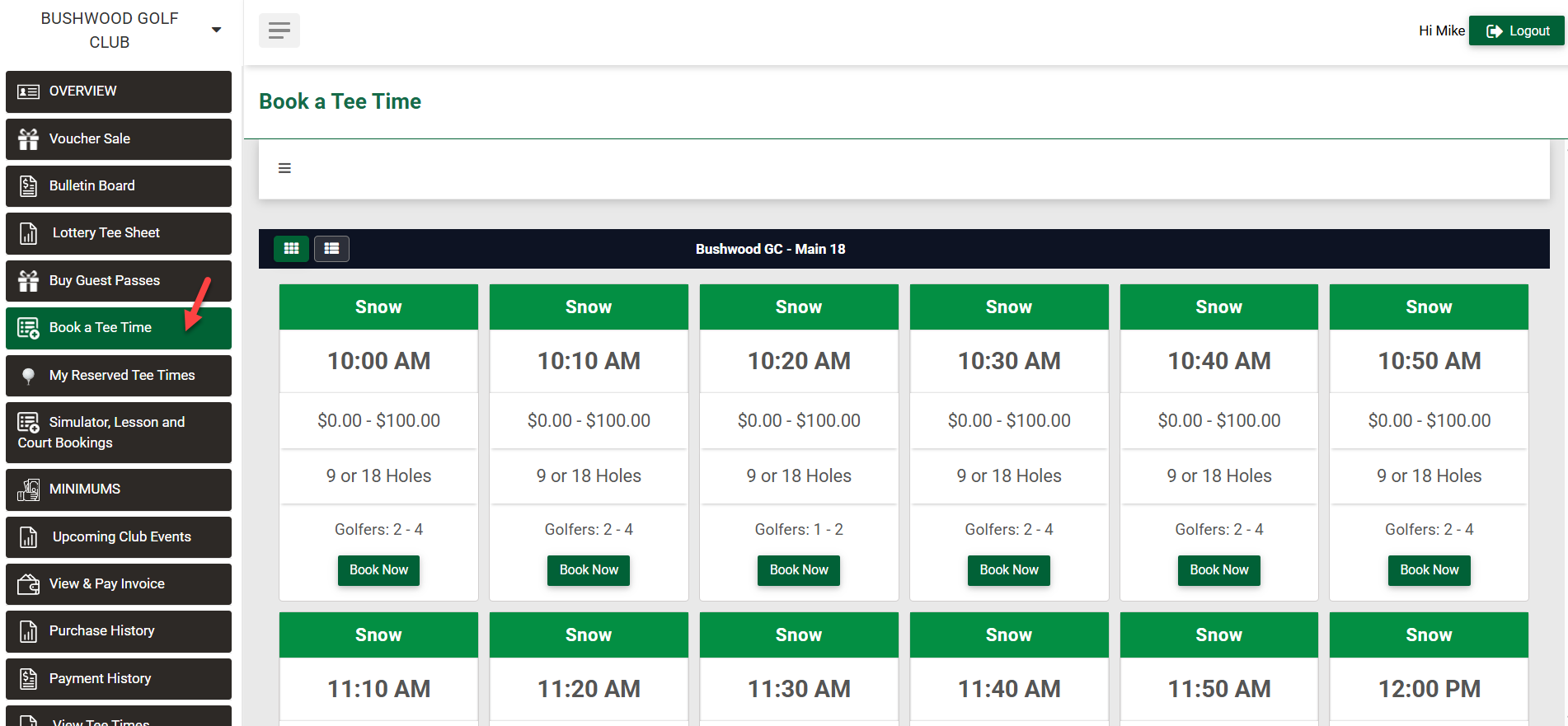
Step 2: Click on "BOOK TEE TIME".
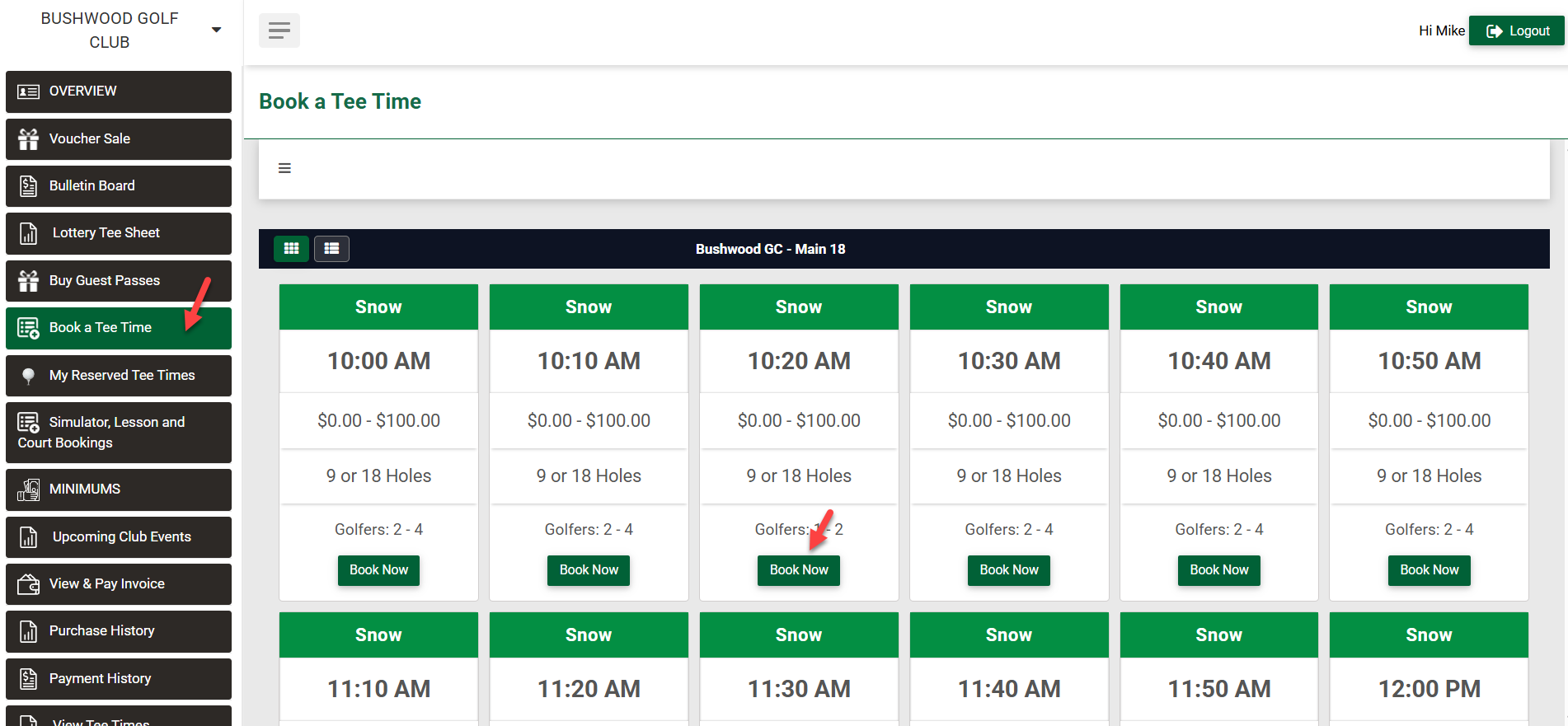
Step 3: Select a slot that you want to book and click on "Book Now" button.
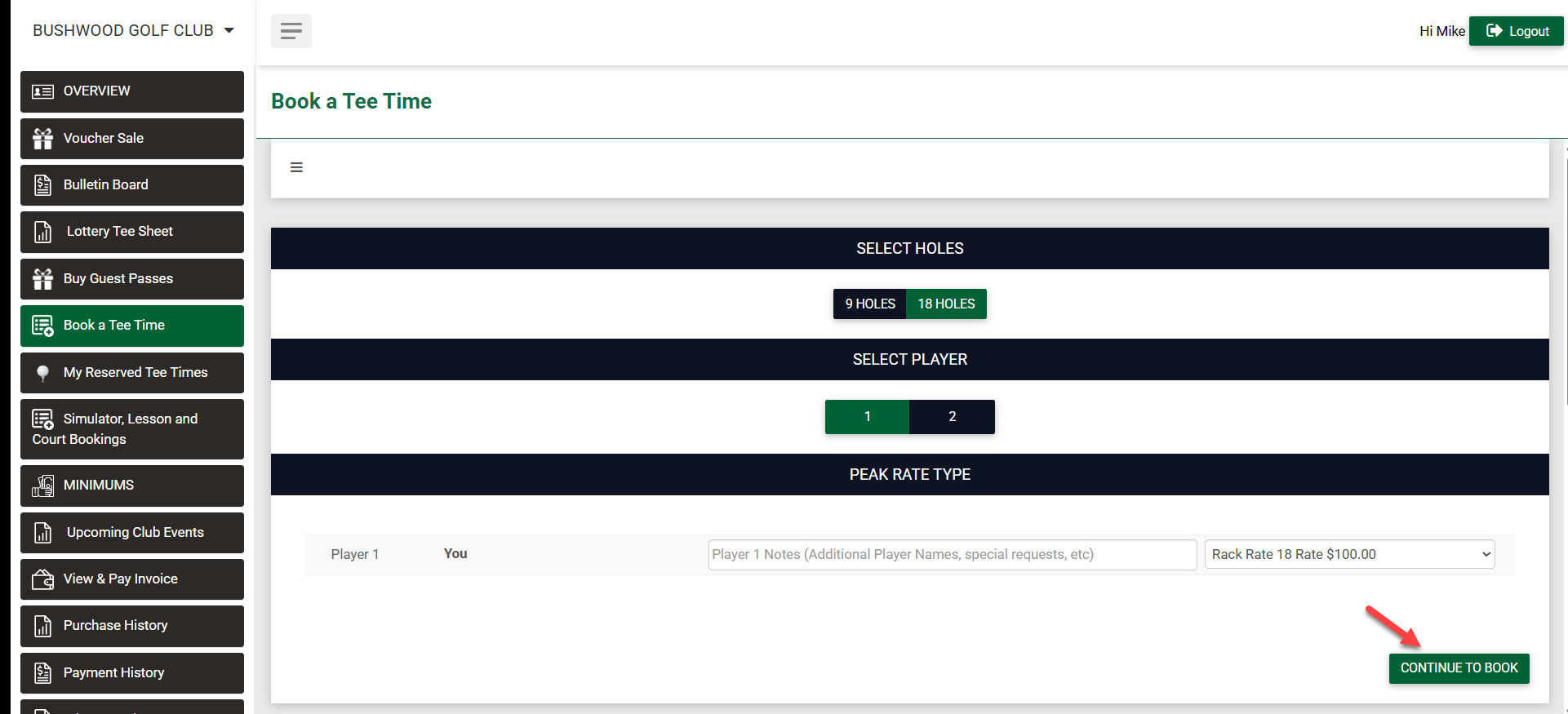
Step 4:Select number of holes, select number of players, and pick the rate type for booking. You can add special request as a note. Then click on "CONTINUE TO BOOK".
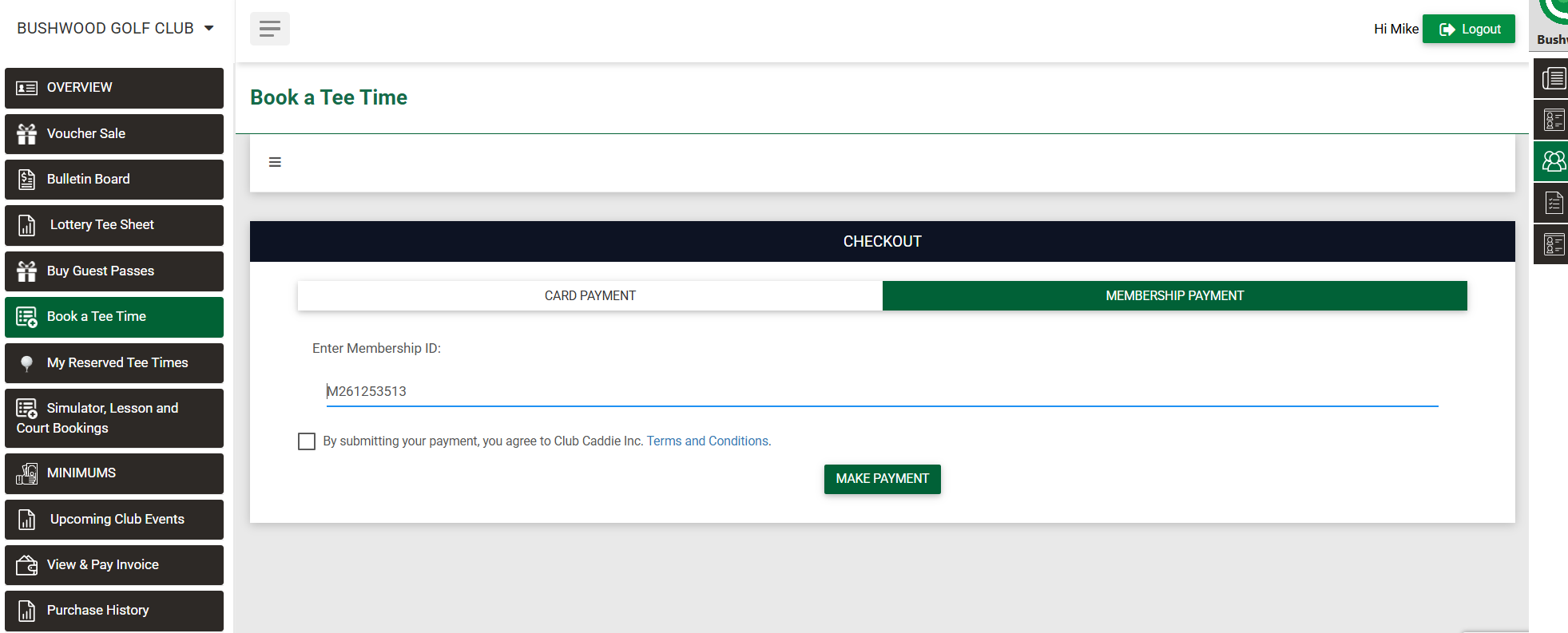
Step 5:It will open check out window to make payment. You can pay for booking using your card details or if you are existing member you can pay by your member id.
Related Articles
How to Cancel a Tee Time
Article Contents: This article contains step-by-step instructions on how to cancel a tee time through the membership portal. Step-By-Step: Step 1: A list of options is available within the member portal along the left-hand menu. Select My Reserved ...Reserved Tee Times
Article Contents: This article contains step-by-step instructions on how to view reserved tee-times via the membership portal. Step-By-Step: Step 1: The member must sign in to the member portal. Step 2: Once a member has signed in, they can see the ...Membership Portal Builder
Article Contents: This article gives an overview of the Membership Portal Builder. Step-By-Step: The membership portal is a website that allows you to create and manage club members who can access exclusive content, resources, and services. A ...Registering for the Member Portal
This article provides steps to registering for the member portal Registering for the Member Portal: If it is your first time logging in, and your club has not already provided you with a pre-set password please follow the instructions below from step ...Notifying Members of the Membership Portal
We recommend sending members an email with step-by-step instructions to access your facility's membership portal. Depending on enabled features, members can view transactions, invoices, payments, as well as book tee times and activities. Step 1: ...