How to Cancel a Tee Time
Step-By-Step:
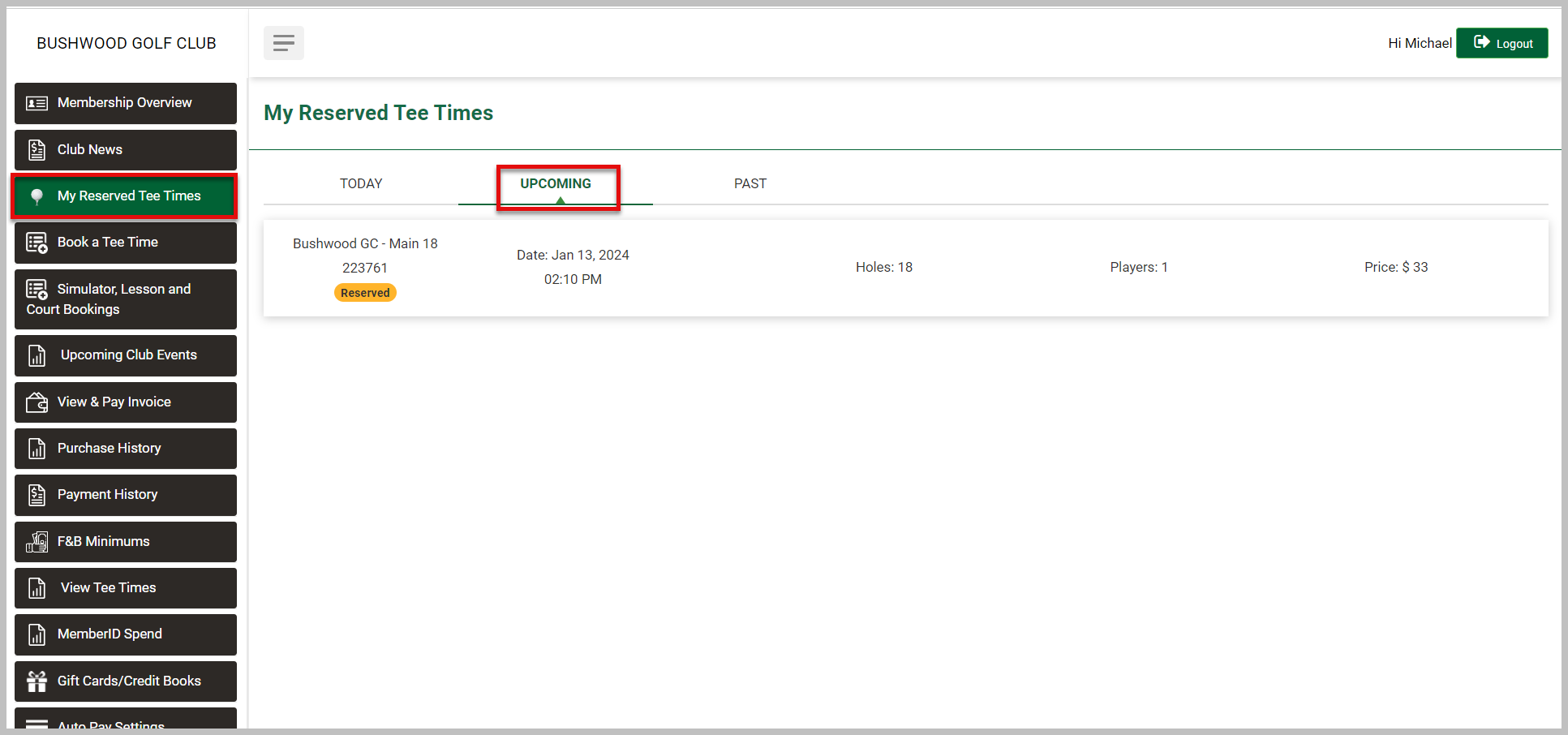
Step 1: A list of options is available within the member portal along the left-hand menu. Select My Reserved Tee Times followed by Upcoming.
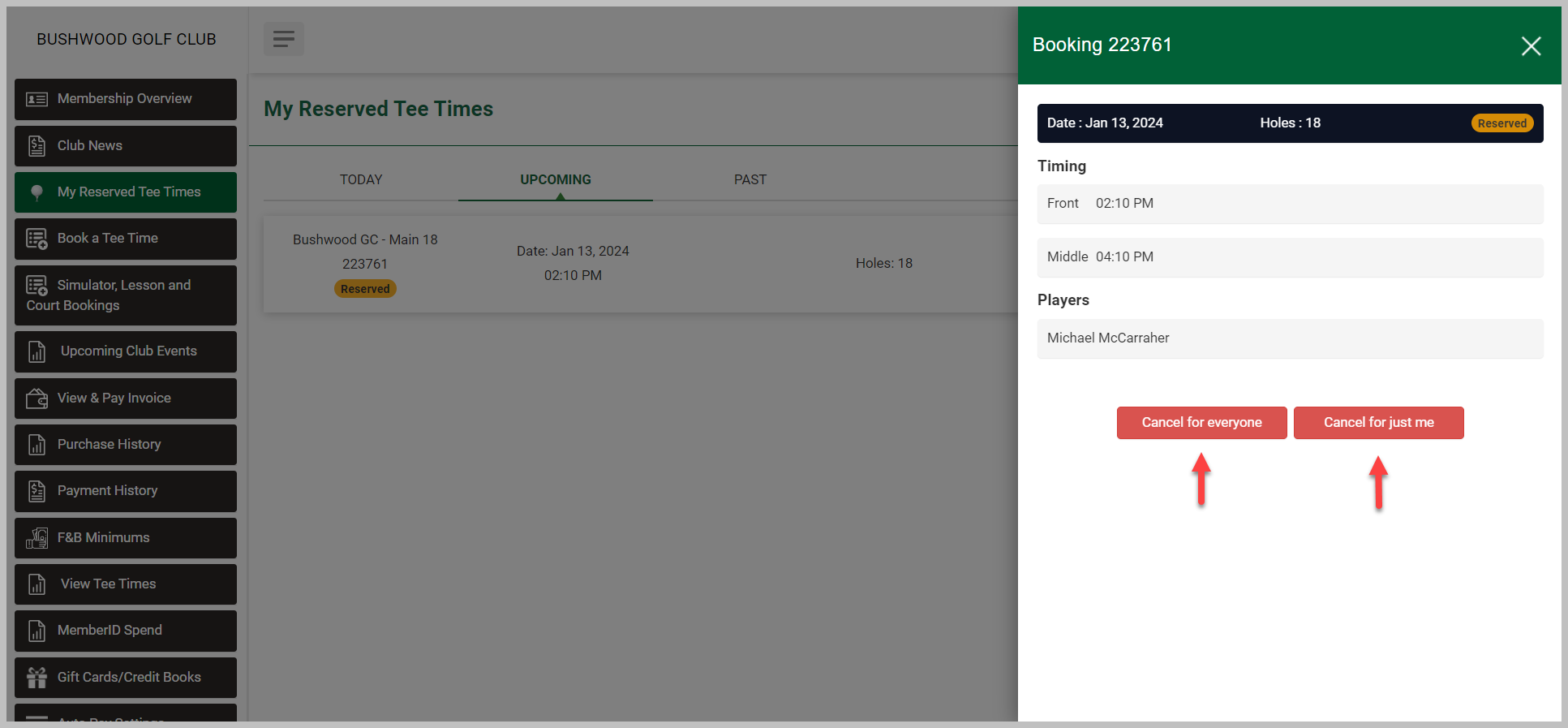
Step 2: Select the tee time that you want to cancel, and then you will have the option of either Cancel for Everyone or Cancel Just Me.
Related Articles
Book Tee Time
Article Contents: This article explain how to book tee time from membership portal. Step-By-Step: Step 1: Open membership portal in your browser then login to member's account. Step 2: Click on "BOOK TEE TIME". Step 3: Select a slot that you want to ...Reserved Tee Times
Article Contents: This article contains step-by-step instructions on how to view reserved tee-times via the membership portal. Step-By-Step: Step 1: The member must sign in to the member portal. Step 2: Once a member has signed in, they can see the ...Membership Portal Builder
Article Contents: This article gives an overview of the Membership Portal Builder. Step-By-Step: The membership portal is a website that allows you to create and manage club members who can access exclusive content, resources, and services. A ...Edit Rates
Article Contents: This article explains how to edit player information or rates after a booking has been made, allowing for adjustments to player details or the rates applied. Step-By-Step: Step 1: Log on to your member portal. Then select My ...Member Ledger
This article summarizes Member Management-Member Ledger Step-By-Step: Step 1: Click on the "Customers" tab located at the top navigation bar. Step 2: Select the "Members" tab from the left-hand navigation menu, you will find the “Members List” in the ...