Membership Class Changes
Step-By-Step:
Step 1: Determine the expiration of the current membership class.
Following guidelines contained here explaining class deletion to properly set the expiry of the memberships to occur before the next billing date.
Following guidelines contained here explaining class deletion to properly set the expiry of the memberships to occur before the next billing date.
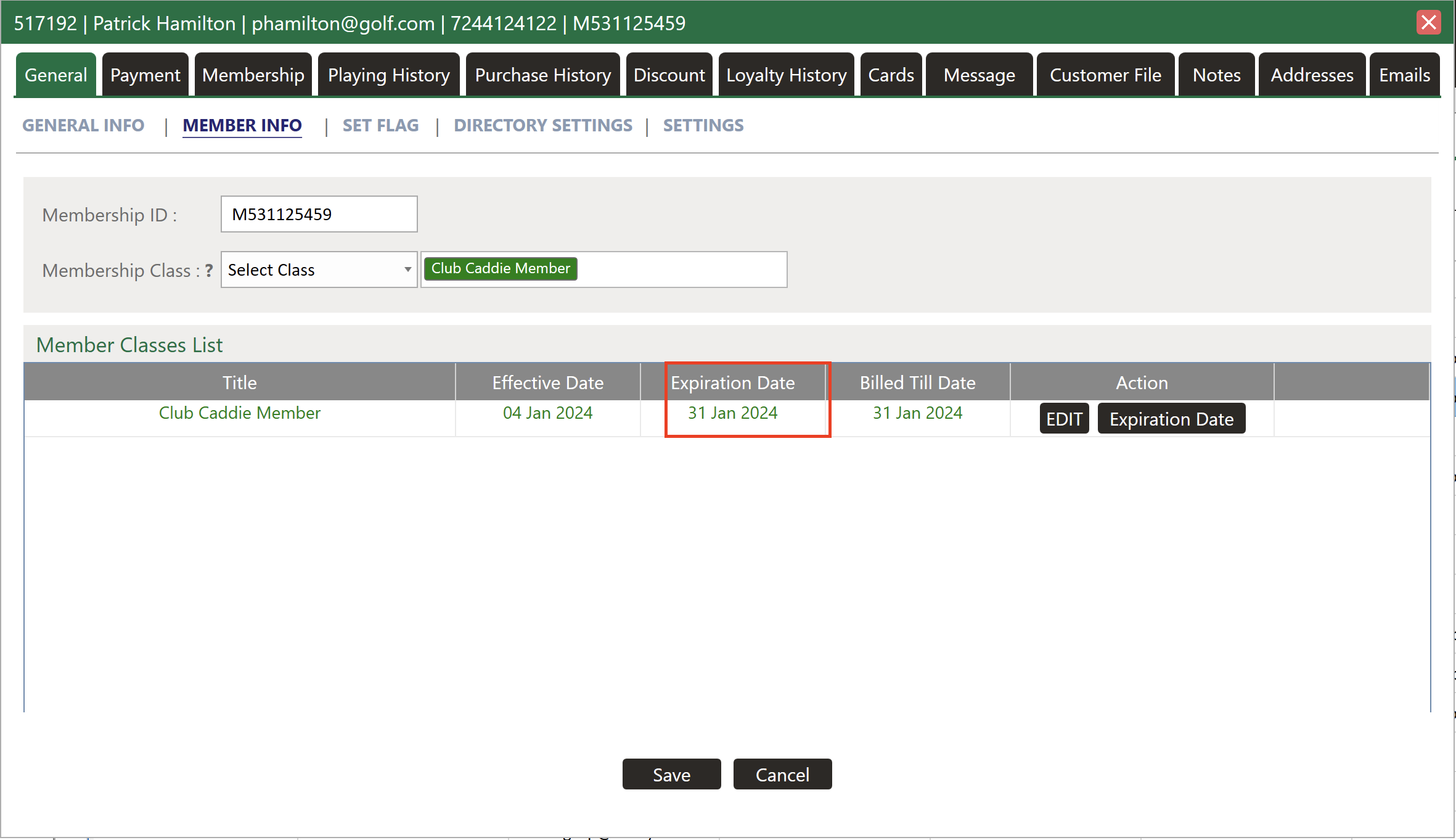
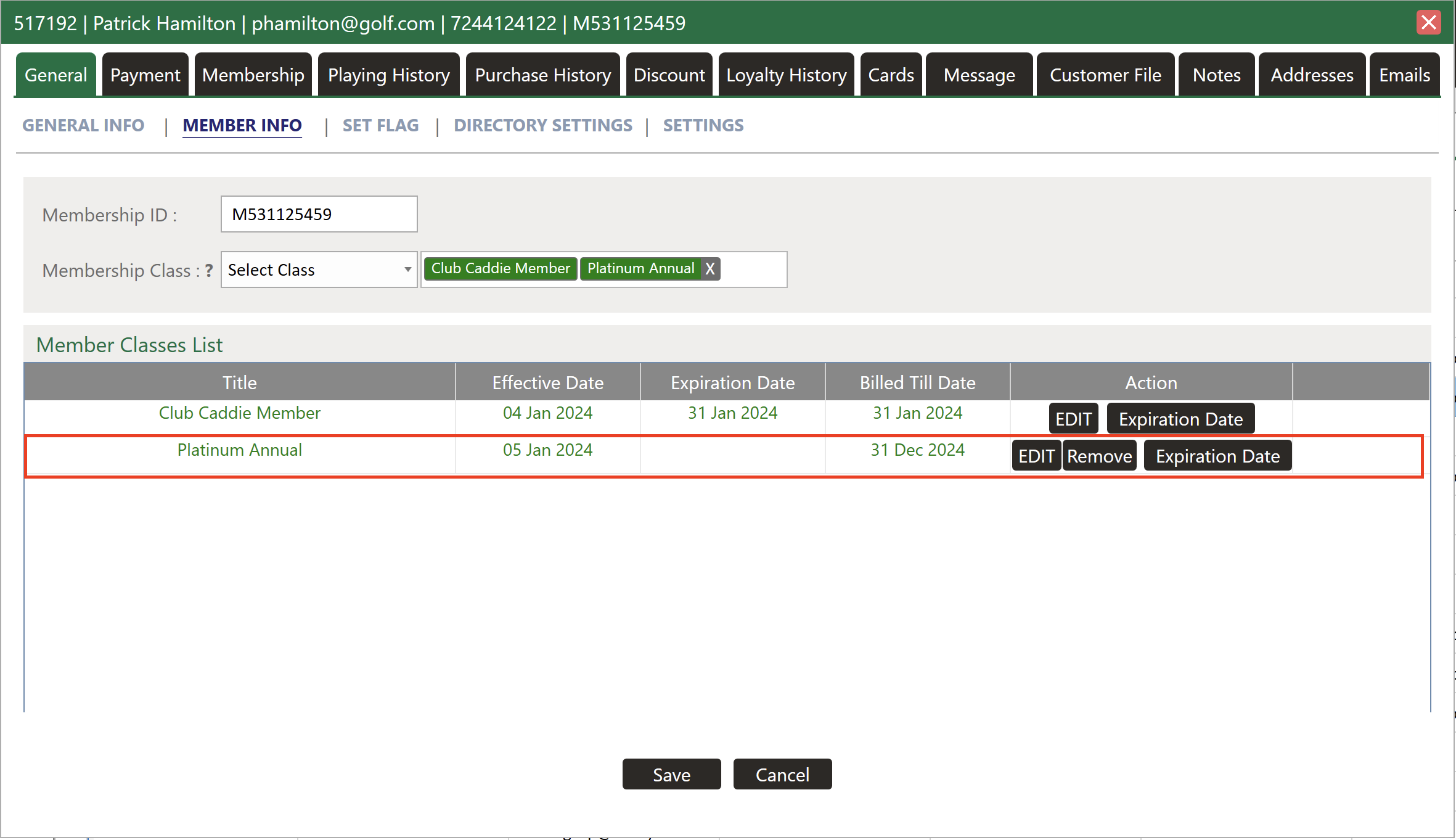
Step 2: Create a new membership class with a start date aligning with the new billing cycle. Utilize instructions from here to assign the new class to members, ensuring a seamless transition.
Related Articles
Ending a Membership
This article provides step-by-step instructions on how to completely end a membership. This includes expiring membership classes, expiring minimums if applicable, and removing charging privileges. Step-By-Step: Step 1: Expire Membership Classes. 1.1 ...Membership and Billing Setup
Article Contents: This article provides a step-by-step guide to setting up and managing memberships in Jonas Synergy. It covers creating guests, signing up members, configuring membership classes, billing and payment settings, generating invoices, ...Assign Member Classes
Article Contents: This article gives step-by-step instructions on how to assign a member class to a member. Step-By-Step: Step 1: Select the members module from the module navigation menu. Here you will see a list of all the members. Step 2: Click on ...Accepting Membership Payments
Article Contents: This article contains step-by-step instructions on how to accept member payments. Step-By-Step: Step 1: Select the POS module from the module navigation menu. Click on the "TOOLS" tab located within the POS module, and then click on ...Membership Portal Builder
Article Contents: This article gives an overview of the Membership Portal Builder. Step-By-Step: The membership portal is a website that allows you to create and manage club members who can access exclusive content, resources, and services. A ...