Setting up Auto-Pay
Step-By-Step:
Step 1: On the left-hand navigation menu select “Set Up Auto-Pay” (1) and then along the top navigation bar select “Add New Card” (2).
Step 1: On the left-hand navigation menu select “Set Up Auto-Pay” (1) and then along the top navigation bar select “Add New Card” (2).
Step 2: You’ll be prompted to input your name, card details, address, and a phone number -if required (3).
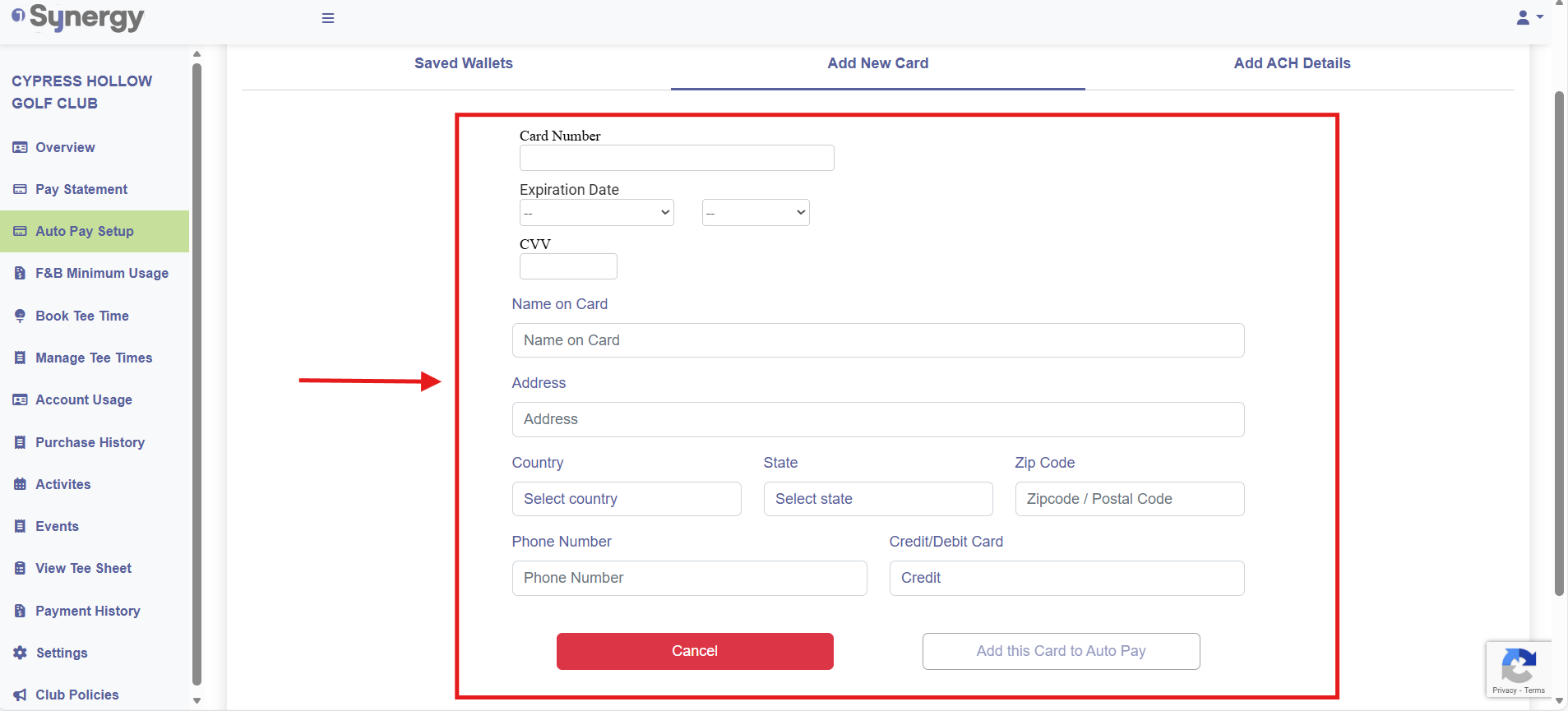
Step 3: After filling out the details select “Add this card to Auto-Pay” (4).
Step 3: After filling out the details select “Add this card to Auto-Pay” (4).
Adding an ACH account:
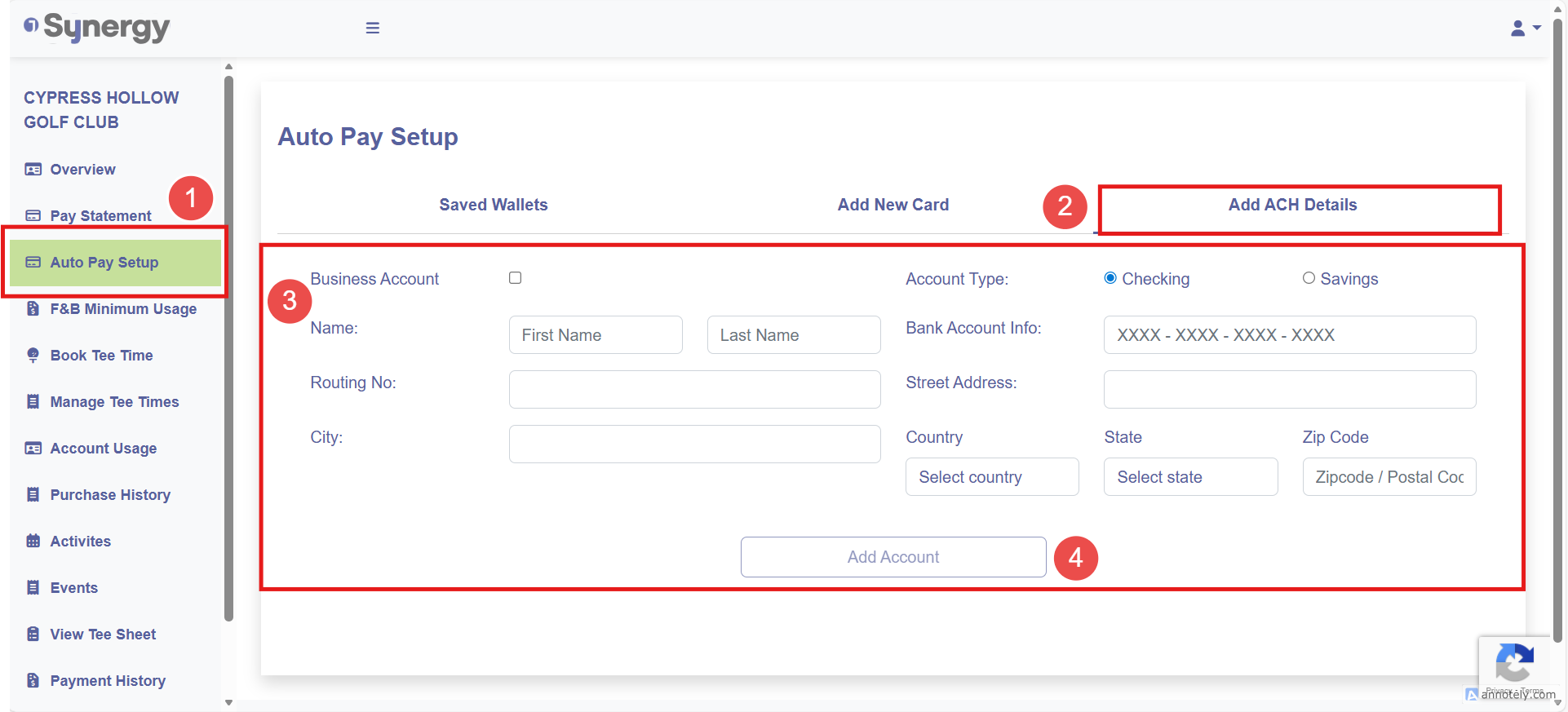
Step 1: On the left-hand navigation menu select “Set Up Auto-Pay” (1) and then along the top navigation bar select “Add ACH Details”.
Step 2: You’ll be prompted to input your name, ACH details, and address information (3).
Step 3: After filling out the details select “Add Account” (4)
Related Articles
Setting a Charge Account Limit
This article contains step-by-step instructions on how to establish or modify a charge account limit for a specific membership account ID. Step-By-Step: Step 1: Navigate to the CRM module in Jonas Synergy by clicking “Guests.” Then, click on the ...Membership and Billing Setup
Article Contents: This article provides a step-by-step guide to setting up and managing memberships in Jonas Synergy. It covers creating guests, signing up members, configuring membership classes, billing and payment settings, generating invoices, ...Notifying Members of the Membership Portal
We recommend sending members an email with step-by-step instructions to access your facility's membership portal. Depending on enabled features, members can view transactions, invoices, payments, as well as book tee times and activities. Step 1: ...Add New Card
Article Contents: This article contains step-by-step instructions on how to add a new card to make payments through the Membership Portal. Step-By-Step: Step 1: Log-in to the member portal via your course website using either your membership ID ...Registering for the Member Portal
This article provides steps to registering for the member portal Registering for the Member Portal: If it is your first time logging in, and your club has not already provided you with a pre-set password please follow the instructions below from step ...