Setting a Charge Account Limit
Step-By-Step:
Step 1: Navigate to the CRM module in Jonas Synergy by clicking “Guests.” Then, click on the “Members” tab located on the left-hand side of the screen to filter your list to members only.
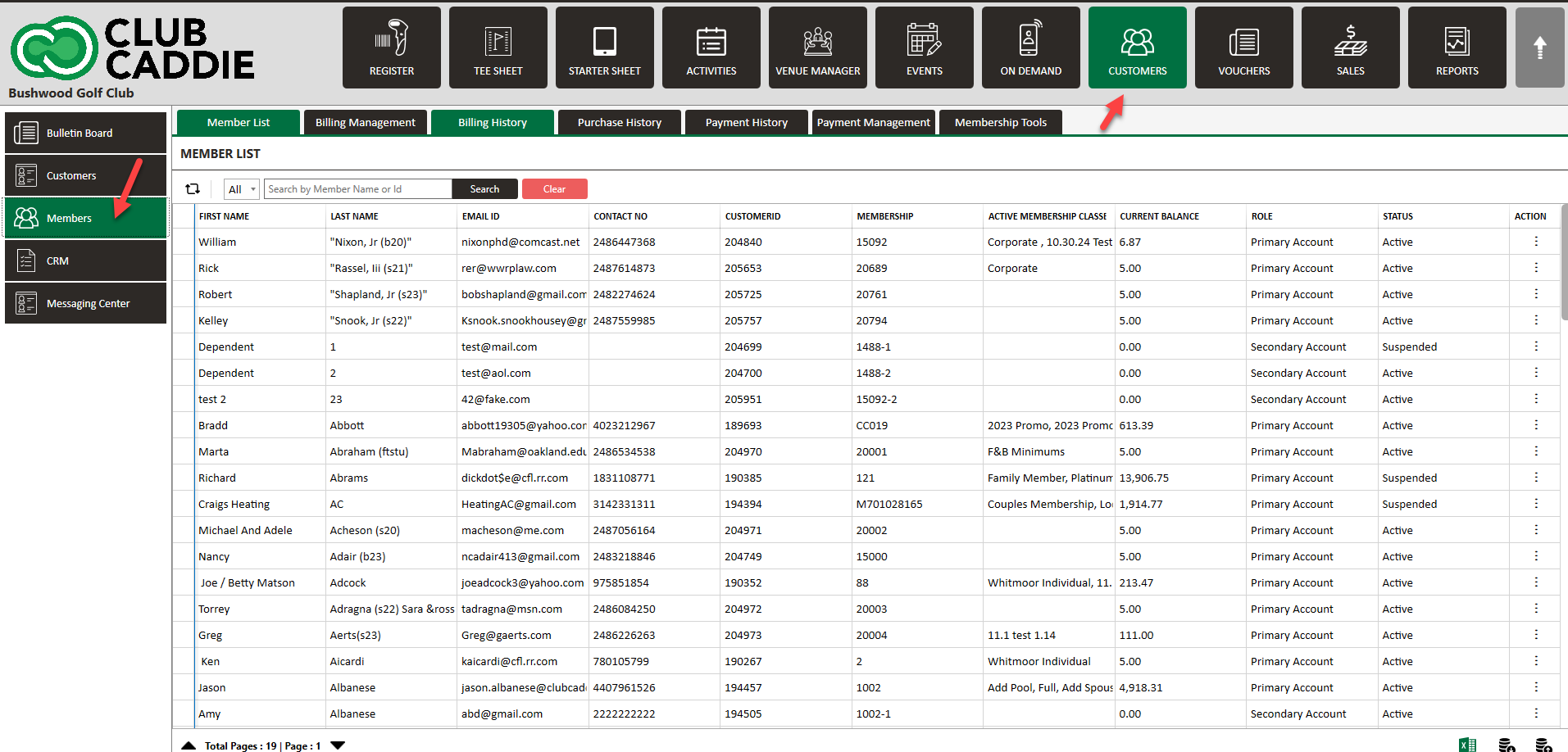
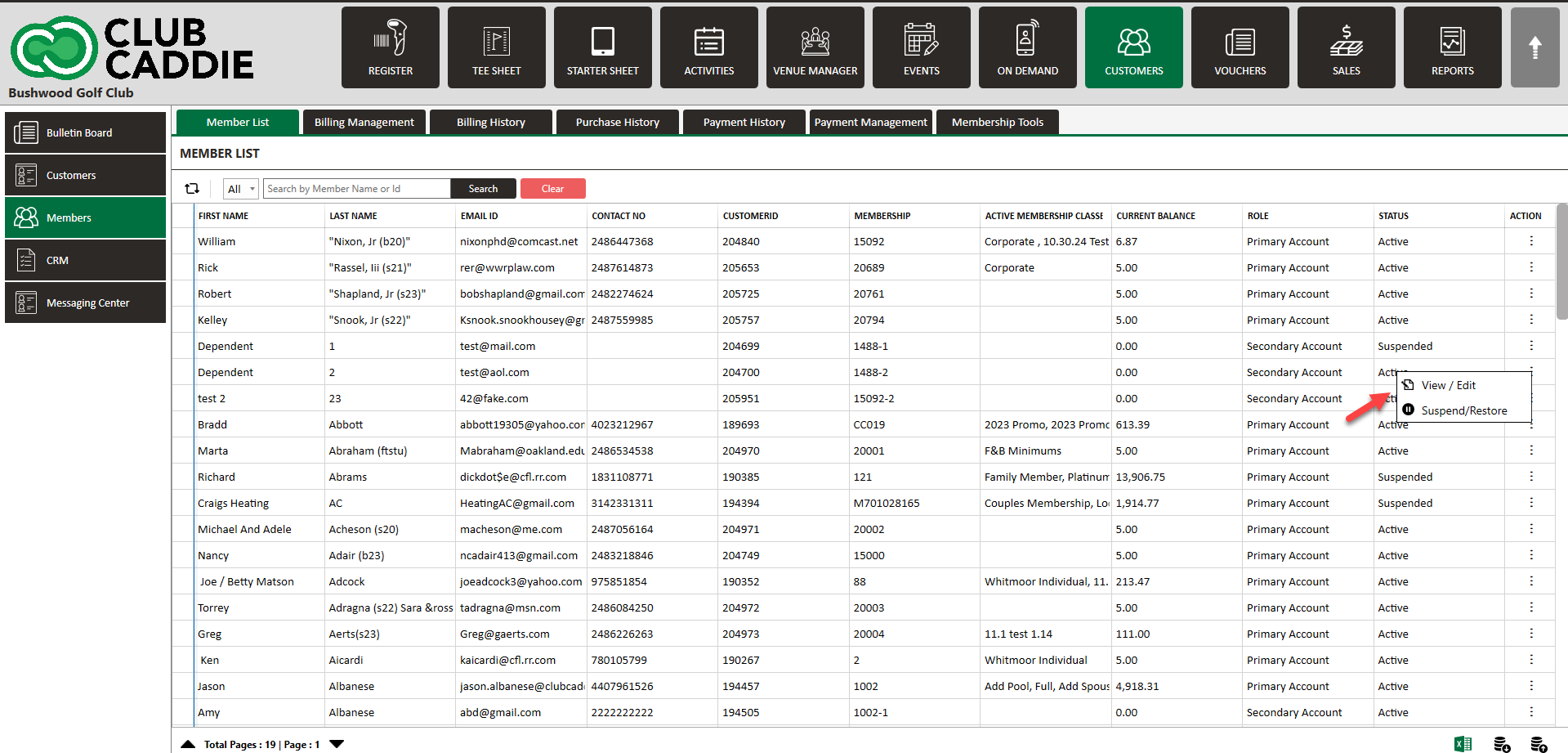
Step 2: You can either scroll through the displayed list to select a member or use the search function to find the specific member for whom you’ll be setting or adjusting the charge limit. Once you’ve located the desired member, double-click on their entry or choose the “View/Edit” option from the actions dropdown menu.
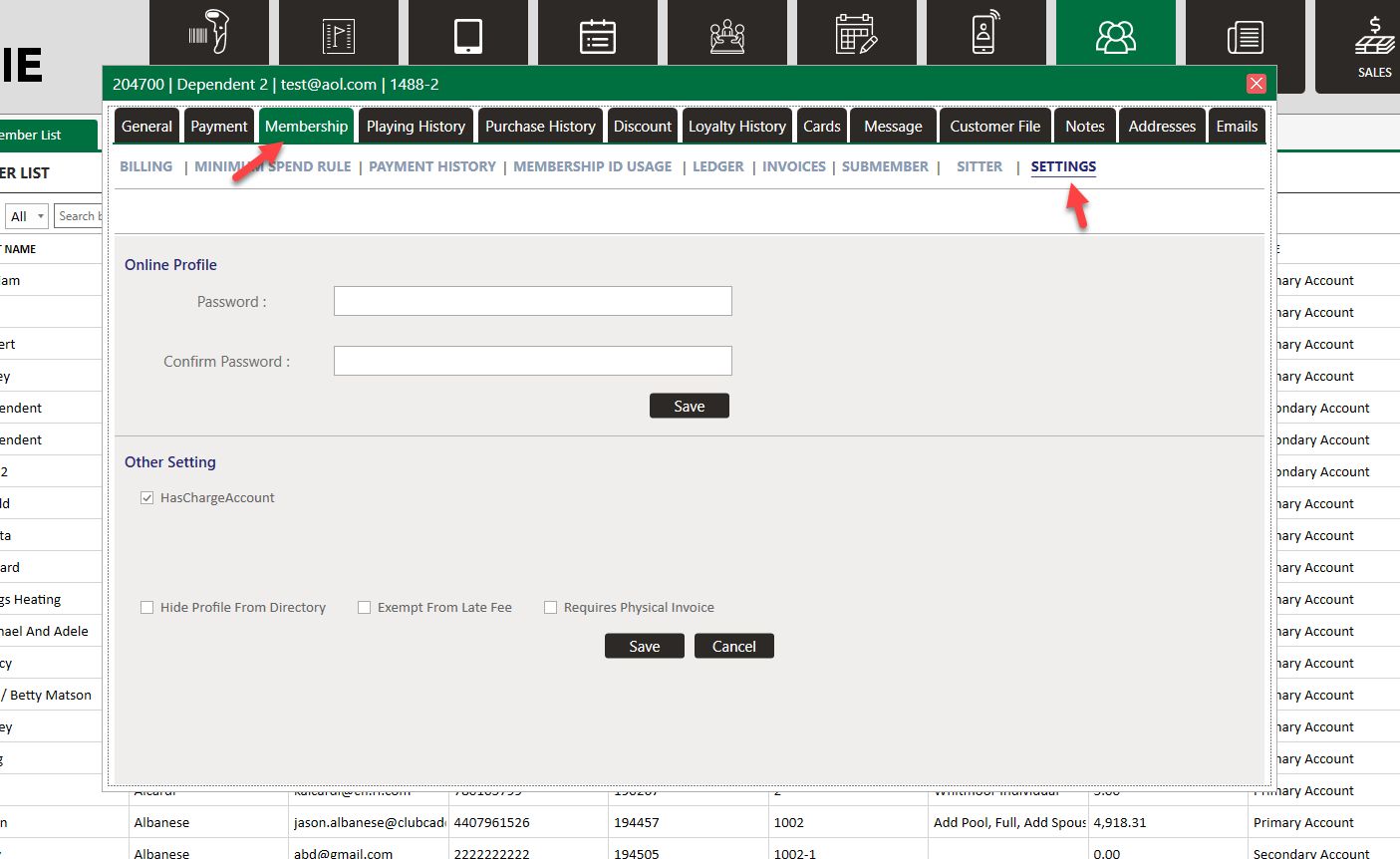
Step 3: Navigate to “Membership,” followed by “Settings” in the sub-menu.
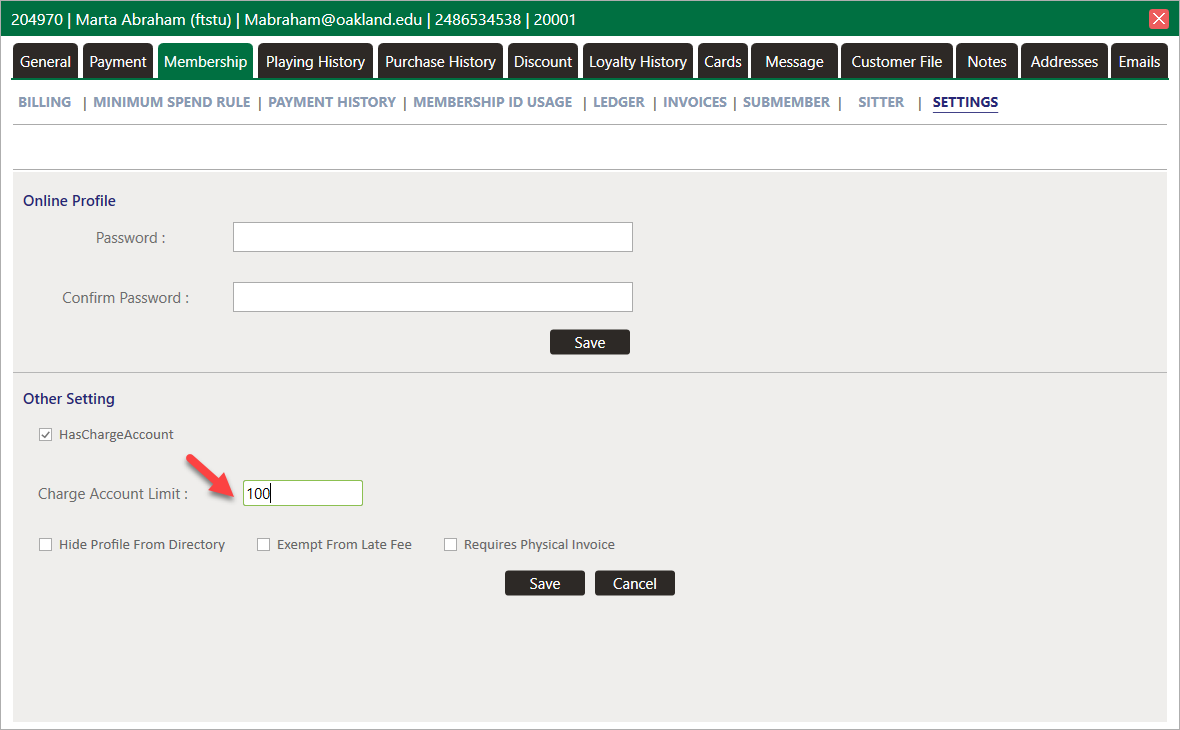
Step 4: The “Has Charge Account” toggle allows you to disable or enable the member’s ability to charge amounts to their account. The “Charge Account Limit” field lets you set a dollar limit that the member’s owed balance cannot surpass. After making your desired changes, click “Save” at the bottom of the screen.
In the example below, we will set this account’s limit to $100.
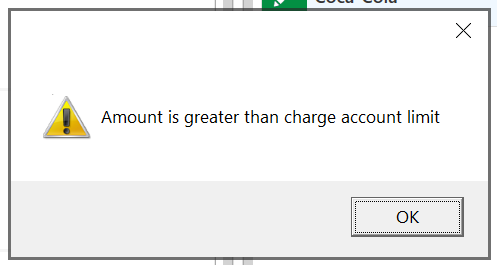
Step 5: If an attempt is made to charge to the membership ID, and this action would cause the member’s outstanding balance to exceed the set charge limit, an error message will be displayed.
Related Articles
Setting up Auto-Pay
Article Contents: This article contains instructions on how to set up auto-payments for your membership account. Step-By-Step: Step 1: On the left-hand navigation menu select “Set Up Auto-Pay” (1) and then along the top navigation bar select “Add New ...Add a Card or ACH to a Member Account
Article Contents: This article outlines the process for adding a new card or ACH account to a member's profile. Once a card or ACH account is on file for a guest, they become eligible for automated charges, which are scheduled according to your ...Online Profile Password Reset
Article Contents: This article contains step-by-step instructions on how to reset member passwords online. Step-By-Step: Step 1: Select the Members module from the module navigation menu, then click on Guests from the left-hand menu. Step 2: For the ...Membership and Billing Setup
Article Contents: This article provides a step-by-step guide to setting up and managing memberships in Jonas Synergy. It covers creating guests, signing up members, configuring membership classes, billing and payment settings, generating invoices, ...Guest Module - Members and Portal features
Article Contents: This article contains step-by-step instructions on Guest Module Focusing On The Member And Portal Features. Step-By-Step: Step 1: To view an ad hoc statement, click on "Account Statement," which will download a PDF statement with ...