Round Up for Charity

SETTINGS: ROUND UP FOR CHARITY

Article Contents: This article contains step-by-step instructions on how to enable round up for charity in registry settings.

Round up for charity is a feature that allows customers to donate the change from their purchases to a cause of your choice by rounding up their total purchase to the next whole dollar. Ex. a $1.61 purchase will become $2.00 once the charity details are applied. 

Step-By-Step:
 
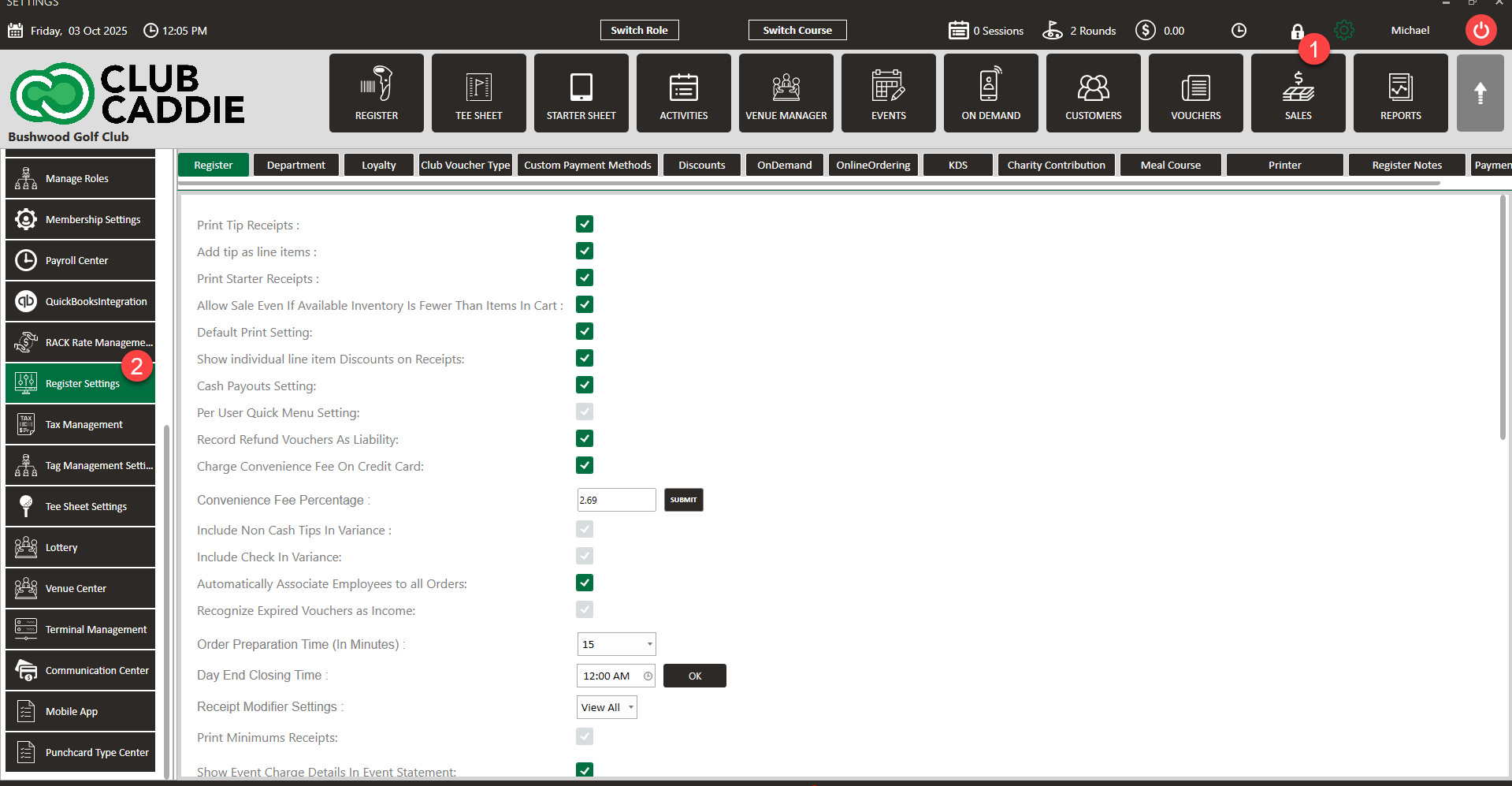
Step 1: Navigate to Settings Register Settings.


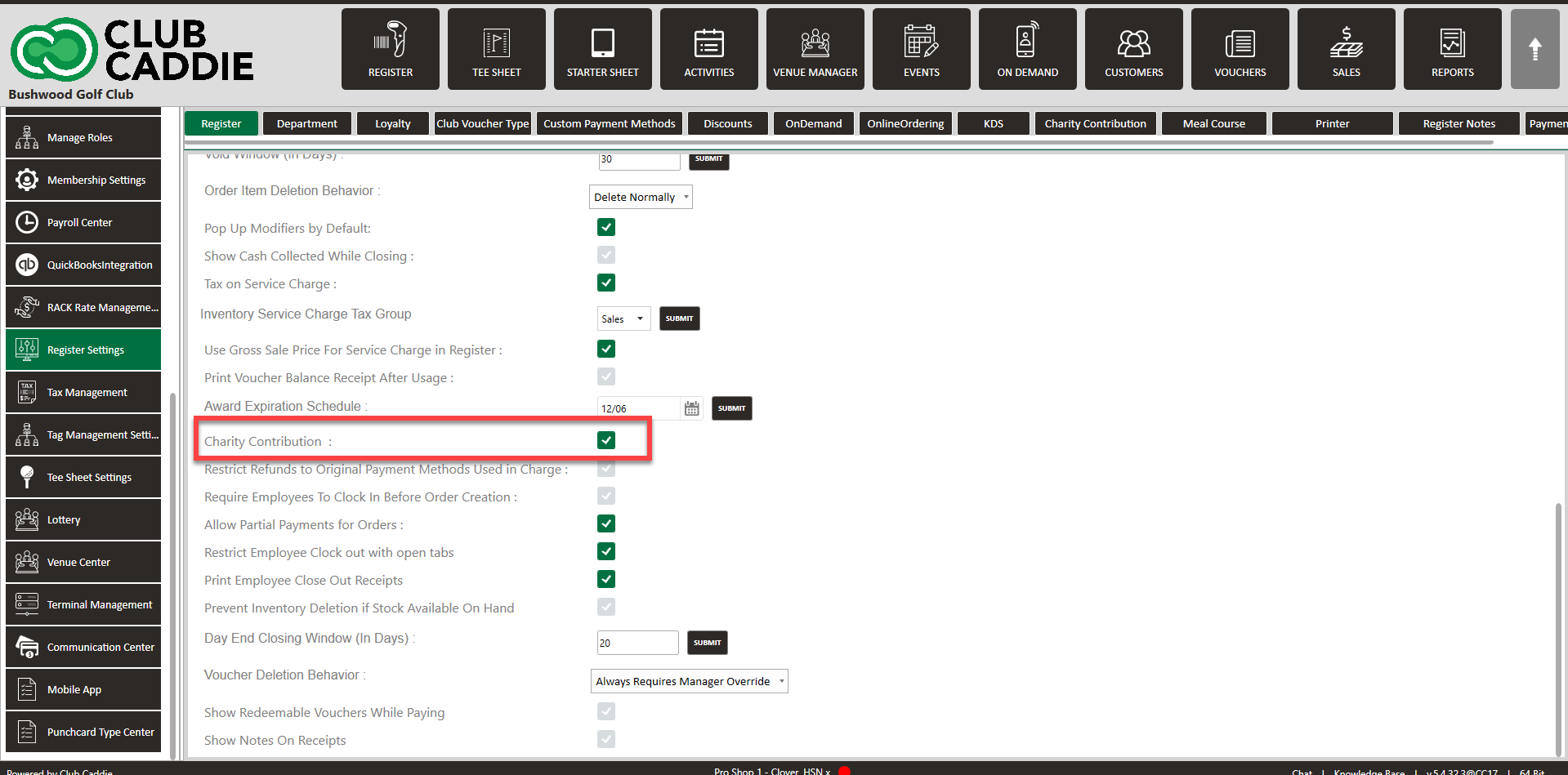
Step 2: From the Register tab, navigate to Charitable Contributions and click on the box to the right to enable the feature within the REGISTER module.
 
 
Step 3: From the Register Settings window, navigate to the 'Charity Contributions' tab.
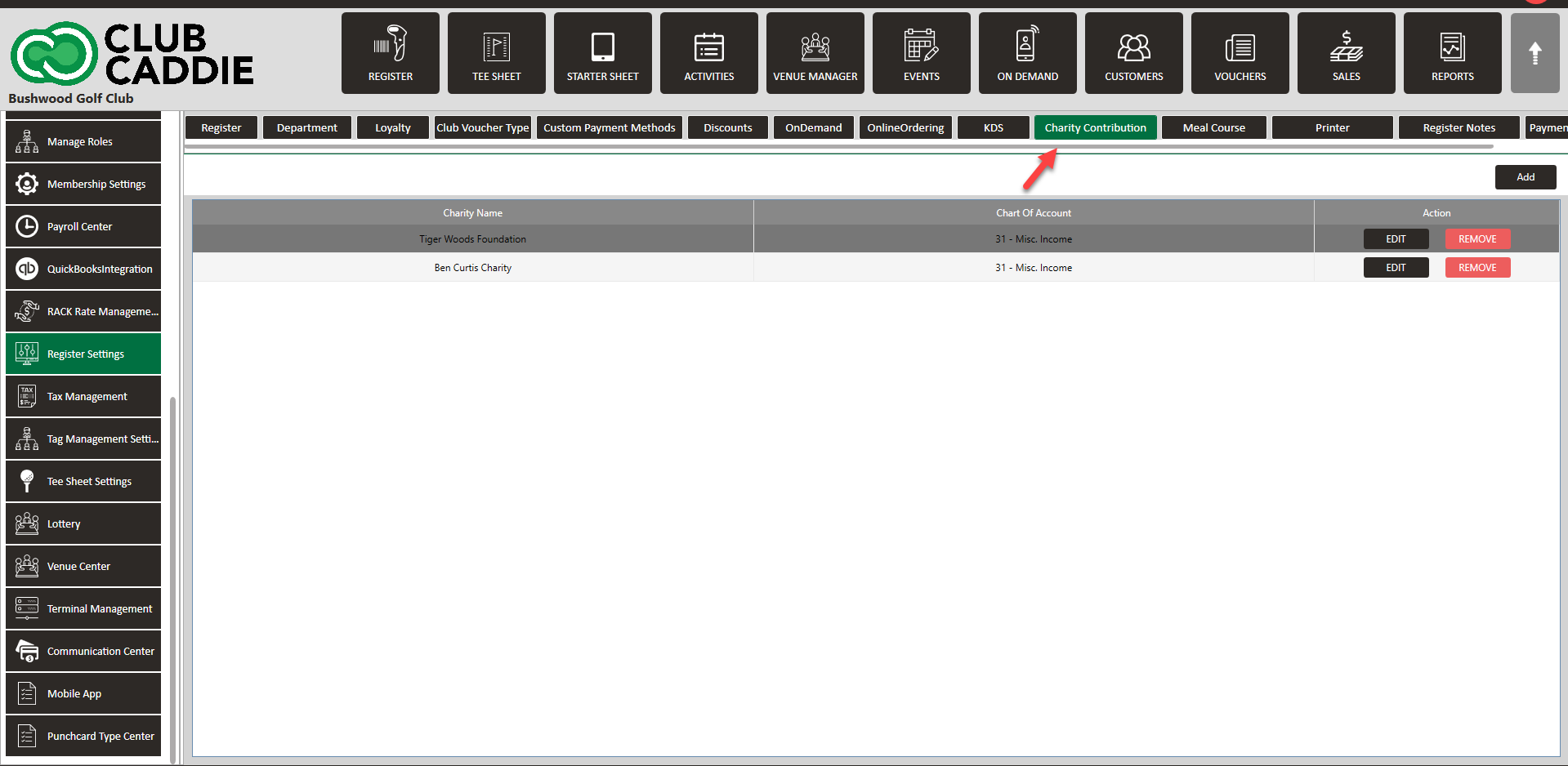
 
 
Step 4: Within the Charitable Contribution window, you'll see a list of available charities that can be used for top-ups.

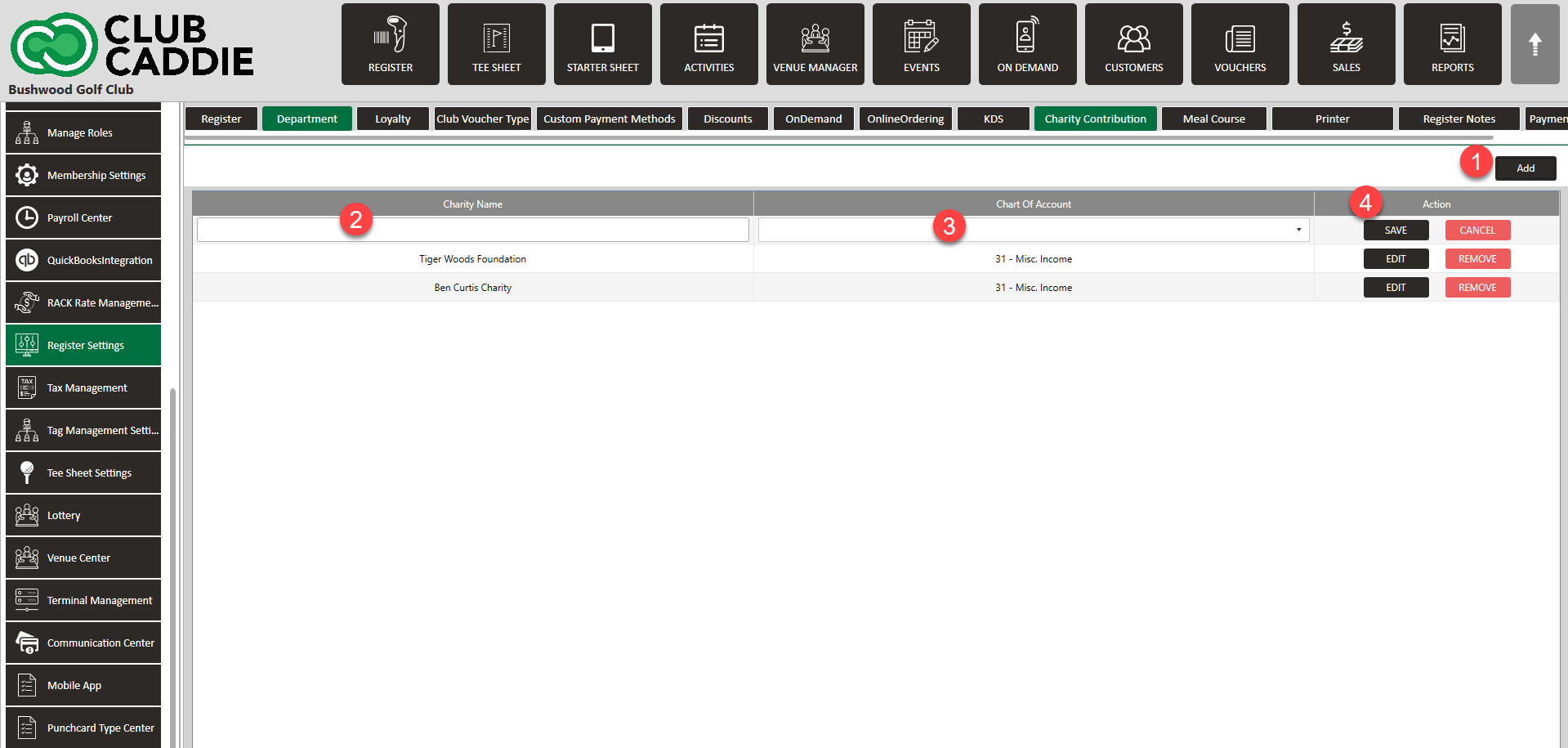
To add a new charity, click on the "ADD" button. This will generate a new entry line with input fields for the charity name and chart of account. Once you've filled out the necessary information, click on "SAVE" to create the new entry.
 
    • Related Articles

    • SETTINGS: REGISTER SETTINGS

      Article Contents: This will show you how to navigate through your register settings, as well as providing a brief description on what each setting can do for you club. Video: The video covers essential features such as printing tip receipts, adding ...
    • SETTINGS: DEFAULT PRINT SETTINGS

      Article Contents: This article gives step-by-step instructions on how to adjust the default print settings. Step-by-Step: Step 1: Click on the Gear Wheel icon on the top right corner of the screen. Step 2: Click on Register Settings from the ...
    • SETTINGS: LOTTERY

      This article provides steps on how to create a lottery booking for tee times for your facility. Article Content: This article provides steps on how to create a lottery booking for tee times for your facility. Step by Step Guide: Step 1: Navigate to ...
    • SETTINGS: PER USER QUICK MENU SETTINGS

      Article Contents: This article gives step-by-step instructions on enabling or disabling the Per User Quick Menu setting from the Register. Step-By-Step: Step 1: Click on the Gear Wheel icon in the top right corner of the screen. Step 2: Click on ...
    • SETTINGS: PRINT TIP RECEIPTS

      Article Contents: This guide shows how to toggle on tip receipts in your register. Step-By-Step: Step 1: Click on the "Settings" gear wheel icon on the top-right corner of the screen. Then click on "Register Settings" from the left-hand menu. Click ...