SETTINGS: DEFAULT DEPARTMENT FOR EVENT MENU
Step-By-Step:
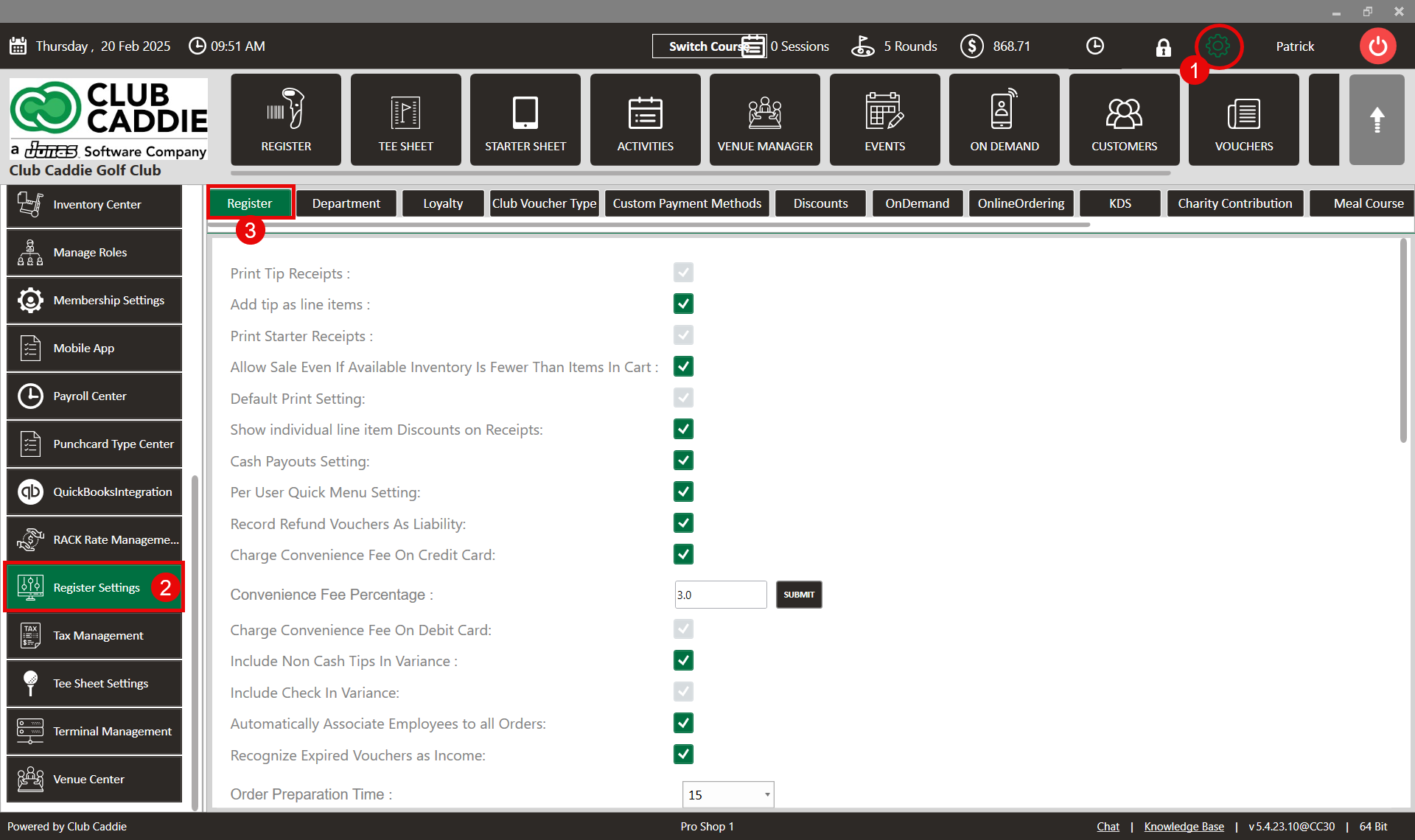
Step 1: Click on the Gear Wheel icon on the top right corner of the screen.
Step 2: Click on Register Settings in the left-hand menu and then click on the Register tab.
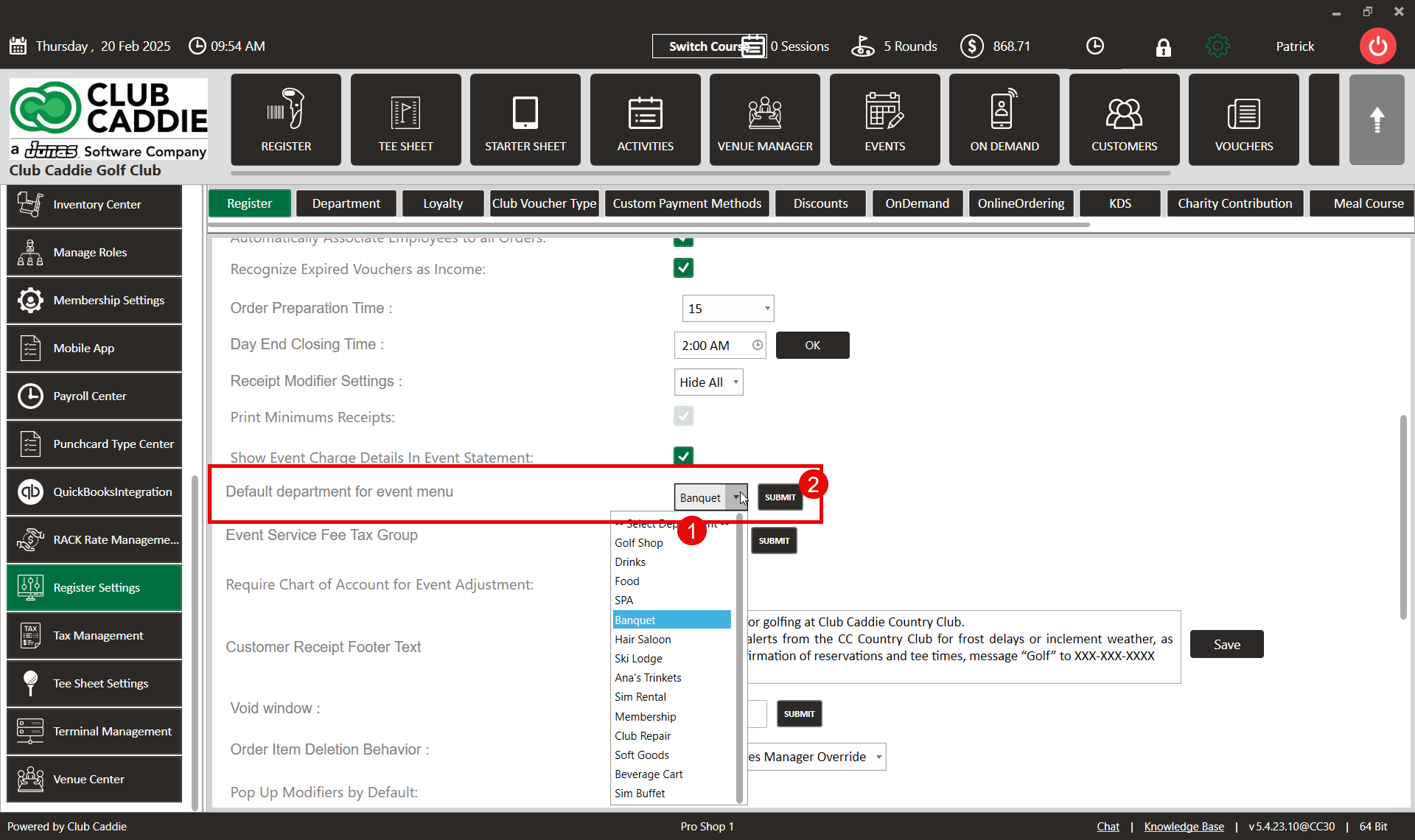
Step 3: Within the Register tab clicking on the Default Department for the event menu drop-down box will allow the selection of the default department for an event. Once selected, click on the SUBMIT button to update the system.
Related Articles
SETTINGS: REGISTER SETTINGS
Article Contents: This will show you how to navigate through your register settings, as well as providing a brief description on what each setting can do for you club. Video: The video covers essential features such as printing tip receipts, adding ...SETTINGS: DEFAULT PRINT SETTINGS
Article Contents: This article gives step-by-step instructions on how to adjust the default print settings. Step-by-Step: Step 1: Click on the Gear Wheel icon on the top right corner of the screen. Step 2: Click on Register Settings from the ...SETTINGS: DEPARTMENT - CREATE A NEW SUB-DEPARTMENT AND CATEGORY
Article Contents: This article contains step-by-step instructions on how to create a new sub-department. Step-by-Step: Step 1: Click on the Settings icon on the top right corner of the screen. Then click on Register Settings in the left-hand menu and ...SETTINGS: DEPARTMENT - CREATE NEW DEPARTMENT
Article Contents: This article contains a step-by-step guide on how to create a new department for the register. Step-By-Step: Step 1: Click on the Gear Wheel Icon on the top-right hand corner of the screen. Step 2: Click on the “Register Settings” ...SETTINGS: PER USER QUICK MENU SETTINGS
Article Contents: This article gives step-by-step instructions on enabling or disabling the Per User Quick Menu setting from the Register. Step-By-Step: Step 1: Click on the Gear Wheel icon in the top right corner of the screen. Step 2: Click on ...