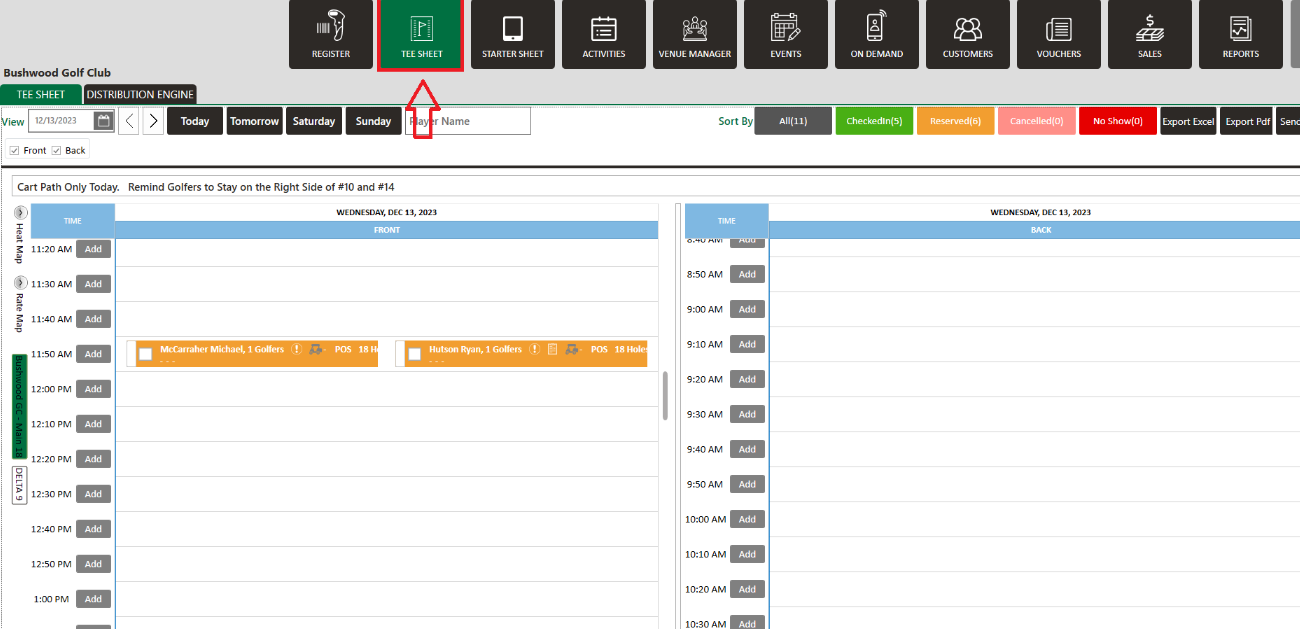
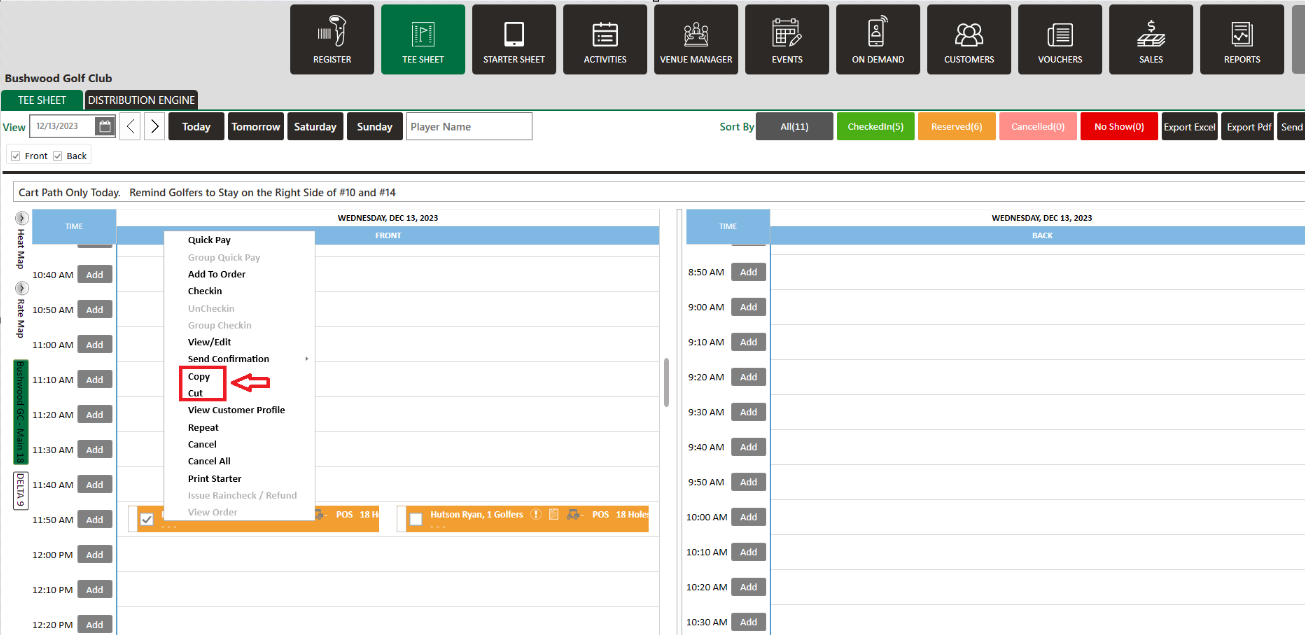
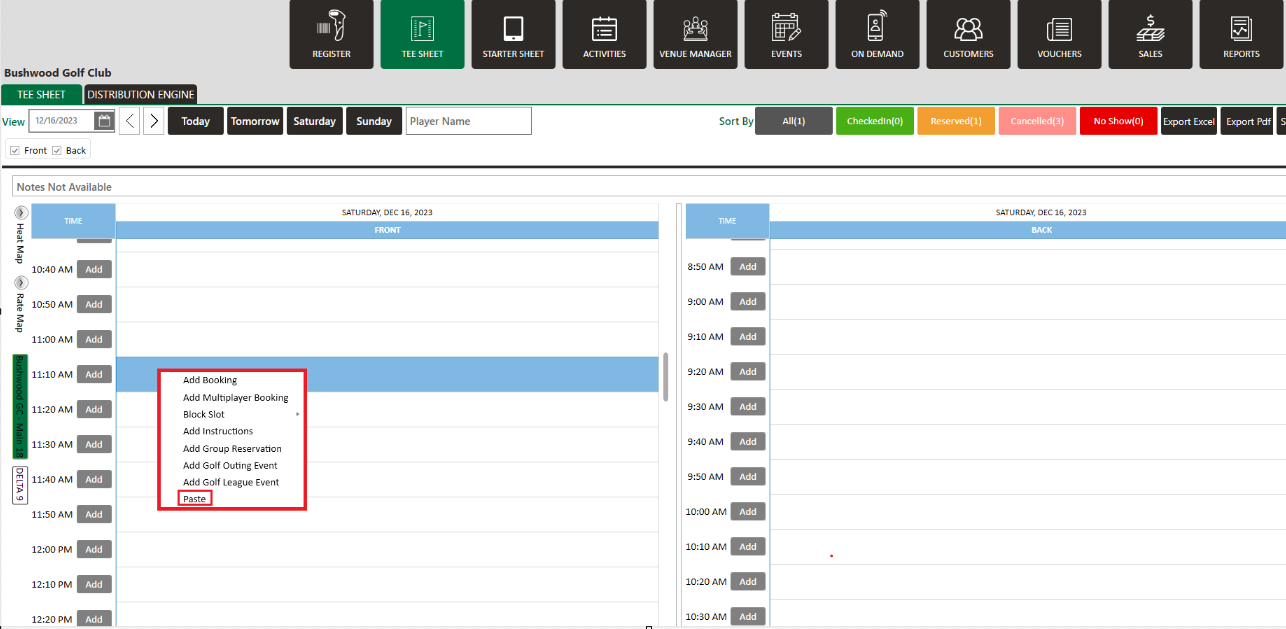
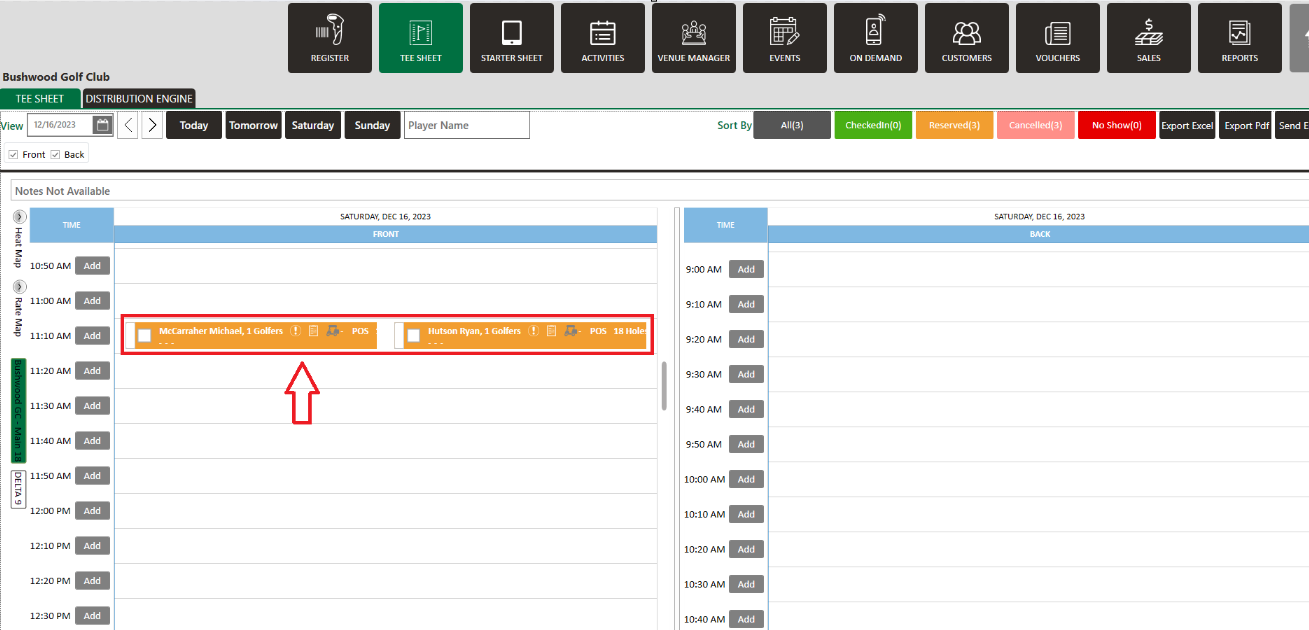
Cut or Copy and Paste a Tee Booking
Related Articles
Booking Confirmation
Article Contents: This article contains step-by-step instructions on sending a booking confirmation. Step-By-Step: Step 1: Select “Tee Sheet” from the main menu. Step 2: Select the day and time you wish to book. Step 3: Once you have entered the ...
Edit Tee Time
Article Contents: This article contains step by step instructions on how to edit a tee booking through the tee sheet. Step-By-Step Step 1: Access the TEE SHEET tab from the main menu. Step 2: Locate and select the reservation on the Tee Sheet. Step ...
Repeating Tee Times
Article Contents: This article contains information on how to repeat tee times. Step-By-Step Step 1: Navigate to the TEE SHEET module from the top navigation bar. Step 2: Check the box of the desired reservation / booked tee time from the Tee Sheet ...
Reserve A Tee Time
Article Contents: This article contains step-by-step instructions on reserving a new tee time within the tee-sheet module. Step-By-Step Step 1: Select “Tee Sheet” from the main menu. Step 2: The default date selection will be today's date. If you ...
Check In Tee Time
Article Contents: This article contains a step-by-step guide on how to check-in a tee-time. Step-By-Step Step 1: Click on the TEE SHEET tab from the main menu (1). Step 2: Find and select the reservation from the Tee Sheet (2). Step 3 (Option a): ...