Golf League Check-in
Step-By-Step:
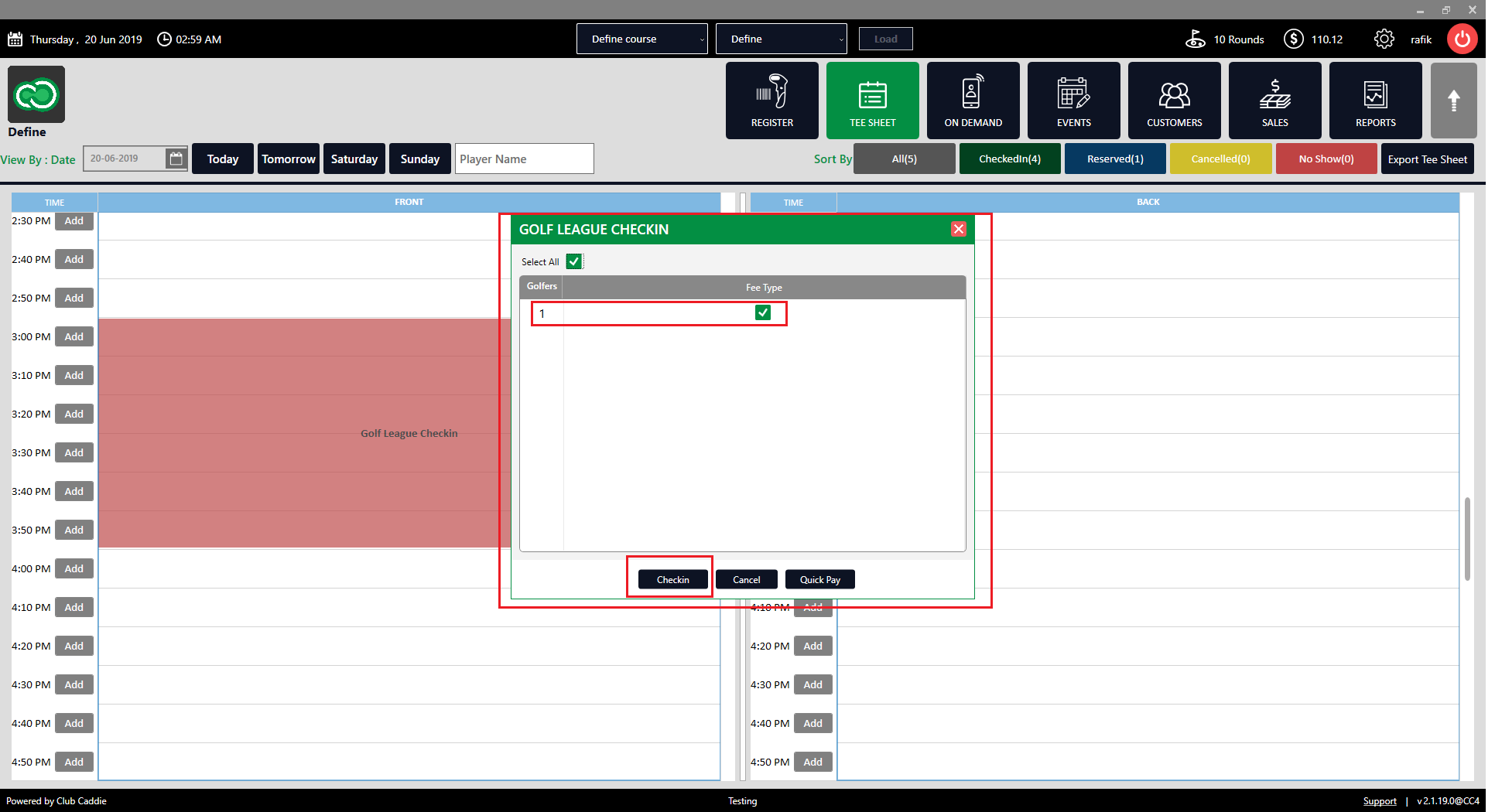
Step 1: Click on the TEE SHEET from the top menu. Select the Golf League event from the time slot, then right-click on the time slot and select Checkin from the drop-down list.
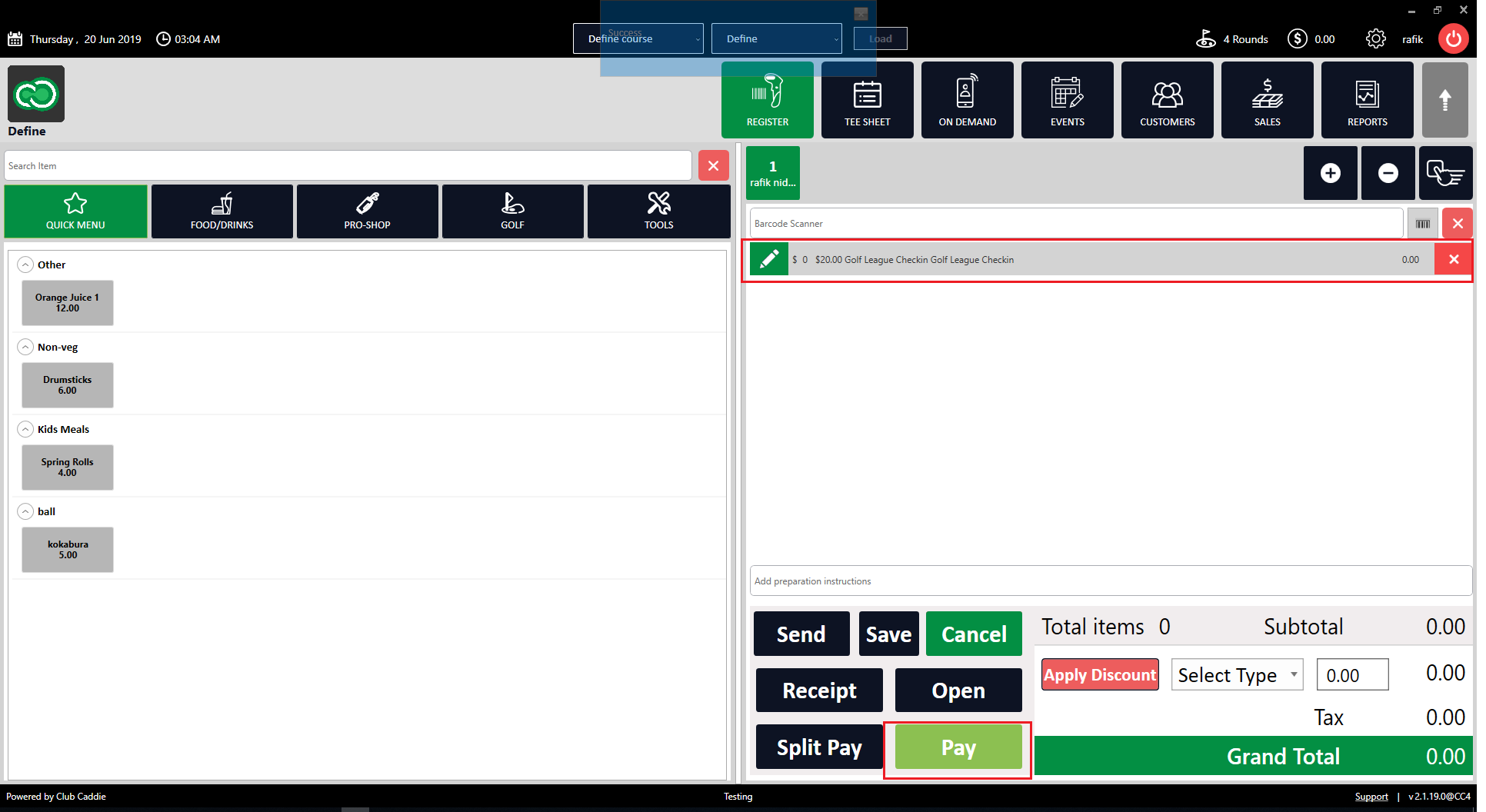
Payment Window:
Related Articles
Golf League Check-in
This article gives step-by-step instructions on how to make a Golf League check-in within the tee sheet. Step-By-Step: Step 1: Click on the TEE SHEET from the top menu. Select the Golf League event from the time slot, then right-click on the time ...Multiple Guest Check In
Article Contents: This article contains information on how to make Group Check In into tee sheet. Step By Step: Step 1: Go to the TEE SHEET module and select the time slot. Step 2: Select the players listed on the time slot. Check on the boxes on the ...Check In Tee Time
Article Contents: This article contains a step-by-step guide on how to check-in a tee-time. Step-By-Step Step 1: Click on the TEE SHEET tab from the main menu (1). Step 2: Find and select the reservation from the Tee Sheet (2). Step 3 (Option a): ...Issuing A Rain Check
Article Contents:- This article provides step-by-step instruction on how to issue a Rain Check or refund a transaction directly from the tee Sheet module. Step-By-Step: Step 1: Click on the "Tee Sheet" button from the top navigation bar. Step 2: ...Google Bookings
Article Content: This Article Explains How Golf Clubs Should Provide And Verify Their Business Information For Onboarding With Reserve With Google (RwG). All Data Must Be Accurate, Valid, And Aligned With The Club's Google Business Profile. ...