Editing Turn Time Resources

Editing Turn Time Resource

Article Contents: This article gives step-by-step instructions on editing the turn resource.

Note: You can adjust turn times and resources for 18 Holes only.

Step-By-Step

Step 1: 
Select the tee sheet module from the module navigation menu. 

Step 2: Click  Select Current Date if the reservation is for the same day or choose a date from the date picker to reserve a time for a particular date.
 
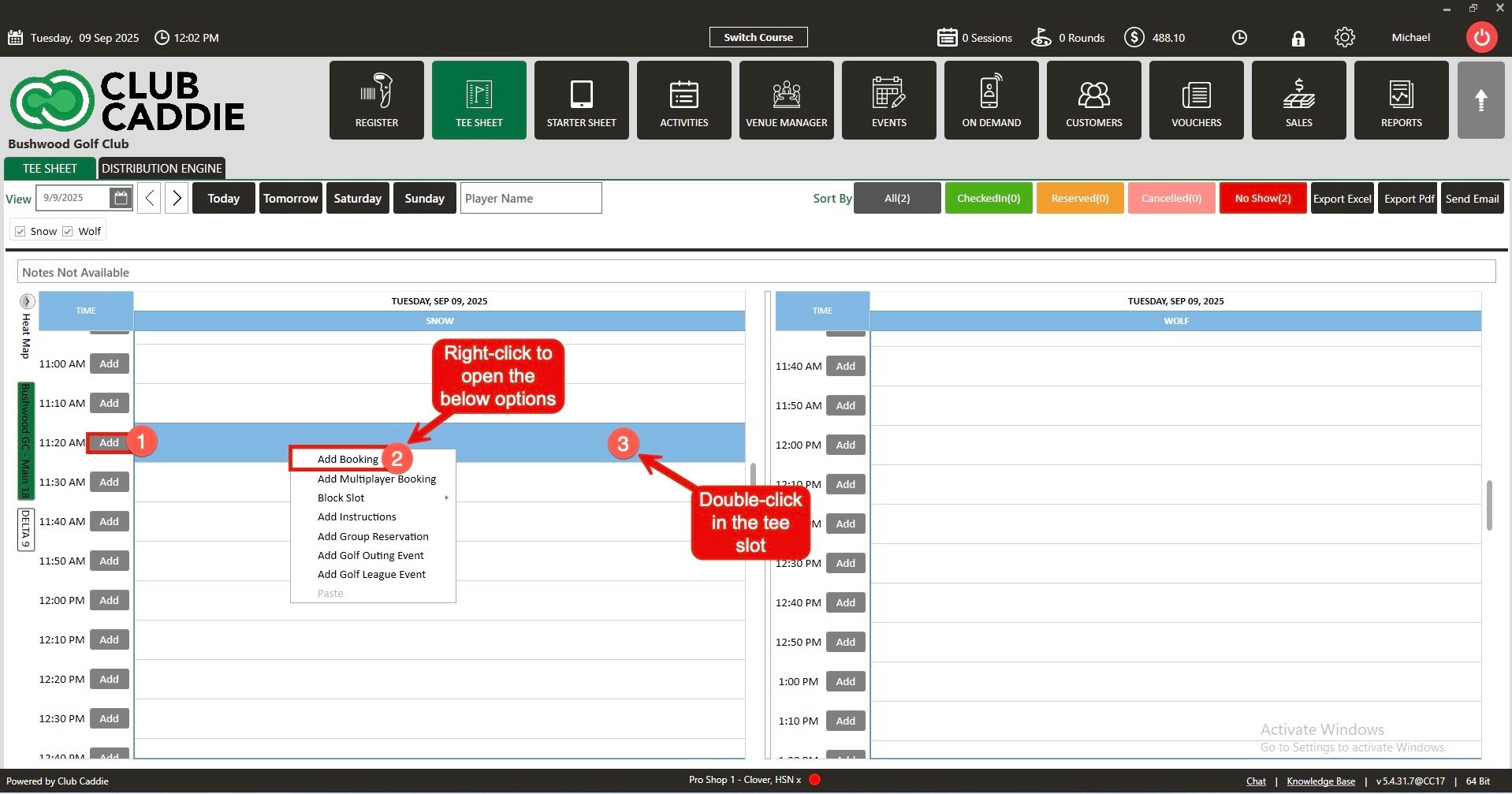
Step 3: On the tee sheet there are time slots under  FrontMiddle, and Back where tee times can be booked.

There are 3 ways to reserve tee times:
  1. Click Add next to the time on the slot.
  2. Right-click on the particular time slot and click Add Booking in the drop-down list.
  3. Double click on the time Slot.


Note: All 3 ways to reserve a tee time open a booking popup that contains the booking details.

 
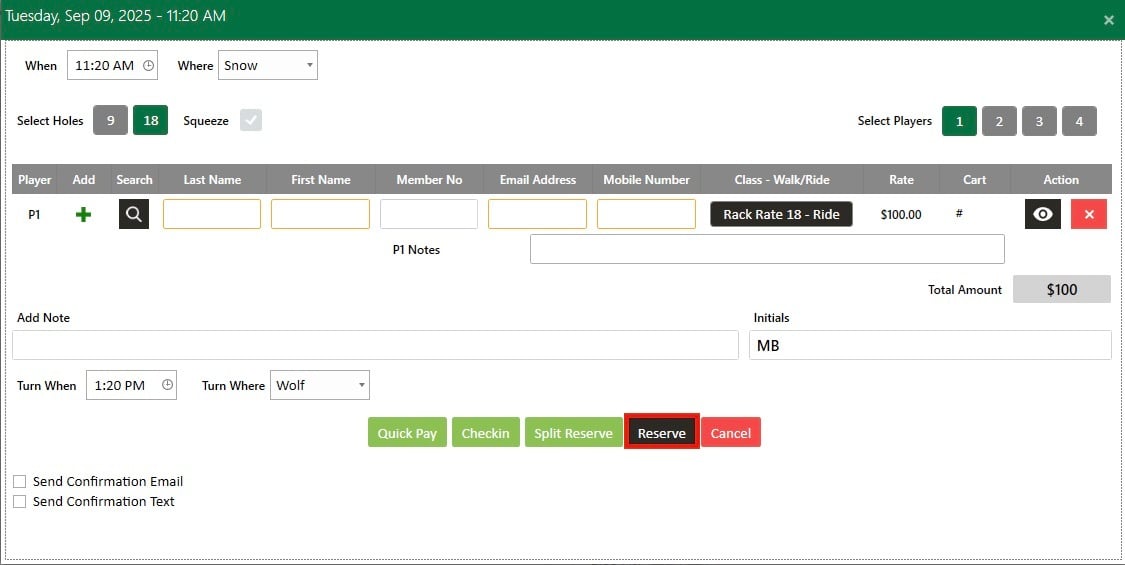
Step 3: With the booking details pop-up open you will have a number of different options available:

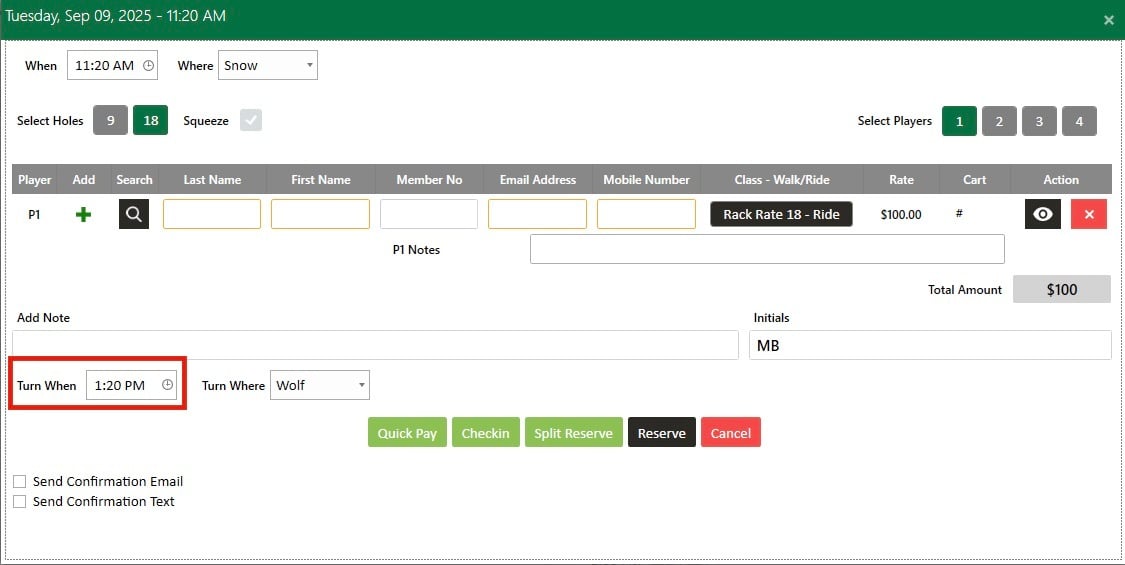
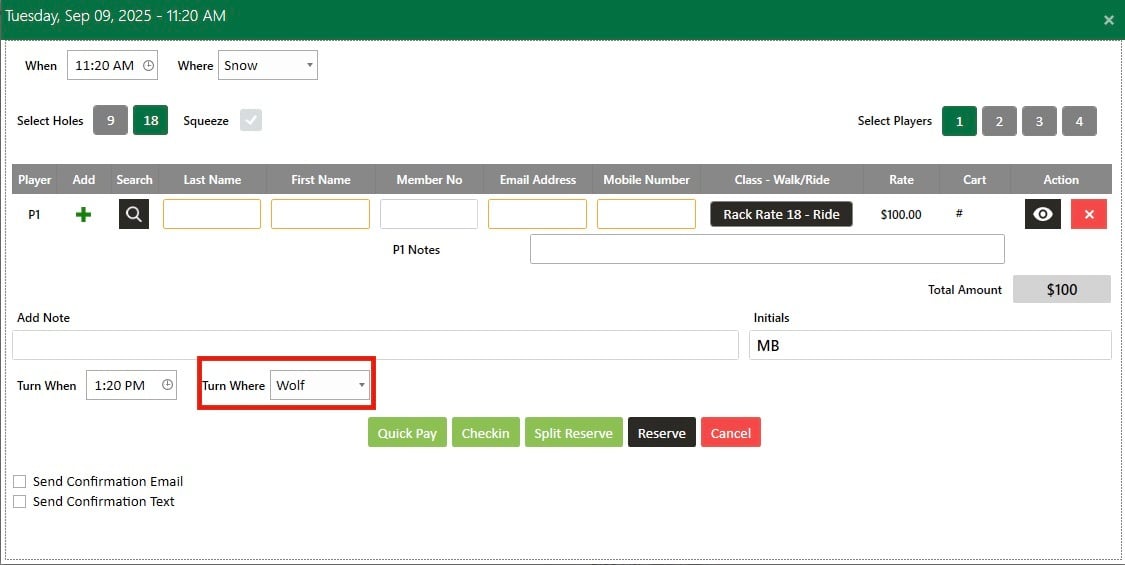
To set the Turn Time:
 
A. Set the Tee Turn Start Time.
B. Select the Tee Turn slot from the drop-down list.
 
A.
B.

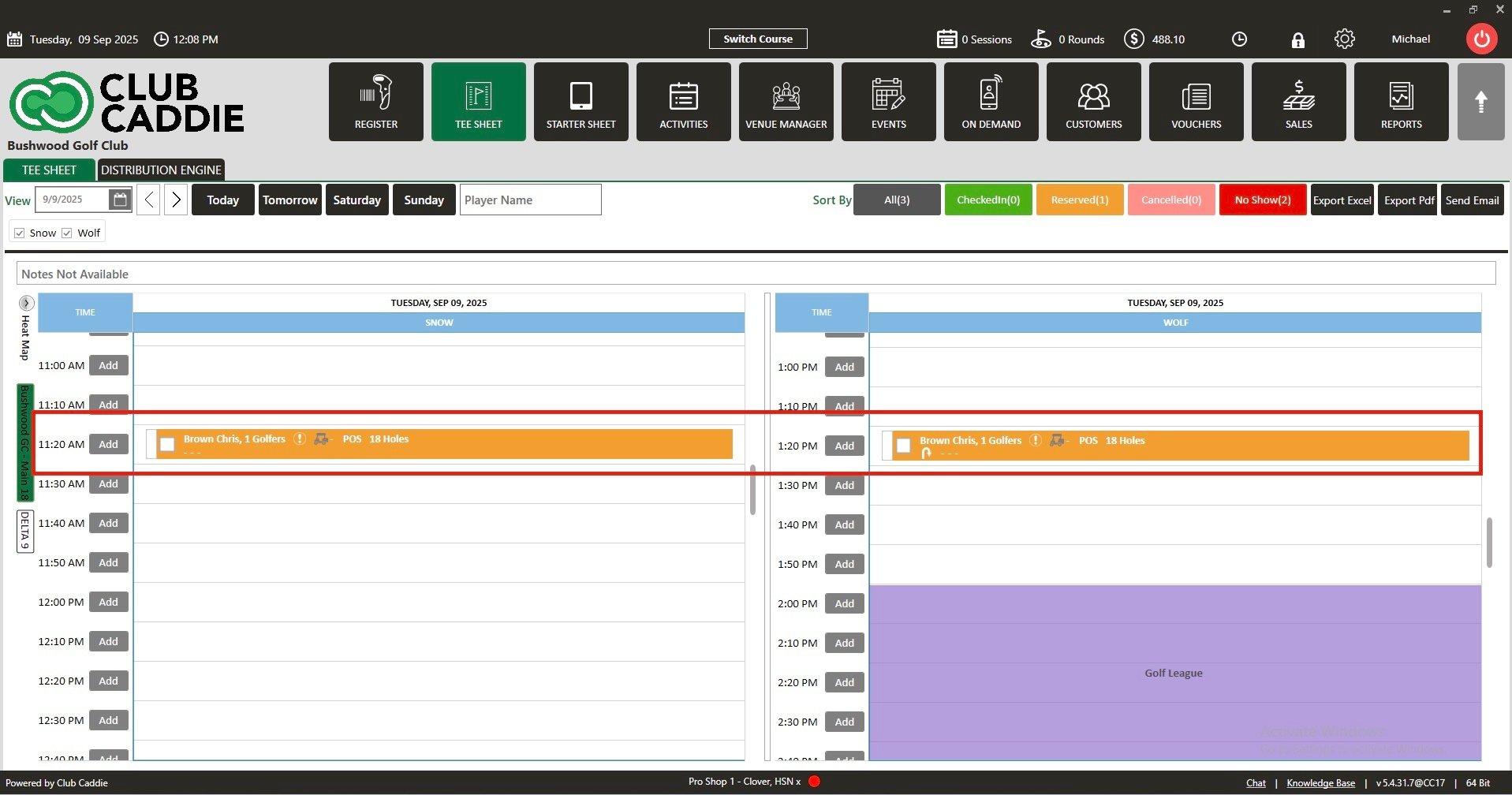
Step 4: Click  Reserve. A tee time will be reserved for the front and back panel.
 
    • Related Articles

    • Turn Time Only Block

      Article Contents: This article gives step-by-step instructions on Turn Time Only Blocks. Step-By-Step Step 1: Select the TEE SHEET module from the module navigation menu. Step 2: Right click on the time that you want the block to start and select ...
    • Move a Tee Time

      Article Contents: This article contains step-by-step instructions on how to move a tee-time from one time slot to another using two different methods. Step-By-Step: Method 1: Drag-and-Drop Method Step 1: Click on "TEE SHEET" on the top menu. Then, ...
    • Cancel a Tee Time

      Article Contents This article contains a step by step guide on canceling or deleting a tee time from the Jonas Synergy tee sheet. Step-By-Step Step 1: Navigate to the tee sheet module from the top navigation bar. Step 2: Locate the tee time ...
    • Edit Tee Time

      Article Contents: This article contains step by step instructions on how to edit a tee booking through the tee sheet. Step-By-Step Step 1: Access the TEE SHEET tab from the main menu. Step 2: Locate and select the reservation on the Tee Sheet. Step ...
    • Check In Tee Time

      Article Contents: This article contains a step-by-step guide on how to check-in a tee-time. Step-By-Step Step 1: Click on the TEE SHEET tab from the main menu (1). Step 2: Find and select the reservation from the Tee Sheet (2). Step 3 (Option a): ...