Split Reserve

Split Reserve

Article Contents: This article contains information on how to Split Reserve Tee Time bookings.

Step-By-Step
 
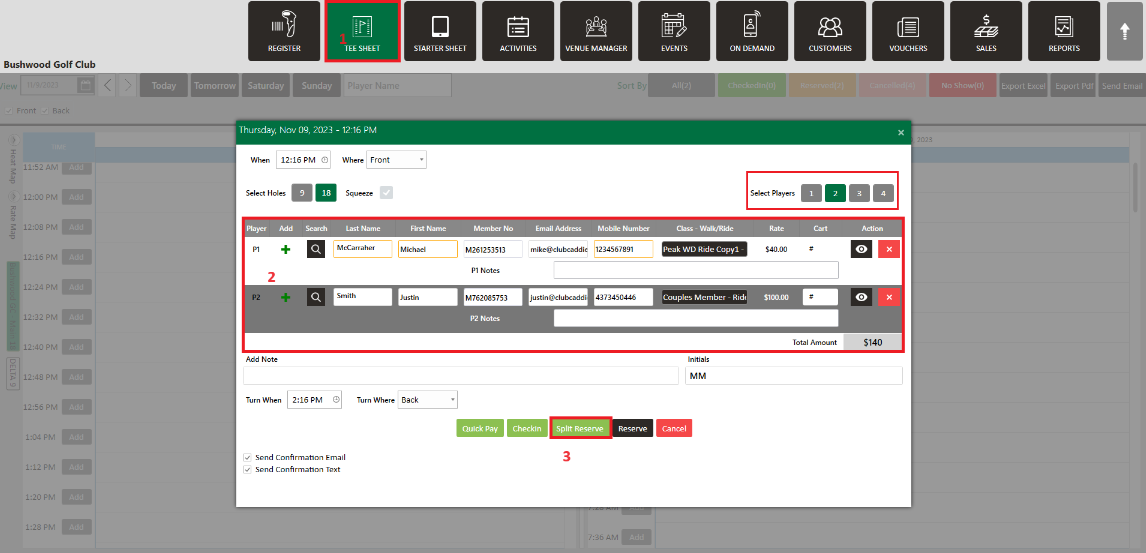
Step 1:  Go to the  TEE SHEET Tab from the main menu (1).
 
Step 2:  Follow the same process to add a reservation provided in the article: " Tee Sheet : Reserve a Tee Time"
 
Step 3:  After choosing the number of Players (it has to be more than 1), fill in the required fields in the text boxes (2).
 
Step 4:  Click on  Split Reserve (3). 
 
Split reserved bookings will look like this in the tee sheet:
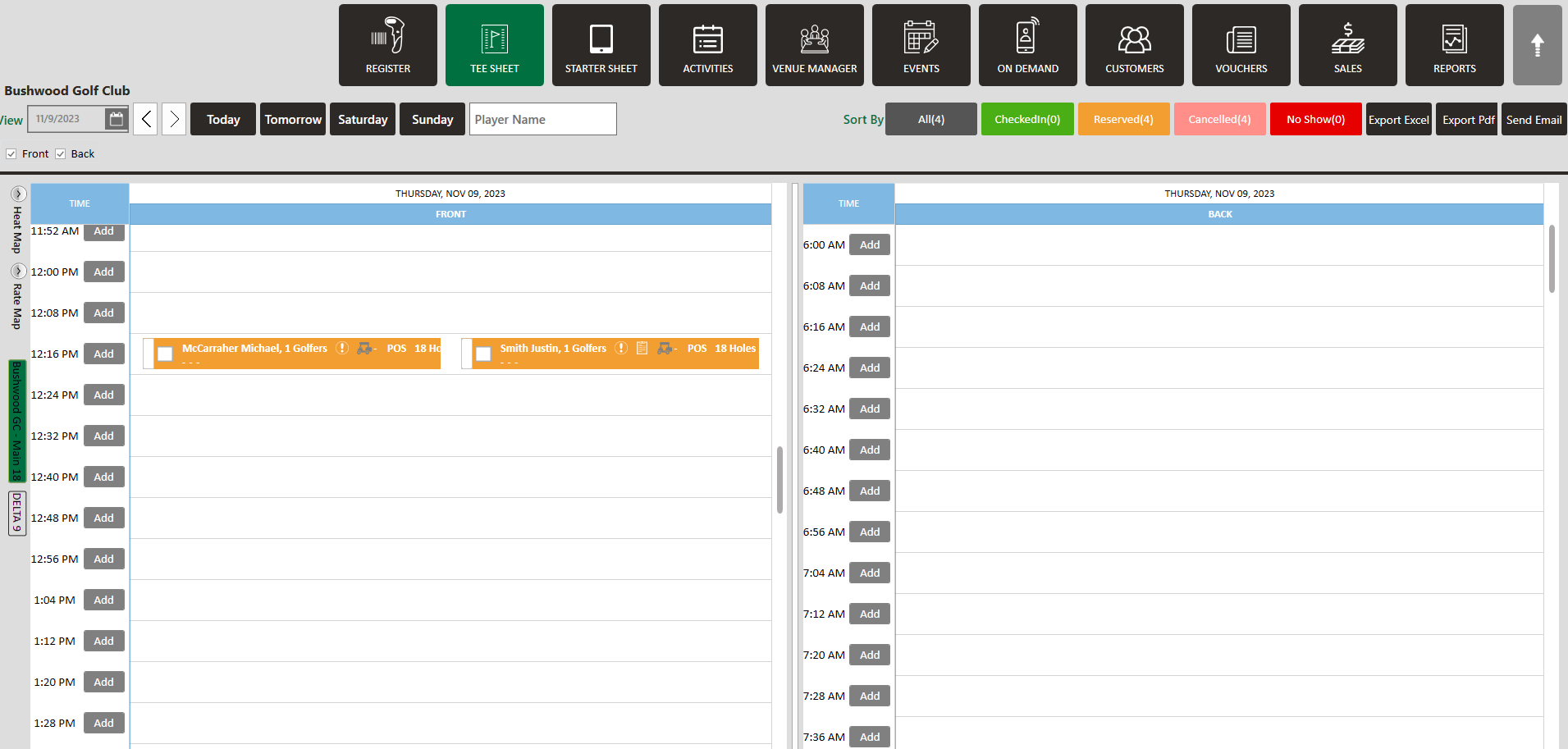


On an existing multiplayer booking without a split reserve, you can open the booked Tee Time in case you want the reservation changed by clicking on Split Reserve.

Split Reserve is only applicable to more than one player on tee sheet.

    • Related Articles

    • Reserve A Tee Time

      Article Contents: This article contains step-by-step instructions on reserving a new tee time within the tee-sheet module. Step-By-Step Step 1: Select “Tee Sheet” from the main menu. Step 2: The default date selection will be today's date. If you ...
    • How to Squeeze a Tee Time

      Article Contents: This article contains steps on how to squeeze a tee time Step-By-Step Step 1: Navigate to the settings module (1), followed by Tee Time Information (2) in the left menu. Make sure that the Tee Times Squeeze setting is ON (3). Step ...
    • Add New Guest

      Article Contents: This article contains step-by-step instructions on how to add new Guest through the Tee Sheet Step-By-Step Step 1: Select the TEE SHEET module from the module navigation menu. Step 2: Book a tee time: There are 3 ways to reserve a ...
    • Booking Confirmation

      Article Contents: This article contains step-by-step instructions on sending a booking confirmation. Step-By-Step: Step 1: Select “Tee Sheet” from the main menu. Step 2: Select the day and time you wish to book. Step 3: Once you have entered the ...
    • Editing Turn Time Resource

      Article Contents: This article gives step-by-step instructions on editing the turn resource. Note: You can adjust turn times and resources for 18 Holes only. Step-By-Step Step 1: Select the tee sheet module from the module navigation menu. Step 2: ...